Bulkhead - Volume & Wholesale Pricing for WooCommerce — Quantity price breaks and role-based wholesale prices for WooCommerce, with a price table on the product page and tier prices in the classic and block cart and checkout.
Bulkhead lets you sell more units per order and serve trade customers without a second shop. You set price breaks such as "5% off from 10 units, 10% off from 25" for all products, a category, a tag or hand-picked products, and Bulkhead applies them in the cart and at checkout. A price table on the product page shows shoppers what they save before they add anything.
Rules can target customer roles, so wholesale customers get their own prices while everyone else pays the normal price. Breaks can be a percentage, an amount off every unit or a fixed unit price, and they can apply to the whole quantity or graduated, where each band is priced separately. The tier price works in the classic and the block cart and checkout, and the order records which break was applied.
Who it is for: shops that sell consumables, parts, food, craft supplies or anything people buy in multiples, and shops that quote a different price to trade customers. A volume break is a well known way to lift the average order size. Bulkhead makes it easy to run one, but it cannot promise what it will do for your sales.
What you get
- Rules for all products, categories, tags or selected products, with an exclude list
- Three price types: percent off, amount off per unit, or a fixed unit price
- Two tier modes: "bulk" (the matching break prices the whole quantity) and "graduated" (each band is priced on its own)
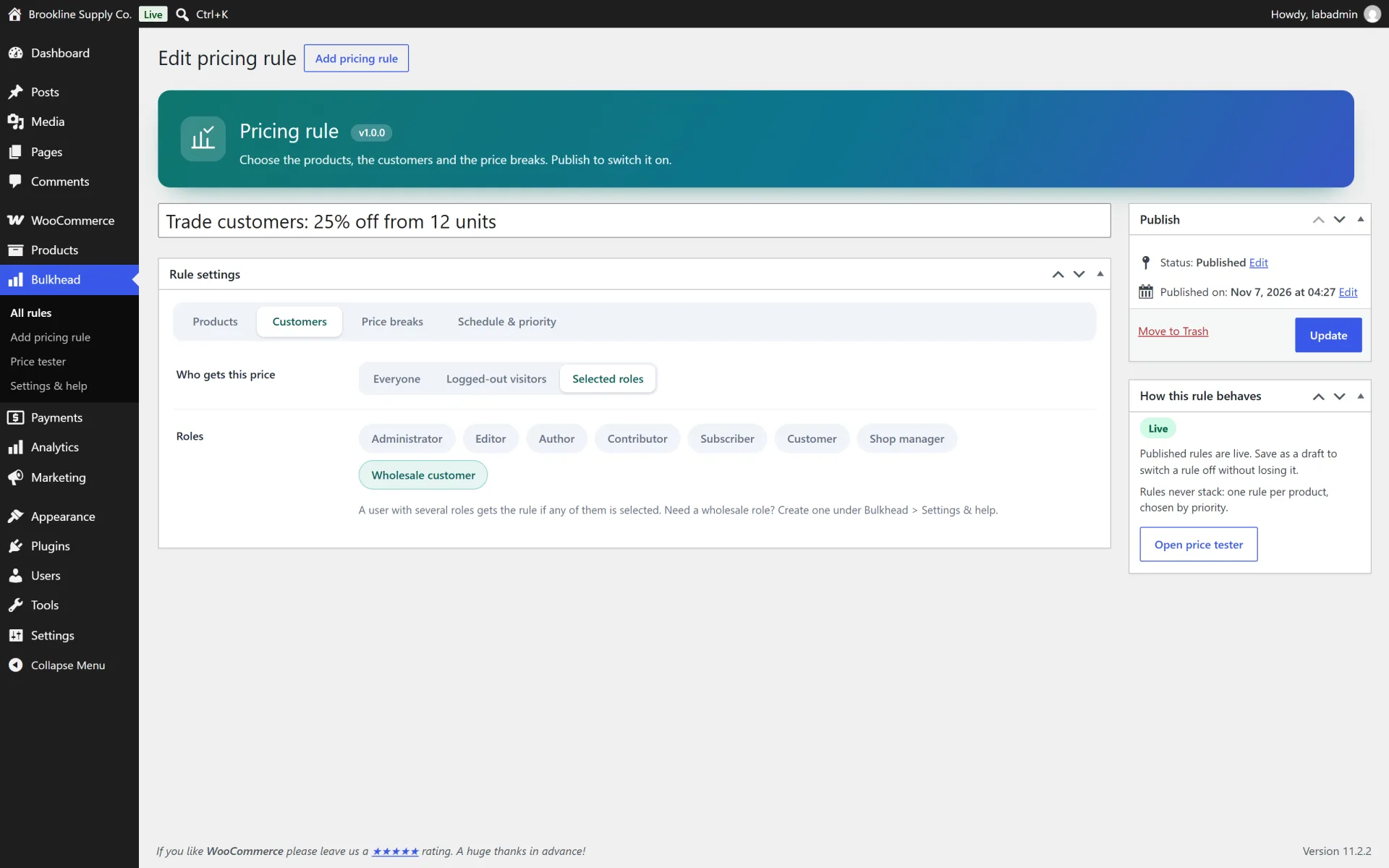
- Audience targeting: everyone, guests only, or chosen customer roles. A one-click "Wholesale customer" role is included
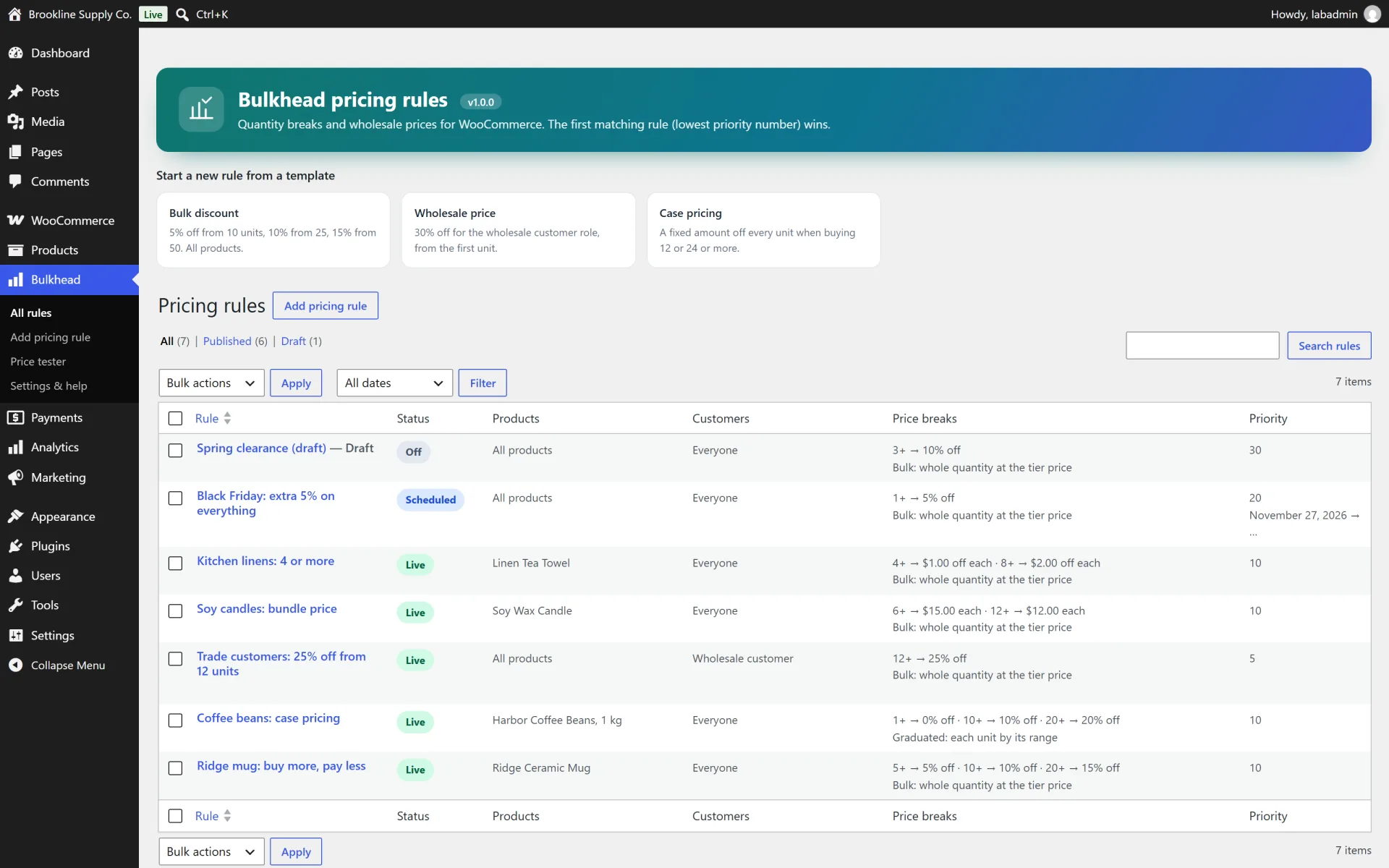
- Start and end dates, a priority number and a custom label for each rule. Rules never stack: the lowest priority number wins
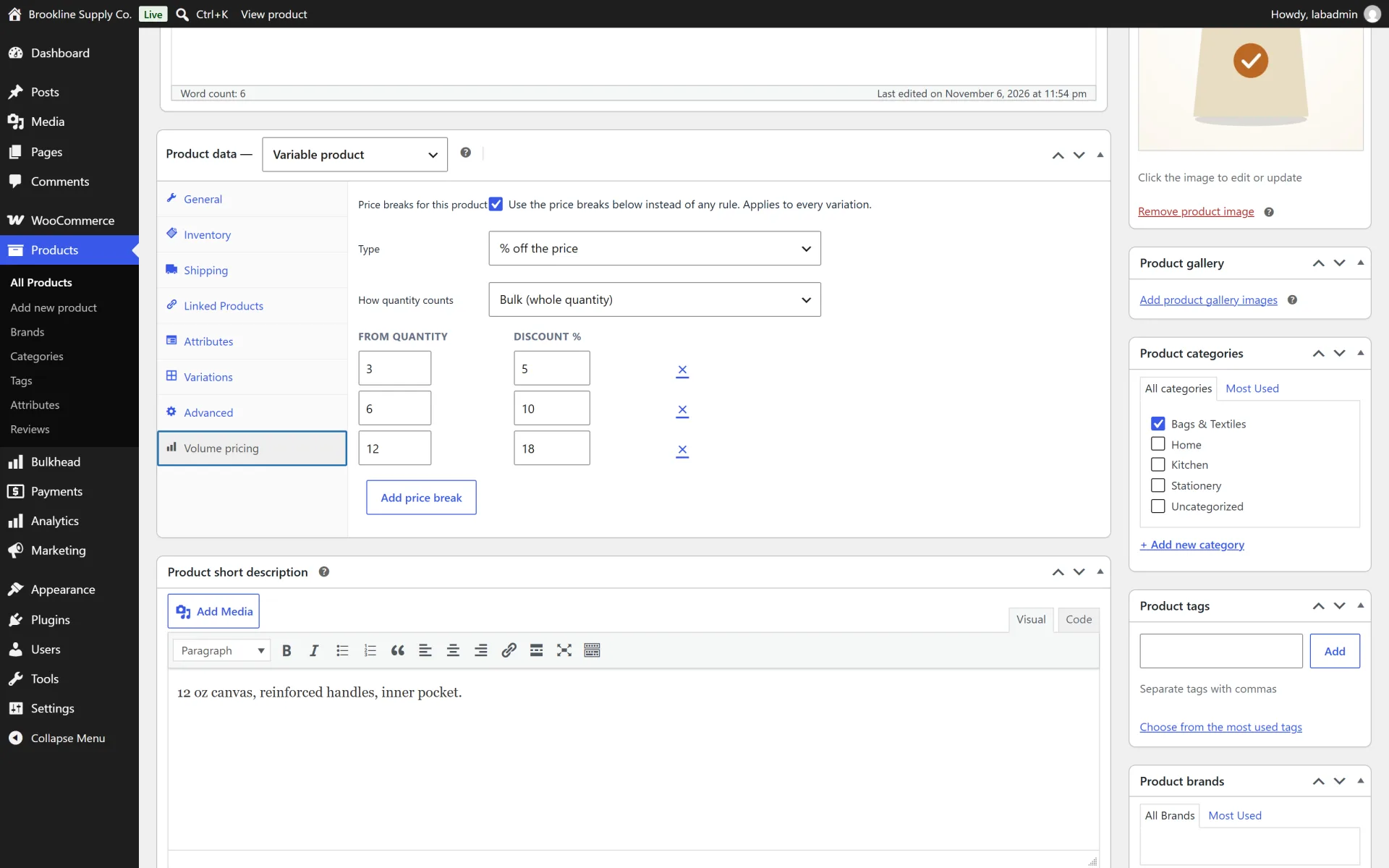
- Per-product override: a "Volume pricing" tab in the product editor that beats any rule
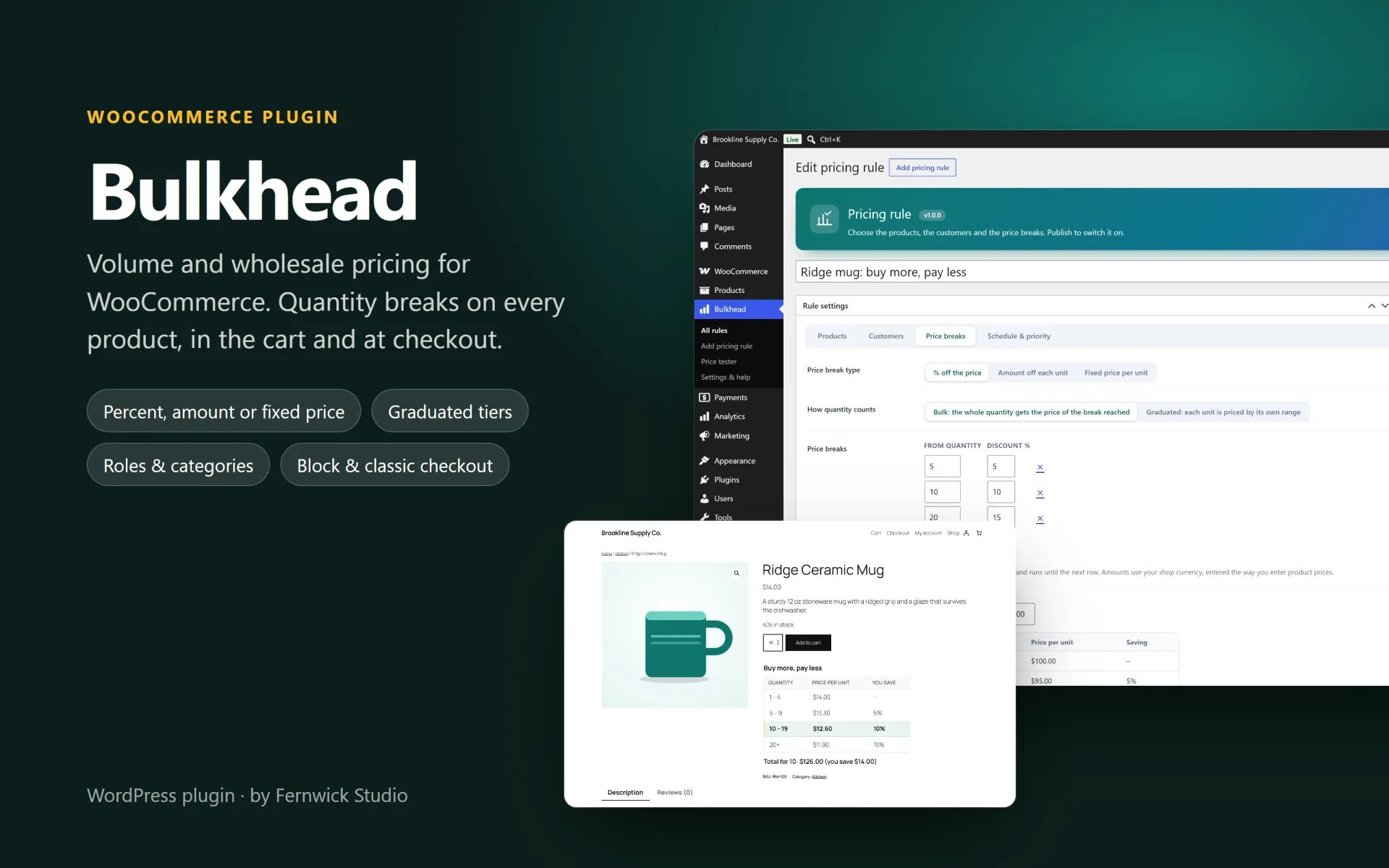
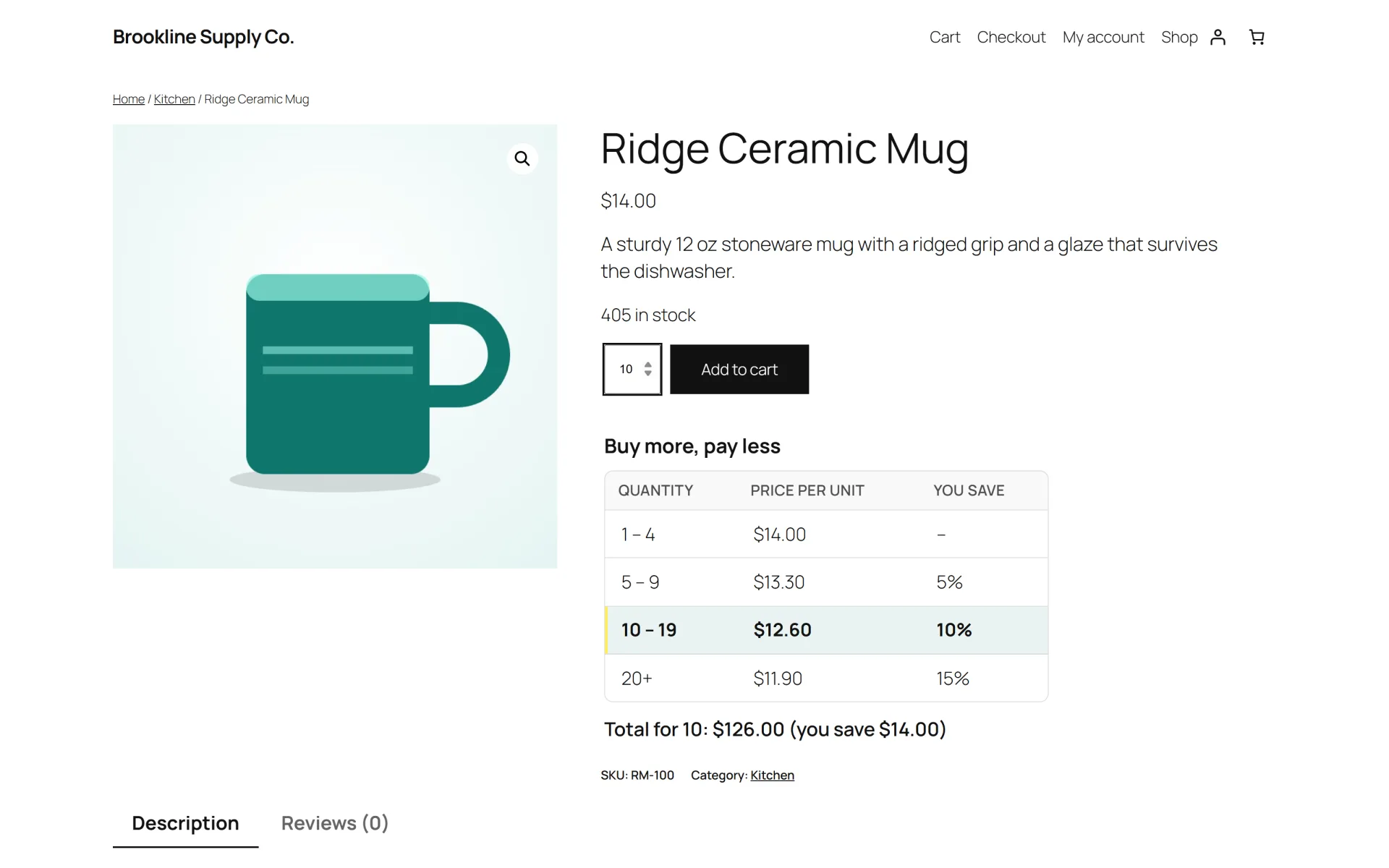
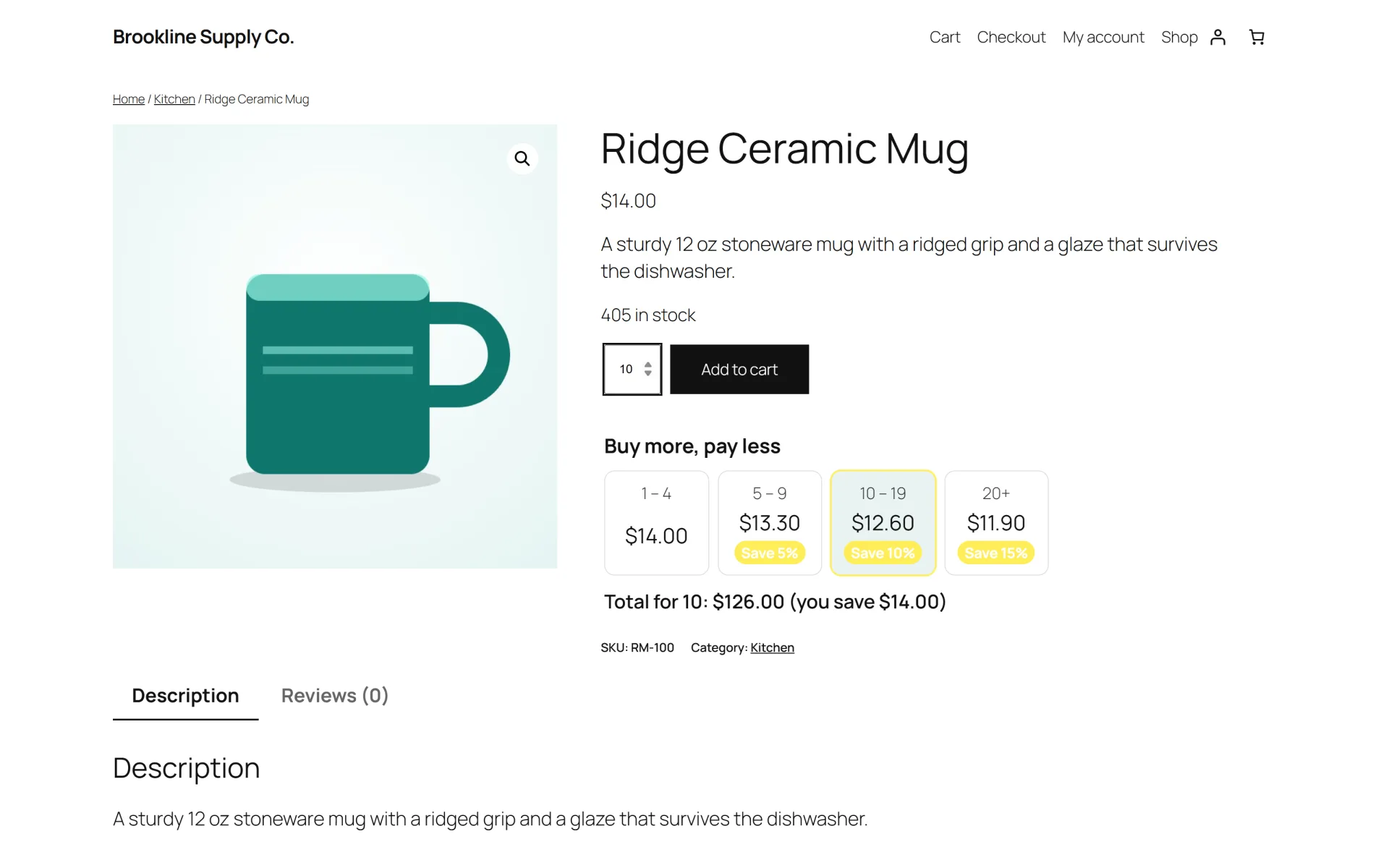
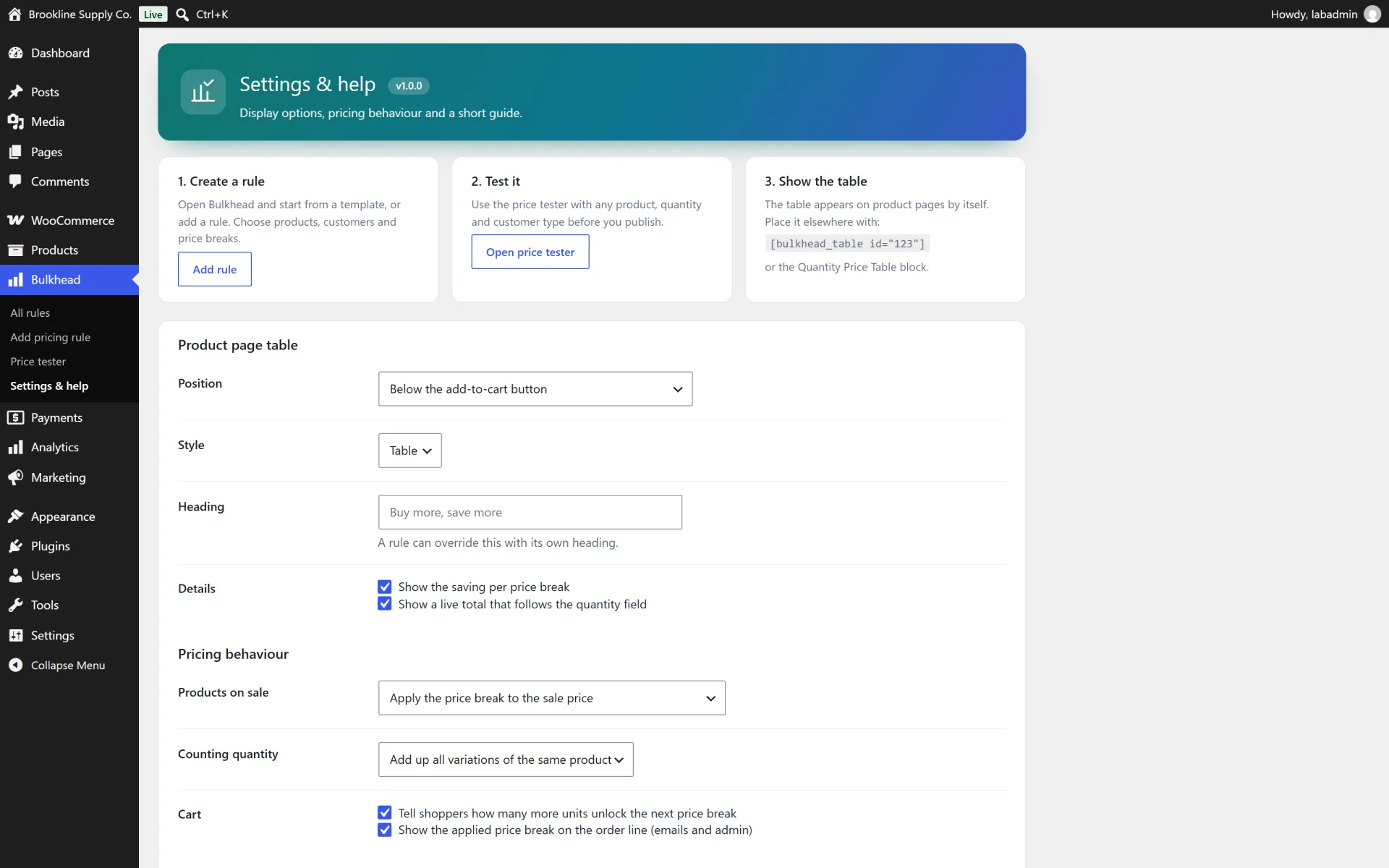
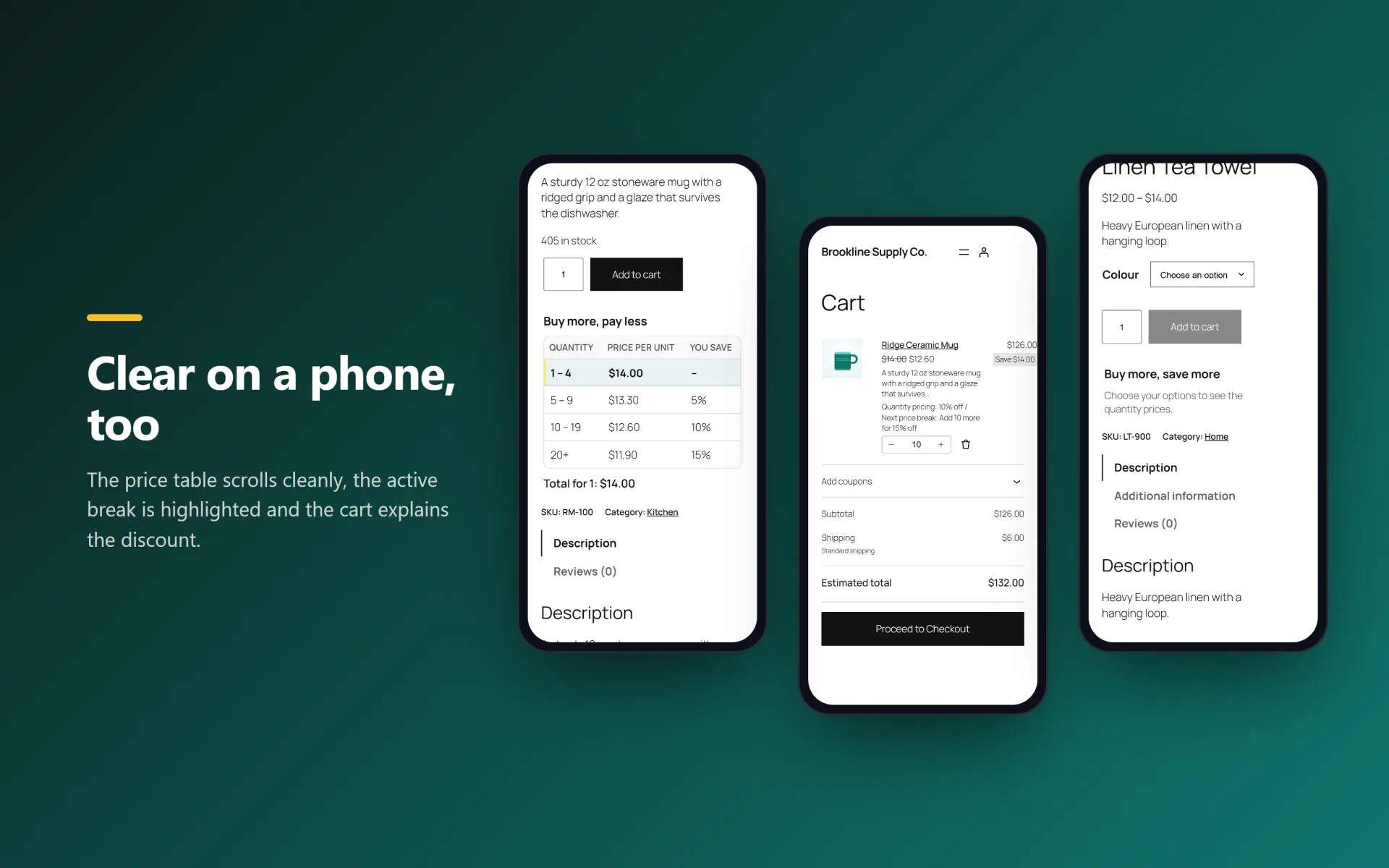
- Price table on the product page (table or cards style, before or after the add to cart form) with savings and a quantity total, plus a block and a shortcode to place it anywhere
- Variable products: breaks can add up the quantity of all variations of one product
- Choose how sale prices behave: apply the break to the sale price, to the regular price, or skip products on sale
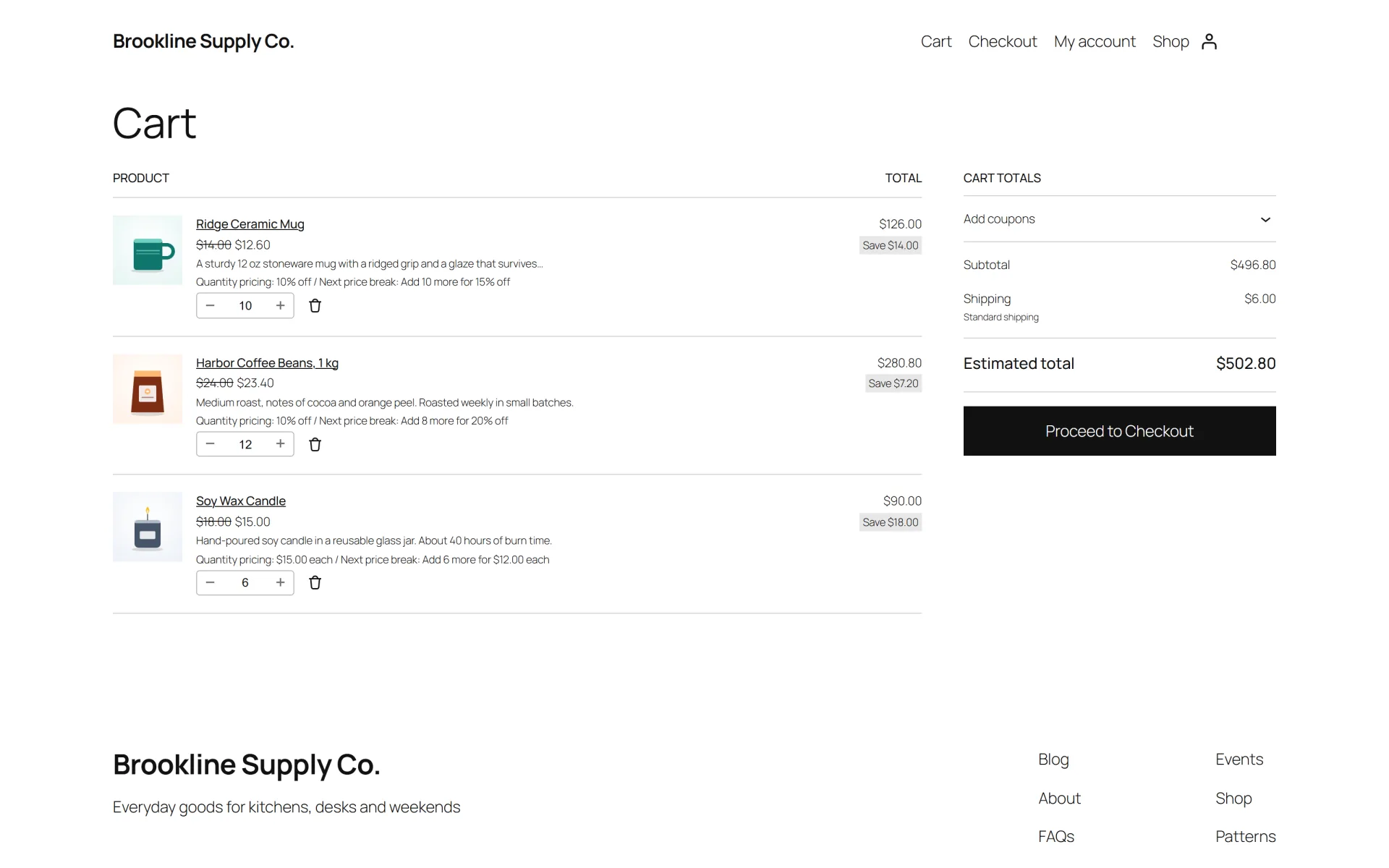
- Cart hint that tells shoppers how many more units unlock the next break
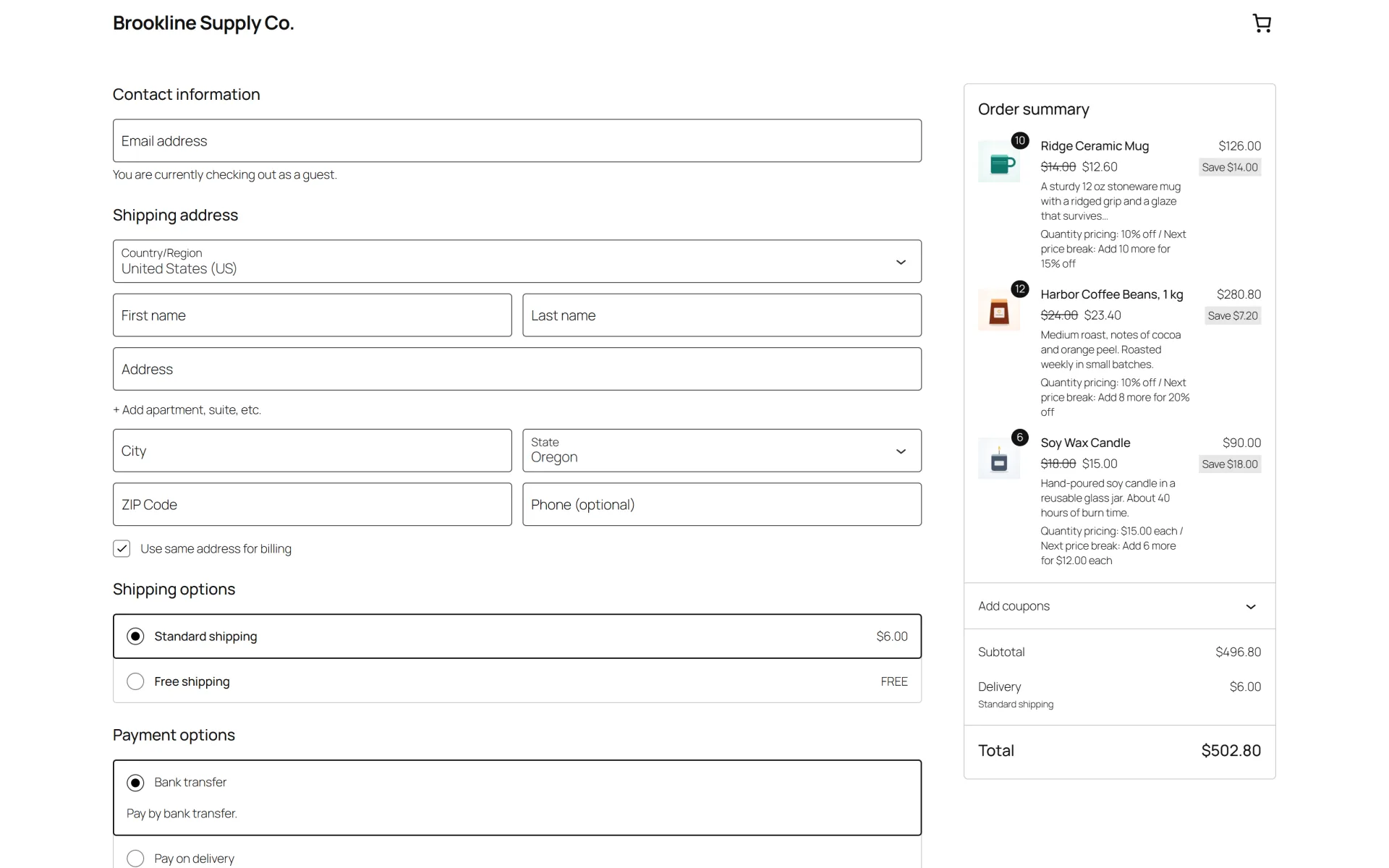
- Works with the classic and the block cart and checkout, WooCommerce coupons and taxes. Declares HPOS (custom order tables) compatibility
- The applied break is saved on the order item so the order shows what happened
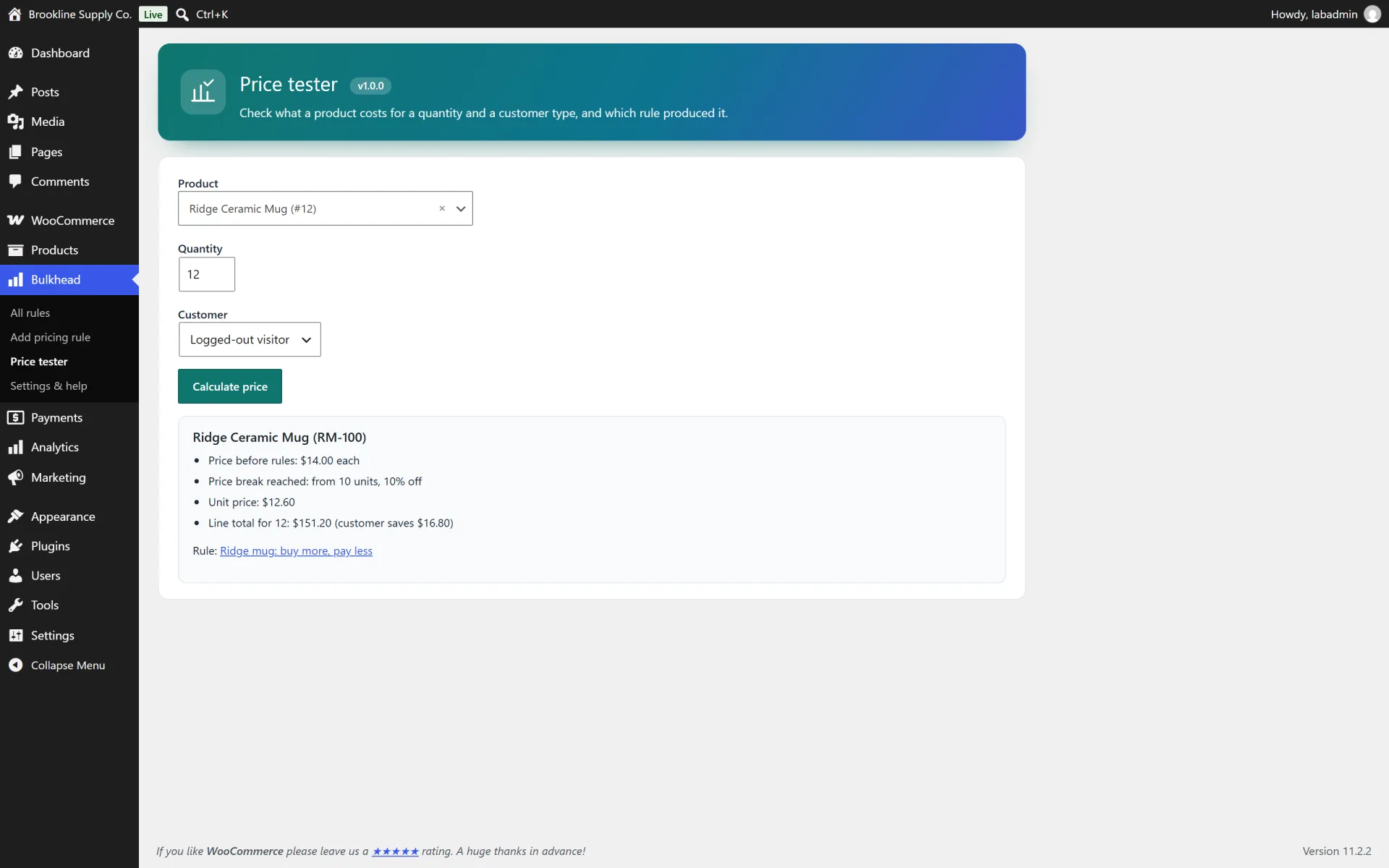
- Built-in price tester: pick a product, a quantity and a role and see the result before you publish a rule
- Starter templates (bulk discount, wholesale price, case pricing), a live preview in the editor and a clean uninstall option
How it works
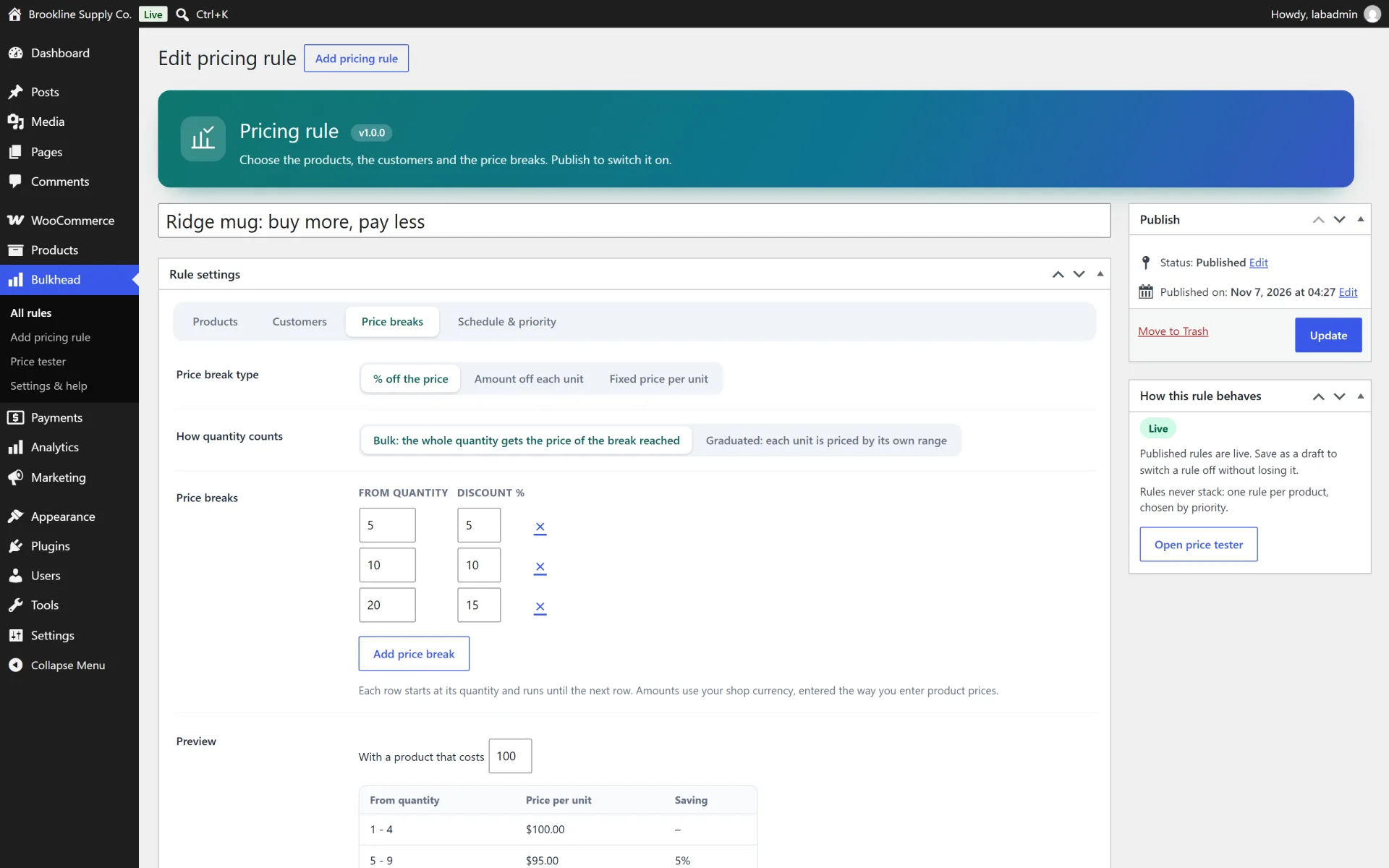
Create a rule. Bulkhead > Add rule. On the Products tab choose all products, categories, tags or specific products. On the Customers tab choose everyone, guests or customer roles. On the Price breaks tab choose the price type and the mode, then add rows such as 10 units = 5%. The preview below the rows shows what shoppers will pay.
Bulk or graduated. Bulk prices the whole quantity at the best matching break: 12 units with a break at 10 means all 12 units get the 10-unit price. Graduated prices each band separately: the first units at the base price, the next band at the next price and so on.
Which rule wins. Rules never stack. The matching rule with the lowest priority number is used. A "Volume pricing" tab saved on a product beats every rule for that product.
Wholesale prices. Use the "Wholesale price" template, or choose Customers > Customer roles on any rule. Bulkhead can create a "Wholesale customer" role with one click, or you can use a role from another plugin. Logged-out visitors and other roles see the normal price.
Sale prices and variations. Under Settings choose whether a break applies to the sale price, to the regular price (which replaces the sale) or skips products that are on sale. For variable products choose whether the quantities of all variations of one product are added up.
Place the price table anywhere. The table appears next to the add to cart form by default. Use the block "Quantity Price Table" or the shortcode [bulkhead_table id="123"] (omit the id on a product page) to place it yourself, or switch automatic placement off in Settings.
Check a price. Bulkhead > Price tester takes a product, an optional variation, a quantity and a role and returns the unit price, the line total and the rule that applied.
Not included (so there are no surprises)
- Request-a-quote forms, invoices, purchase orders or net payment terms.
- Minimum or maximum order quantities, pack sizes or "sold in multiples of" rules.
- Per-customer individual price lists, CSV price imports or ERP syncing.
- Changing prices through a multi-currency or price conversion plugin. If such a plugin converts prices, check that a fixed unit price is converted the way you expect.
- Bundles and composite products: tier prices apply to ordinary simple and variable products.
Install in minutes
- Make sure WooCommerce is installed and active.
- In your WordPress admin open Plugins > Add New > Upload Plugin and choose the downloaded zip (the one named bulkhead-volume-pricing-v1.0.0.zip).
- Click Install Now, then Activate. A new Bulkhead menu appears.
- Open Bulkhead and start from a template ("Bulk discount" is a good first rule), or choose Add rule.
- Set what the rule applies to, who it applies to and the price breaks, then publish. Open a product page to see the price table, and add enough units to a cart to see the tier price.
- Optional: use Bulkhead > Price tester to check a product, quantity and role, and review Bulkhead > Settings & help.
What is in the download
- The ready-to-upload WordPress plugin (
bulkhead-volume-pricing), organised in namespaced PHP classes
readme.txt in WordPress.org format, a full HTML documentation page in docs/ and a CHANGELOG.mdlicense.txt (GNU GPL v2) and a translation template in languages/- A careful uninstall: your data is kept when you delete the plugin, unless you tick the "delete data" option in the plugin settings first. Past orders are never changed.
About the screenshots
The gallery shows the plugin running on a private test shop ("Brookline Supply Co.") with sample products, sample orders and generated placeholder pictures, not a public demo. There is no hosted live demo for this plugin.
Third-party product and network names mentioned (WordPress, WooCommerce and others) are trademarks of their respective owners. This plugin is an independent product and is not affiliated with or endorsed by them.