Skip to content

Launch Sale

25% off selected items for a limited time.

Ends in -

UptimeKeep — Uptime Monitoring SaaS Script

Rated 5.0 out of 5 from 1 review.

by Owen Harth Verified New

in SaaS kits

Launch your own uptime monitoring SaaS on Laravel 12: 17 monitor types, 21 alert channels, branded status pages and an admin panel. Earn by selling subscription plans and white-label status pages to your own customers, with an affiliate programme built in.

Version
1.0.0
Updated
Sales
New
Compatibility
PHP 8.2+, MySQL 8.0+/MariaDB 10.6+, Apache rewrite or Nginx, cron every minute for the scheduler

About

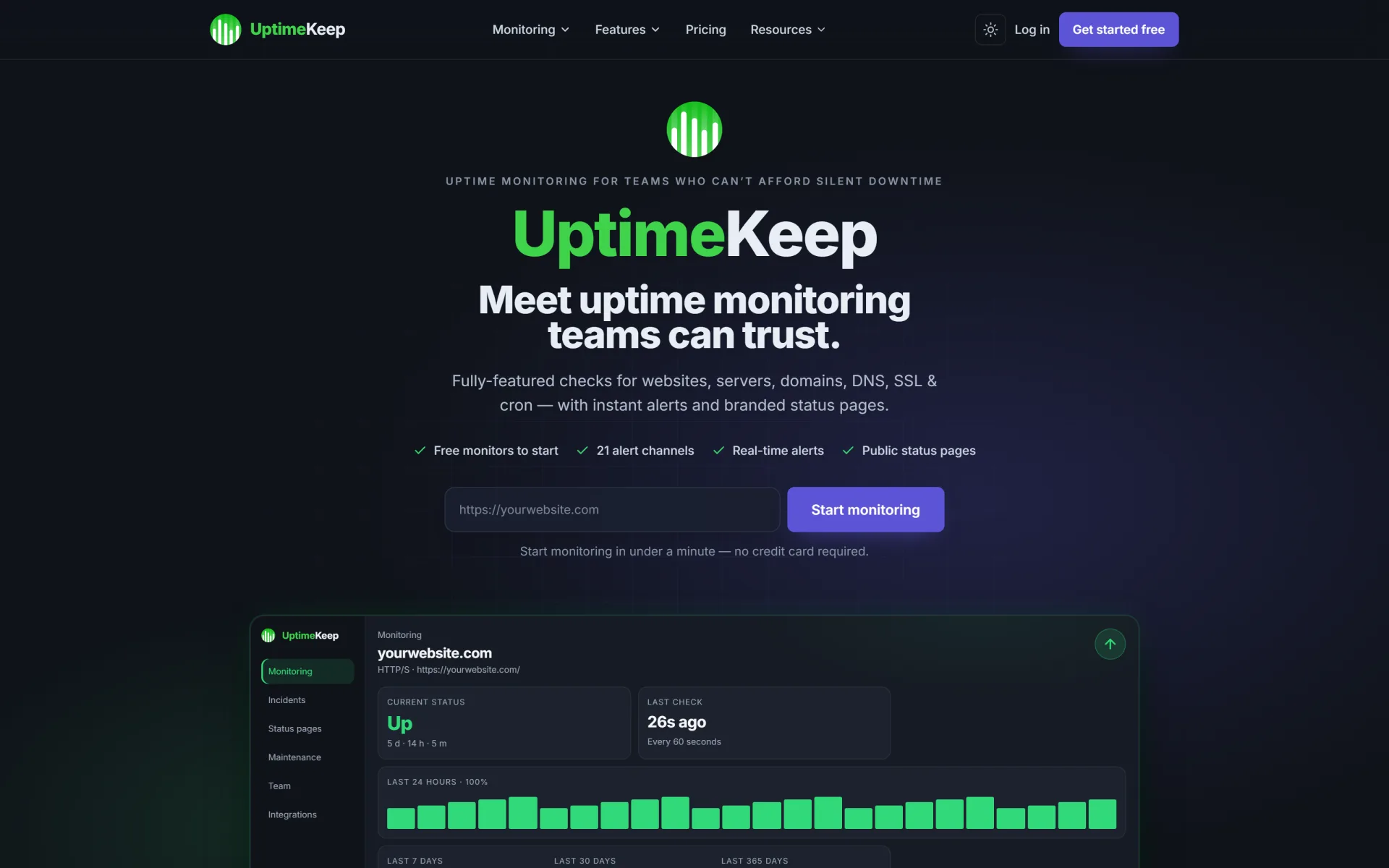
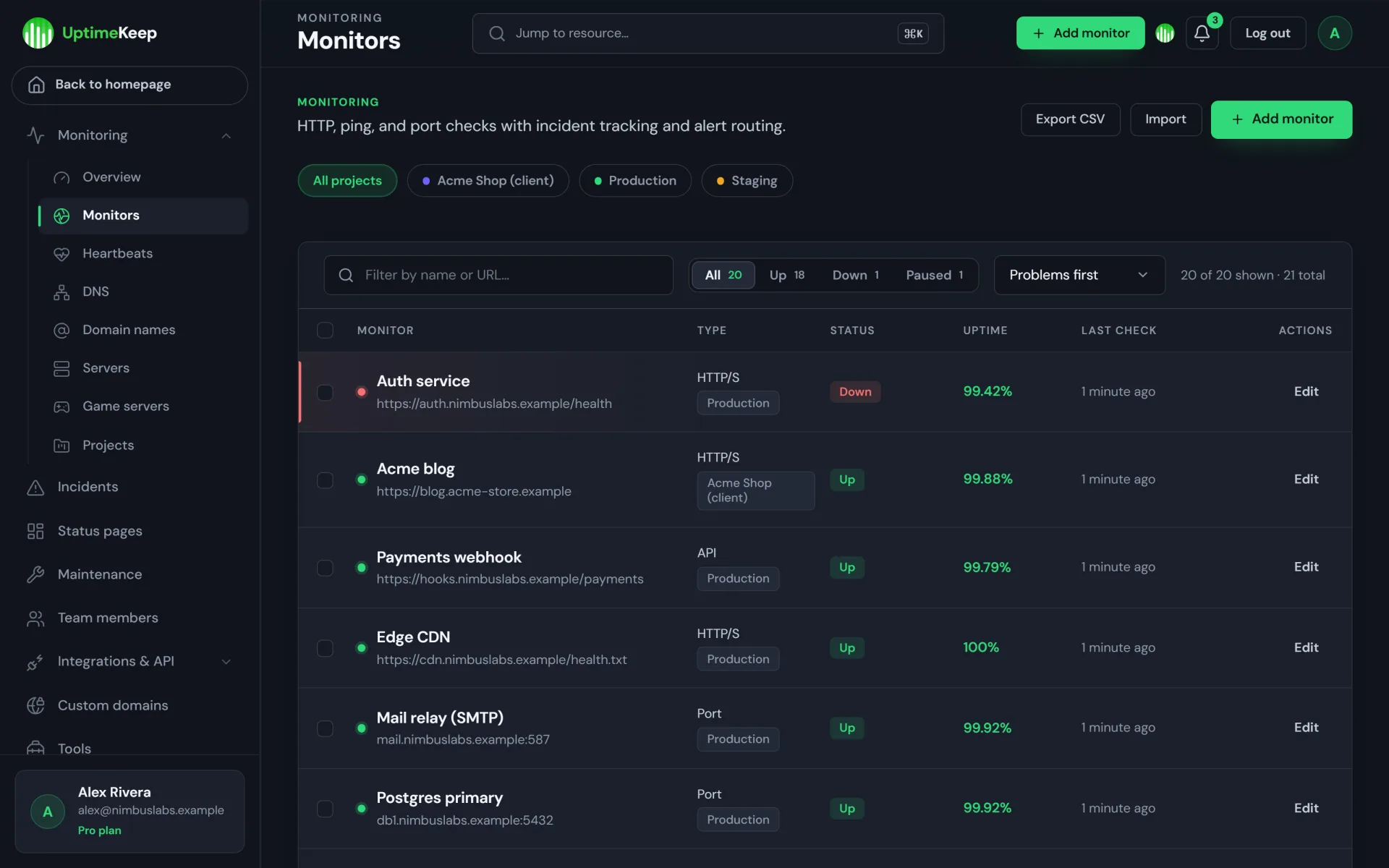
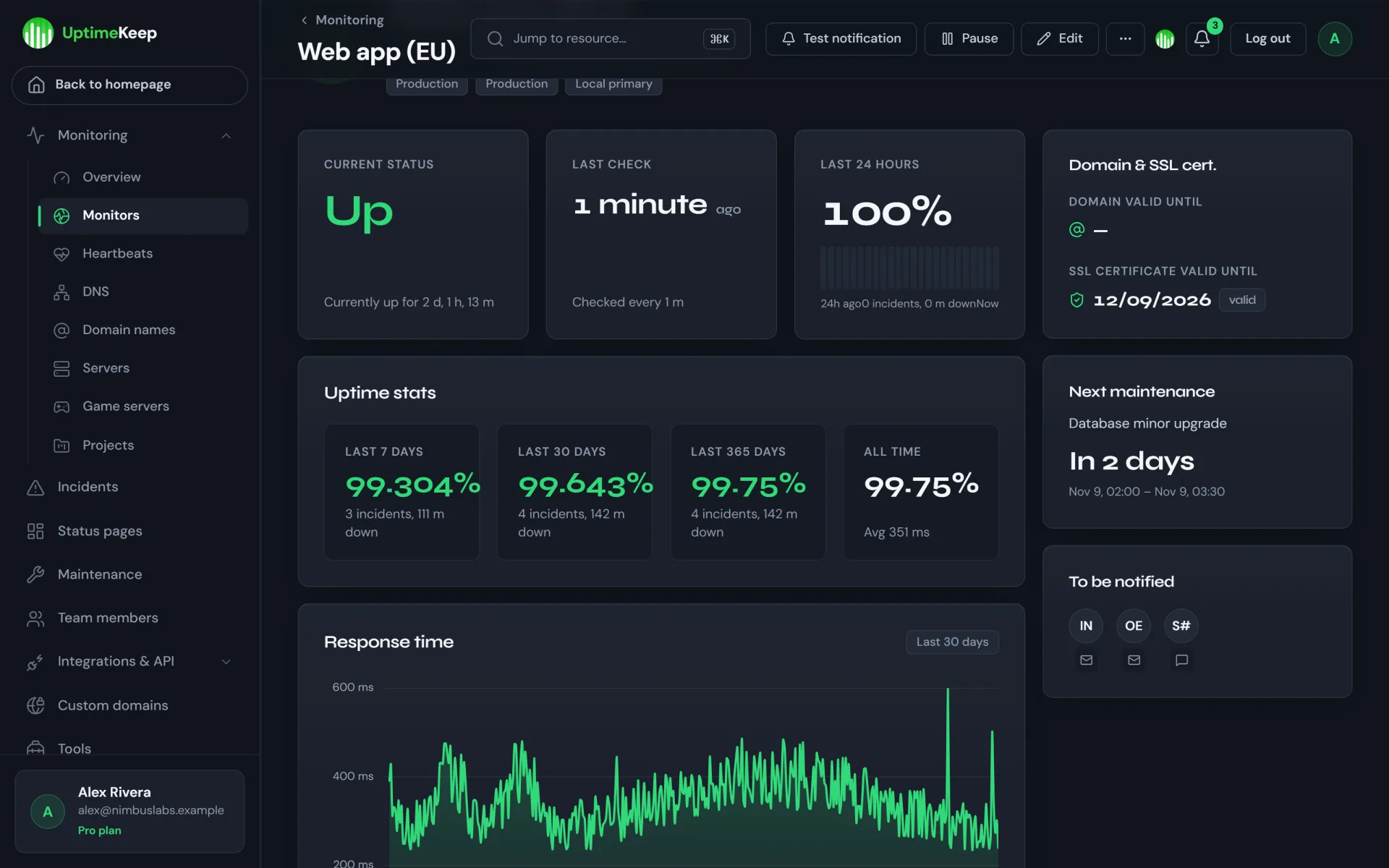
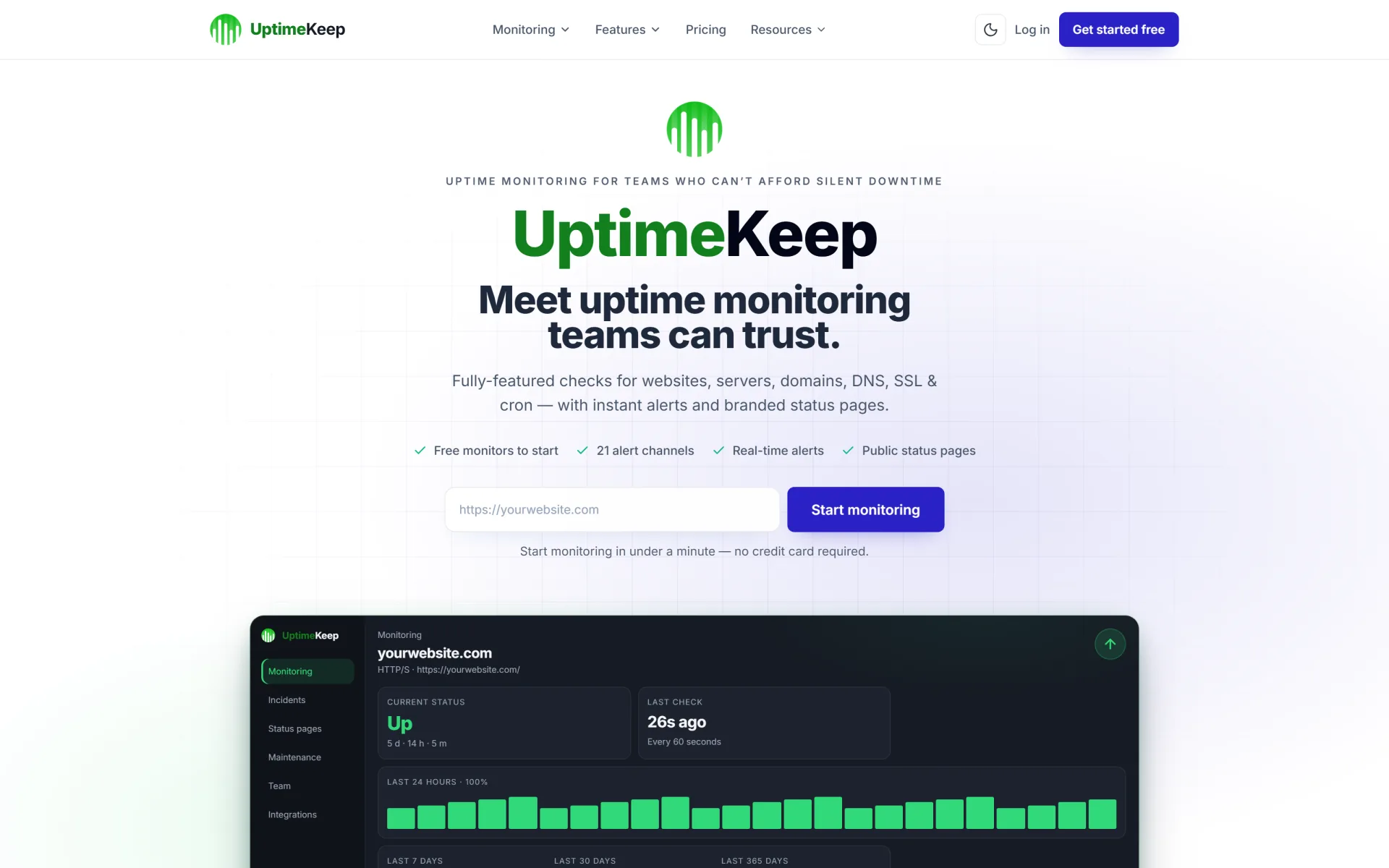
UptimeKeep is a production-ready uptime monitoring SaaS script built on Laravel 12. Monitor websites, APIs, servers, DNS, domains, SSL certificates, cron jobs and game servers, alert your customers on the channels they already use, publish branded public status pages — and sell it as a subscription service on your own domain with plans, an affiliate programme and a full admin control panel.

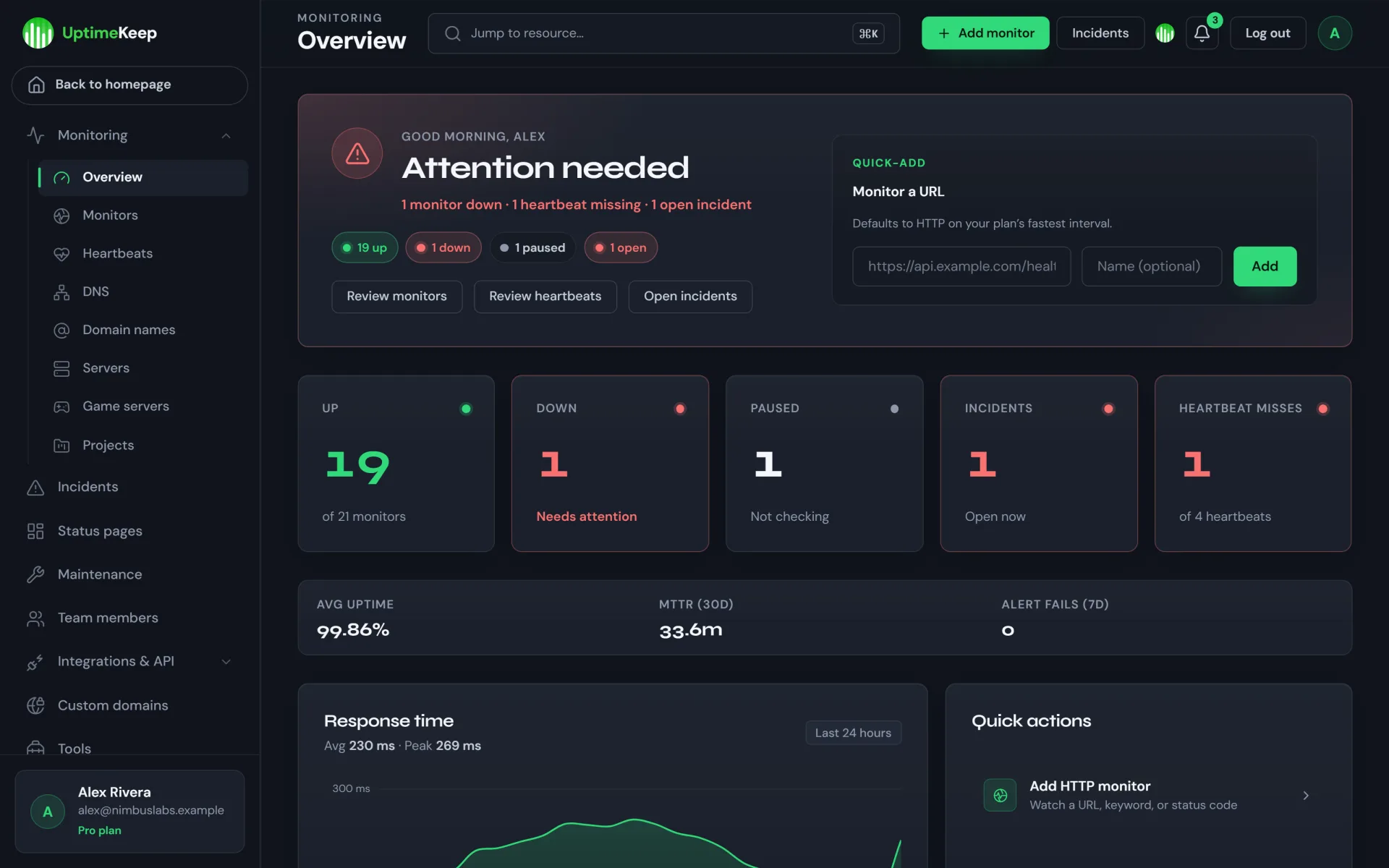
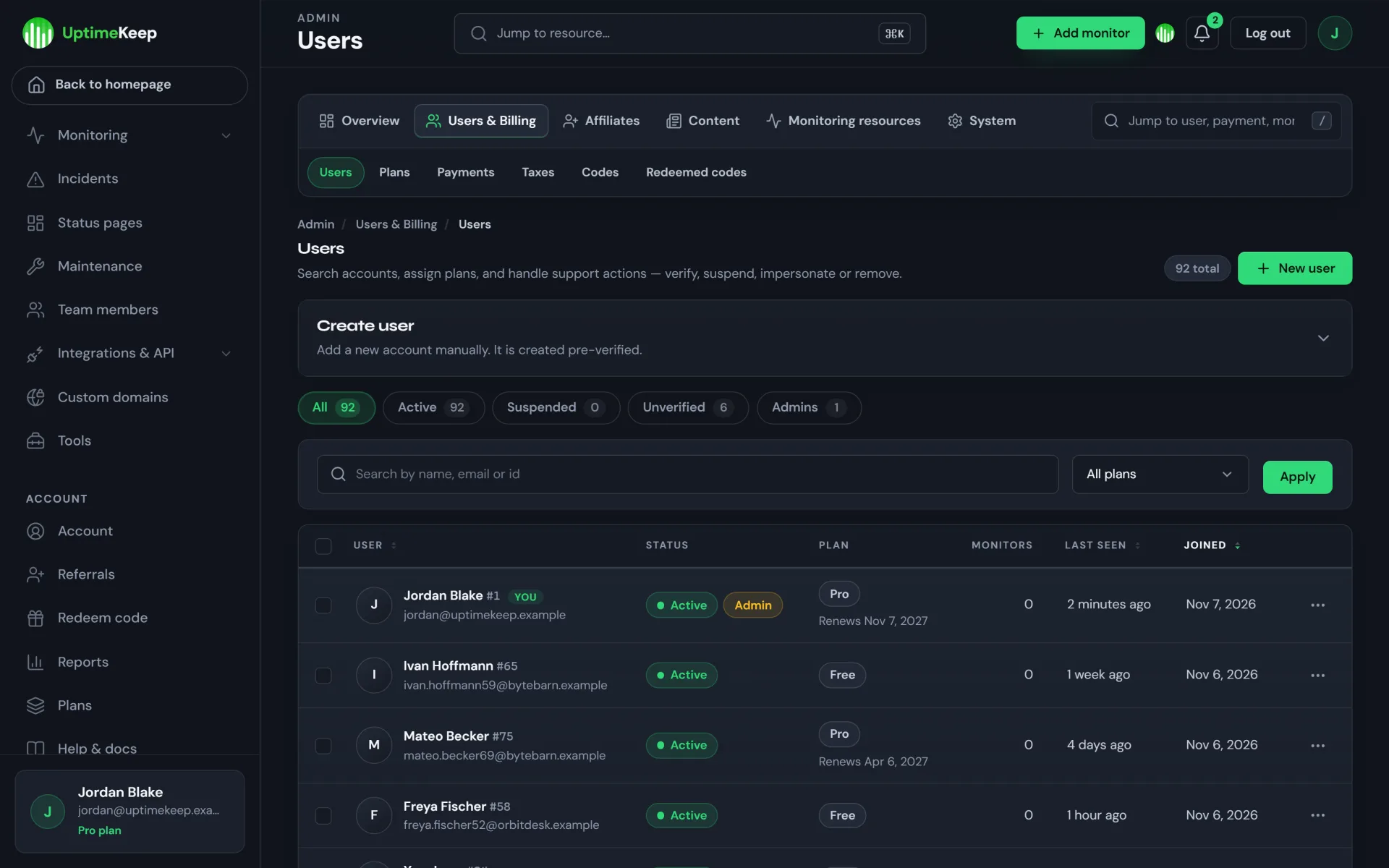
You get both halves of the product in one codebase: the customer-facing monitoring app (dashboard, monitors, incidents, status pages, integrations, team seats, API keys) and the operator side (users, plans, payments, taxes, redeem codes, affiliates, e-mail templates, content, system health) — dark-themed panels, a marketing site and pricing page with light & dark themes, and public status pages in both.

Run it as a business — earn money with your own monitoring service

UptimeKeep is designed to be operated as a SaaS, not just used internally. The commercial building blocks are in the box:

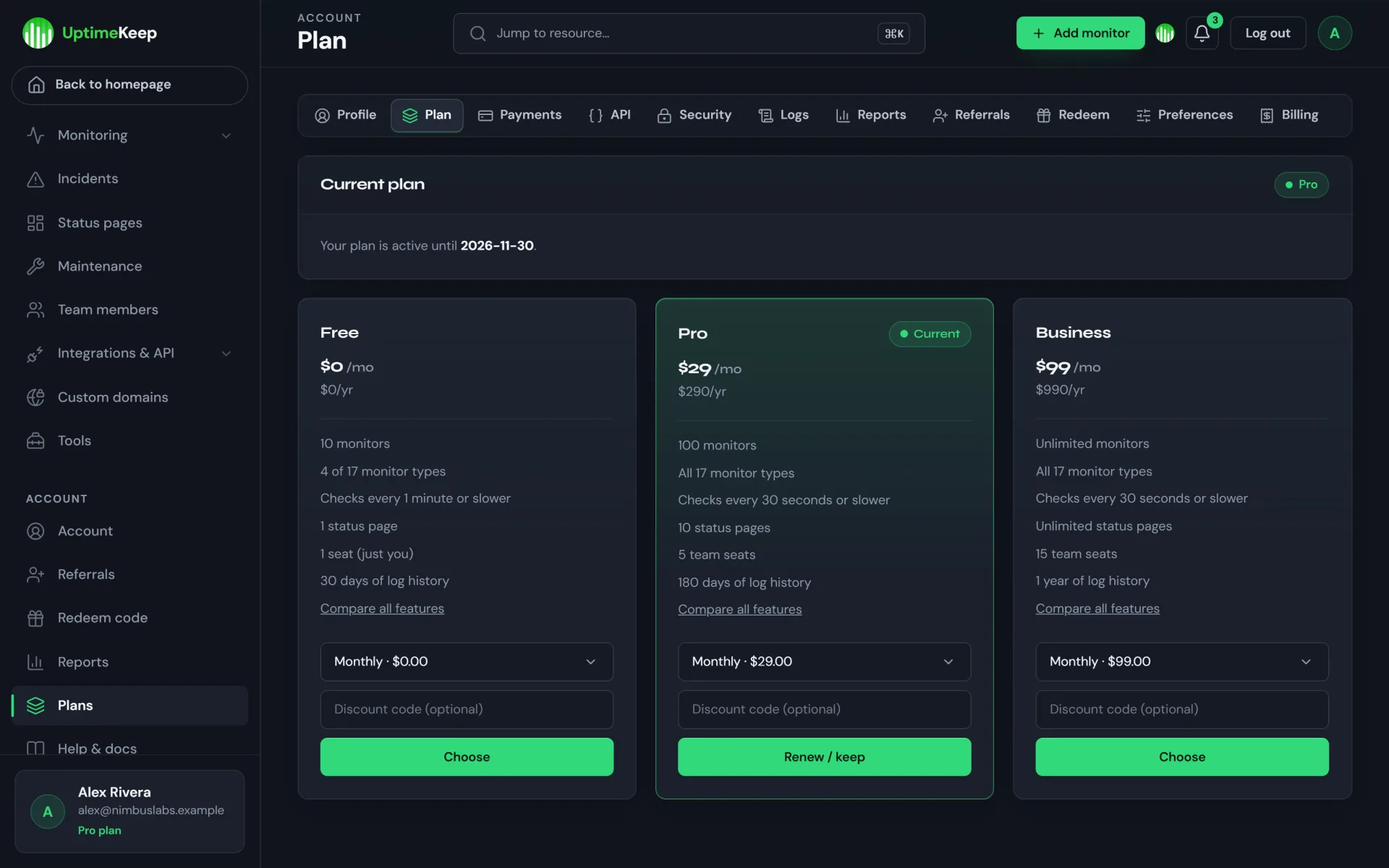
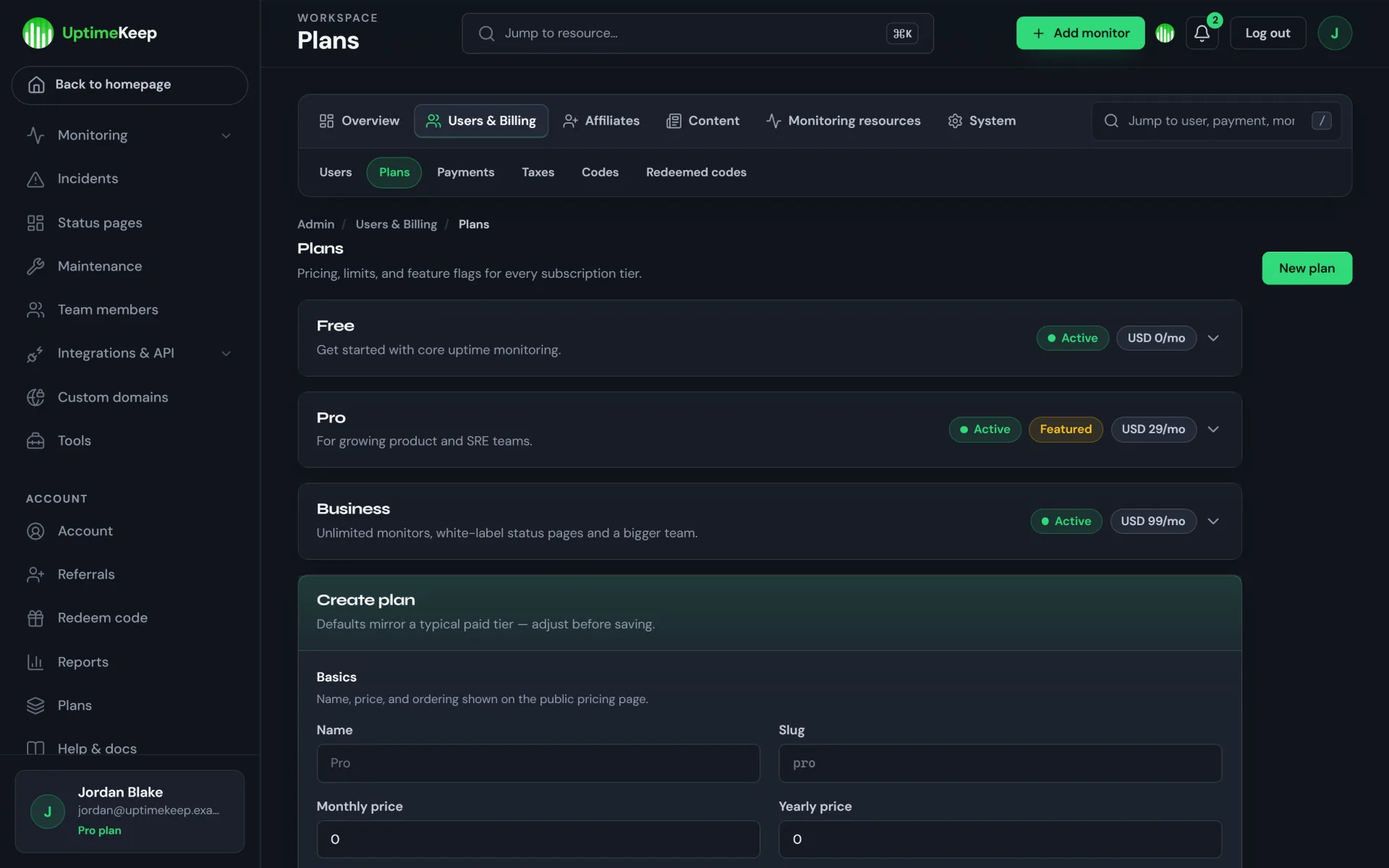
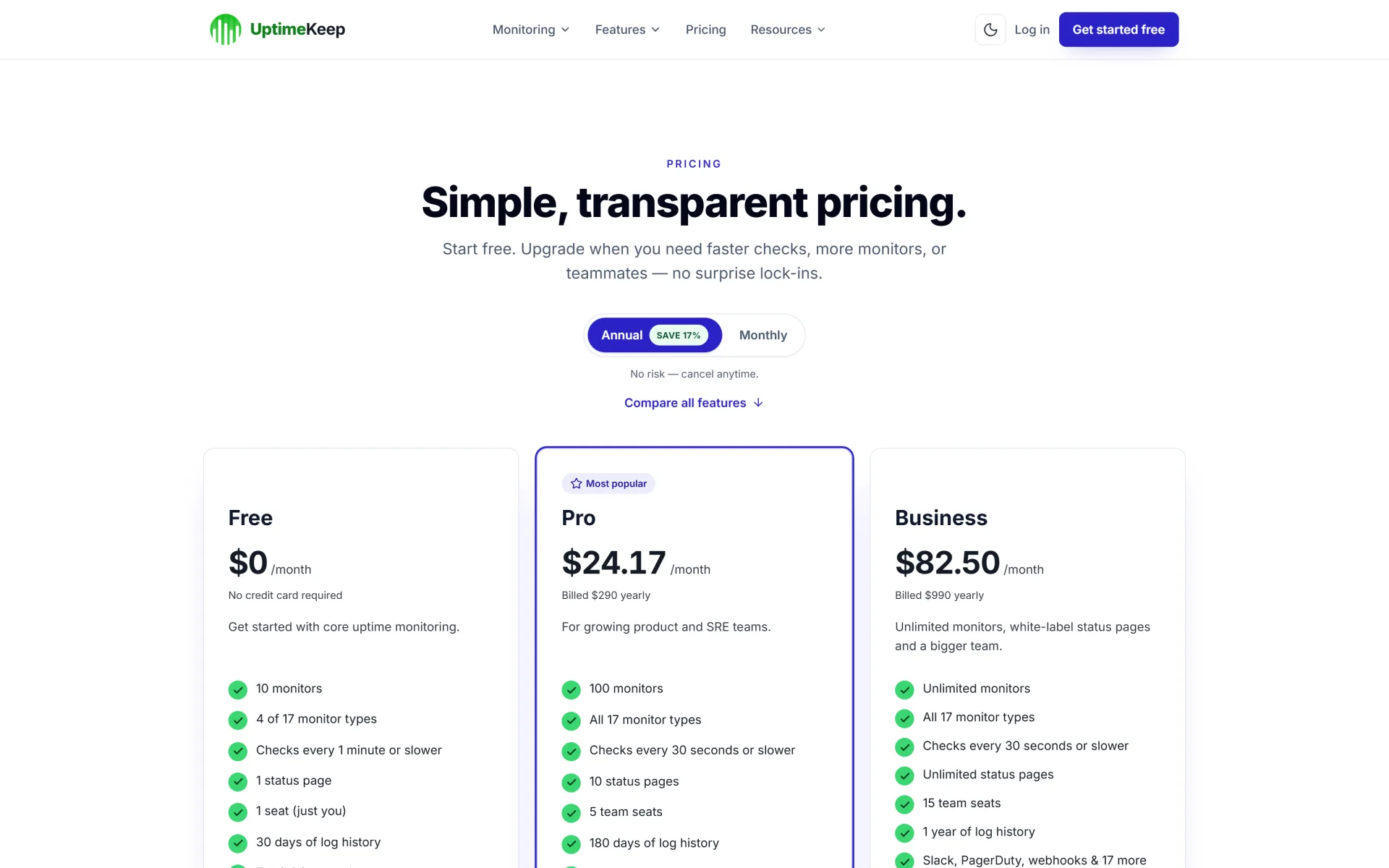
  • Subscription plans you define — every plan sets price (monthly / yearly), limits (monitors, heartbeats, DNS, domains, server monitors, game servers, status pages, projects, alert channels, team seats), allowed check intervals, log retention, REST API access, e-mail reports and white labelling, plus allow-lists for monitor types and alert integrations. The starter catalogue is Free $0 / Pro $29 / Business $99 per month (yearly prices included) — a sample you can edit or replace in the admin.
  • Upsell levers that already exist — faster check intervals, higher limits, team seats (per-seat prices are configurable per plan), e-mail reports, longer history and white-labelled status pages can each be reserved for paid tiers.
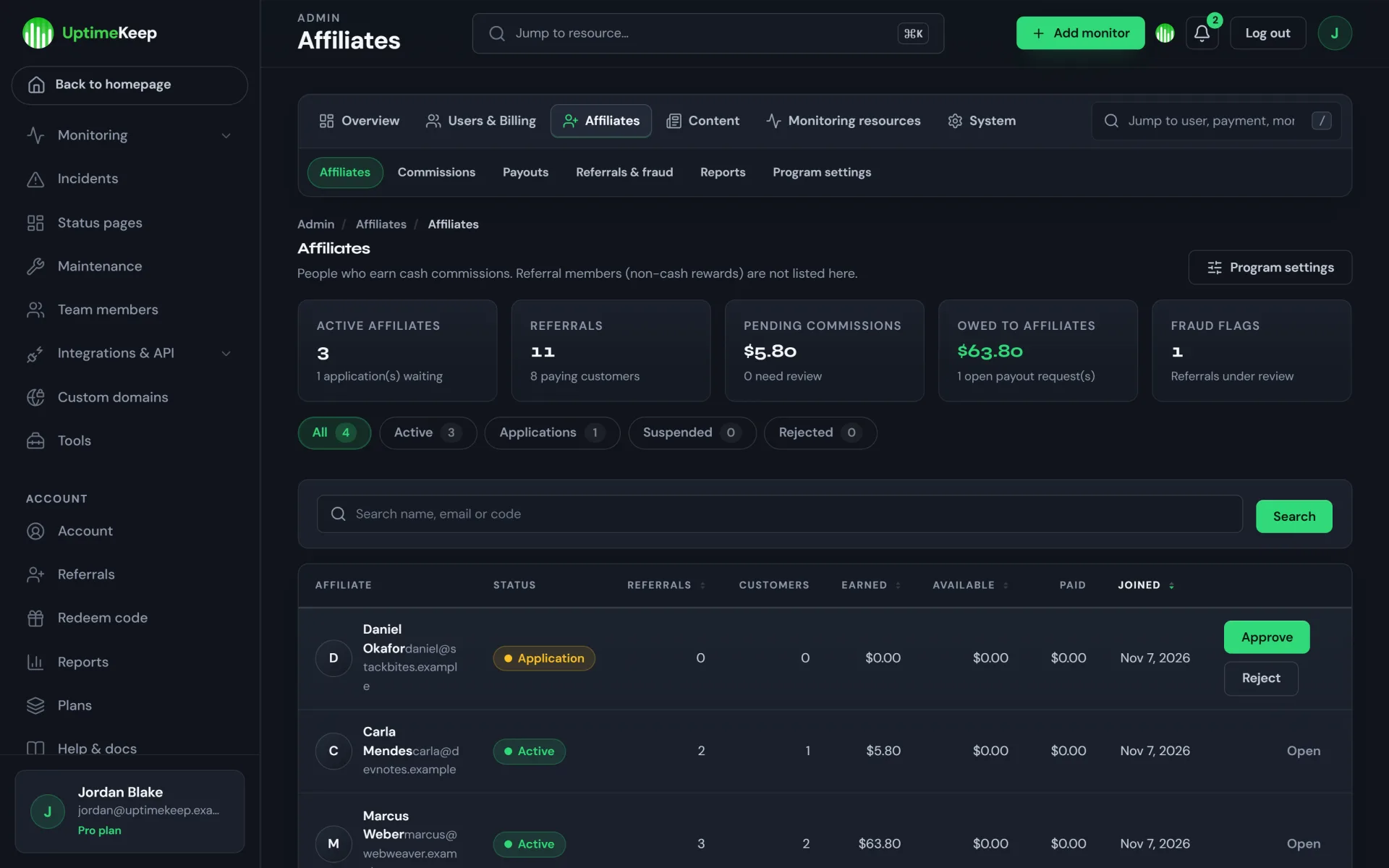
  • Affiliate programme — approve affiliates, track referrals, hold commissions through a refund period, review fraud flags and record payouts (default 20% commission, configurable). A separate referral-reward system (credit and bonus days) is included for regular users.
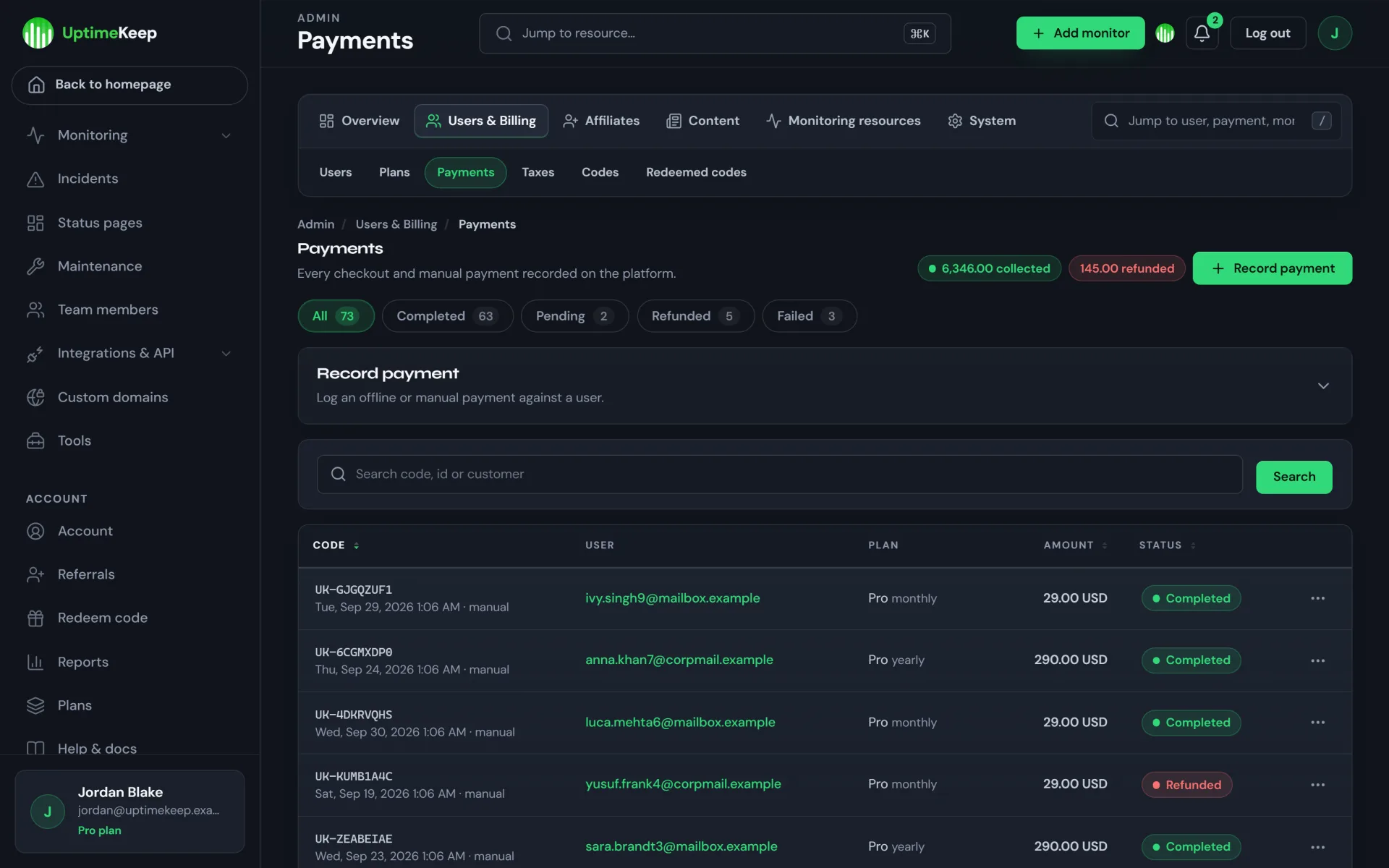
  • Billing back office — payments ledger, invoices with your prefix, taxes (inclusive / exclusive by country), redeem codes for discounts or free plans, and a Record payment form that assigns the plan to the customer.
  • White-label & custom domains — customers can brand status pages, attach their own domain, and (on the plan you choose) remove the “Powered by” footer — a feature agencies and SaaS buyers pay for.
  • Possible ways to monetize: subscription tiers, annual plans, seat-based pricing, agency / reseller packages, managed monitoring for clients, and bundling status pages with your hosting or support offers.

Billing, honestly: UptimeKeep does not include a live Stripe or PayPal charging integration. The admin has fields to store gateway credentials, but no card-processing code ships with the script. In production the built-in demo checkout is disabled, so out of the box you invoice customers yourself (bank transfer, payment links, your invoicing tool) and then activate the plan with Record payment or a redeem code. To take cards automatically, integrate a gateway at the documented hook (BillingController::checkout) or order the Installation Service add-on / contact the seller. Revenue depends entirely on your market, pricing and marketing — nothing here is an income guarantee.

Who it’s for

Founders launching a monitoring / status-page product, hosting companies and agencies that want to white-label monitoring for clients, MSPs, dev-tool makers who need a monitoring module they fully own, and teams who want a self-hosted alternative to paid uptime SaaS — all with readable, unobfuscated Laravel code.

What your customers get

Monitoring (17 monitor types)

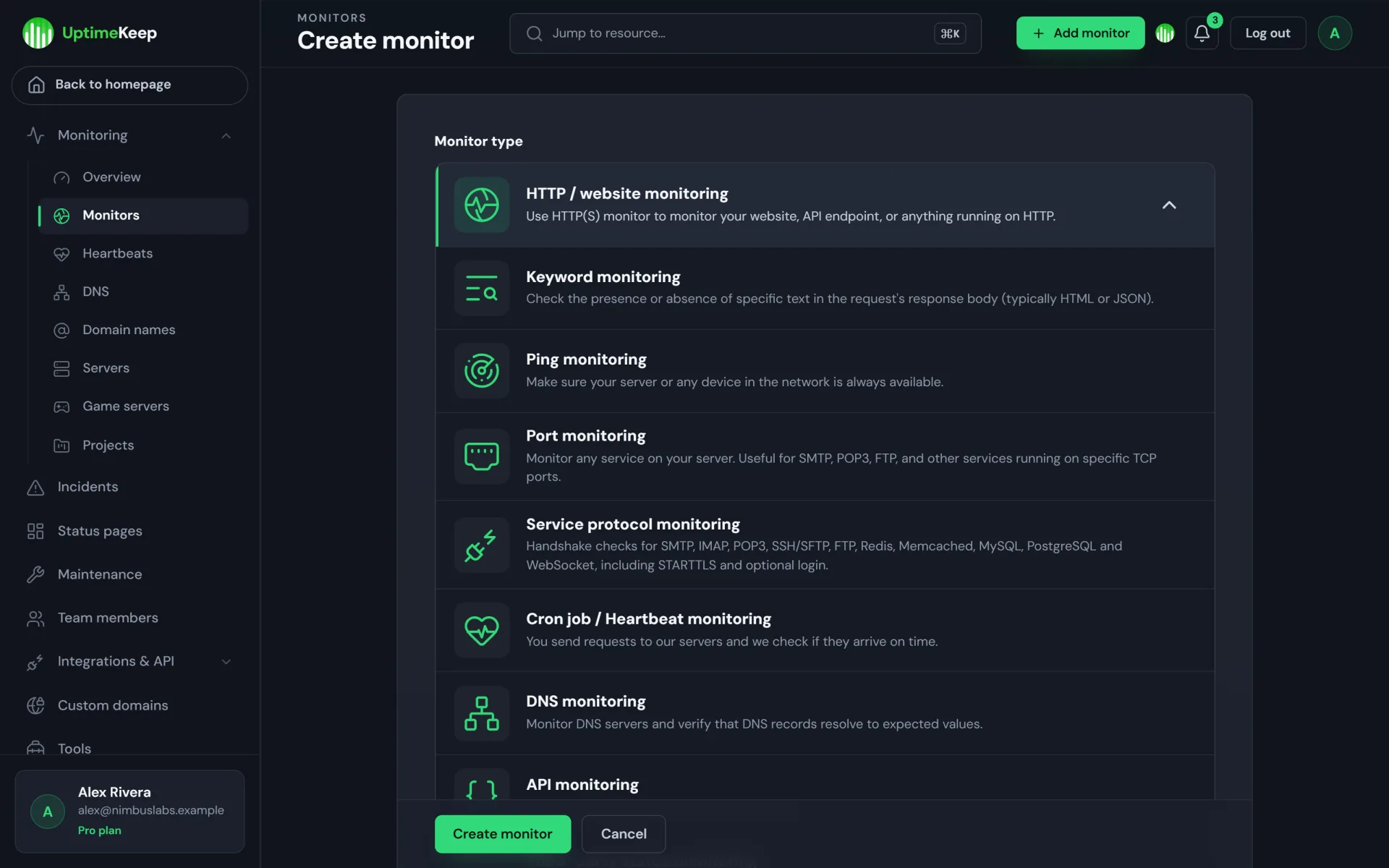
  • HTTP / website, keyword, API (JSON assertions), multi-step API (transaction), ping, port, UDP and service-protocol checks
  • Cron-job / heartbeat monitors, DNS monitors, domain-name expiry and SSL certificate monitoring
  • Server monitoring (agent push with CPU / memory / disk thresholds), game-server checks, third-party status-page monitoring, security & protocol audits, e-mail health checks
  • Per-plan check intervals (down to 30 seconds on the starter Pro plan), double-check before alerting, projects to organise resources, CSV import / export
  • Incidents with timelines and acknowledgement, maintenance windows with announcements, uptime / response-time statistics and e-mail reports

Alerts (21 channel types)

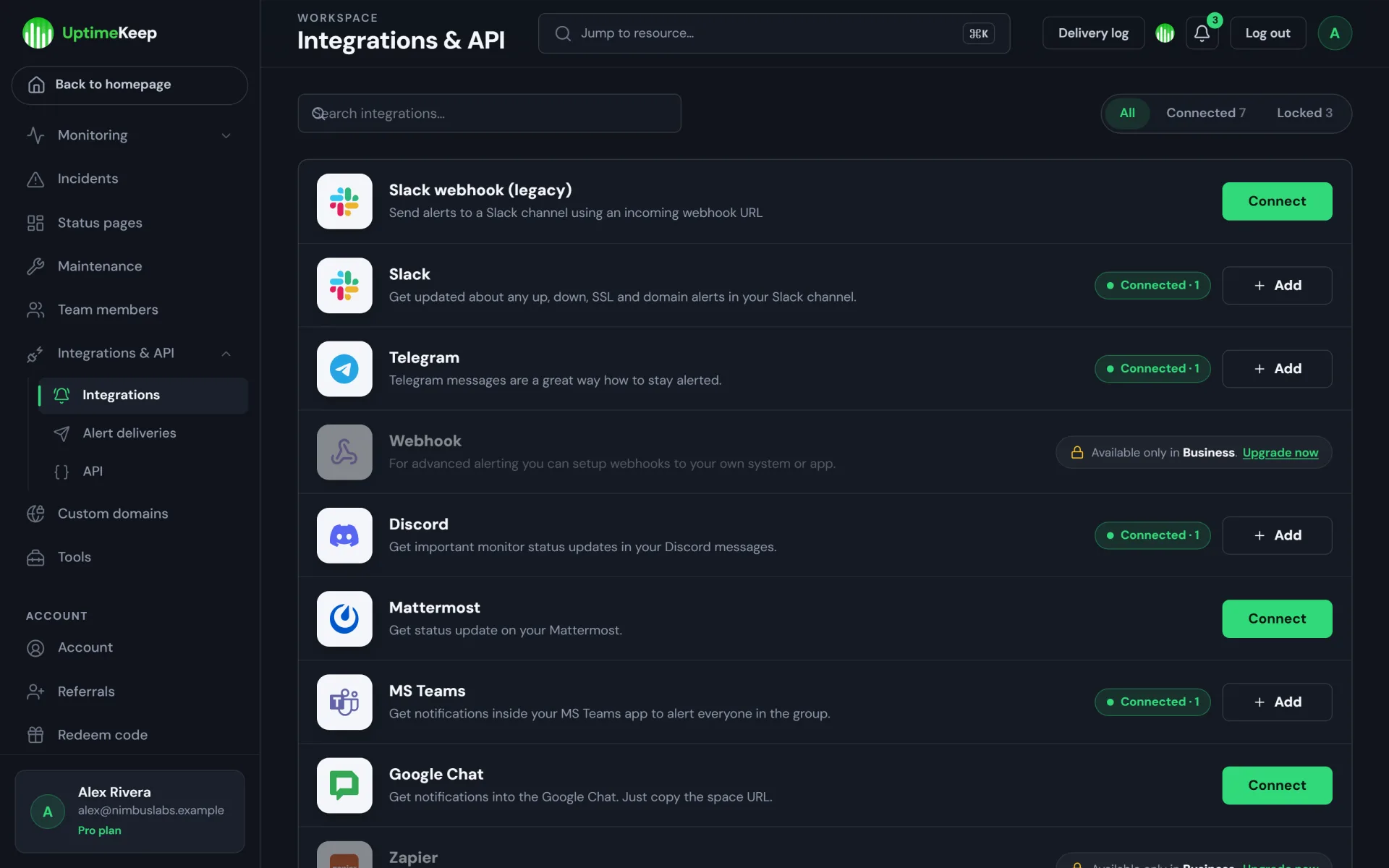
  • E-mail, in-app notifications, Slack, Telegram, Discord, Microsoft Teams, Google Chat, Mattermost, webhooks, Zapier, PagerDuty, Splunk On-Call, Pushbullet, Pushover, browser / mobile push, Twilio SMS & voice, WhatsApp, X and more — which channels each plan may use is yours to decide

Status pages

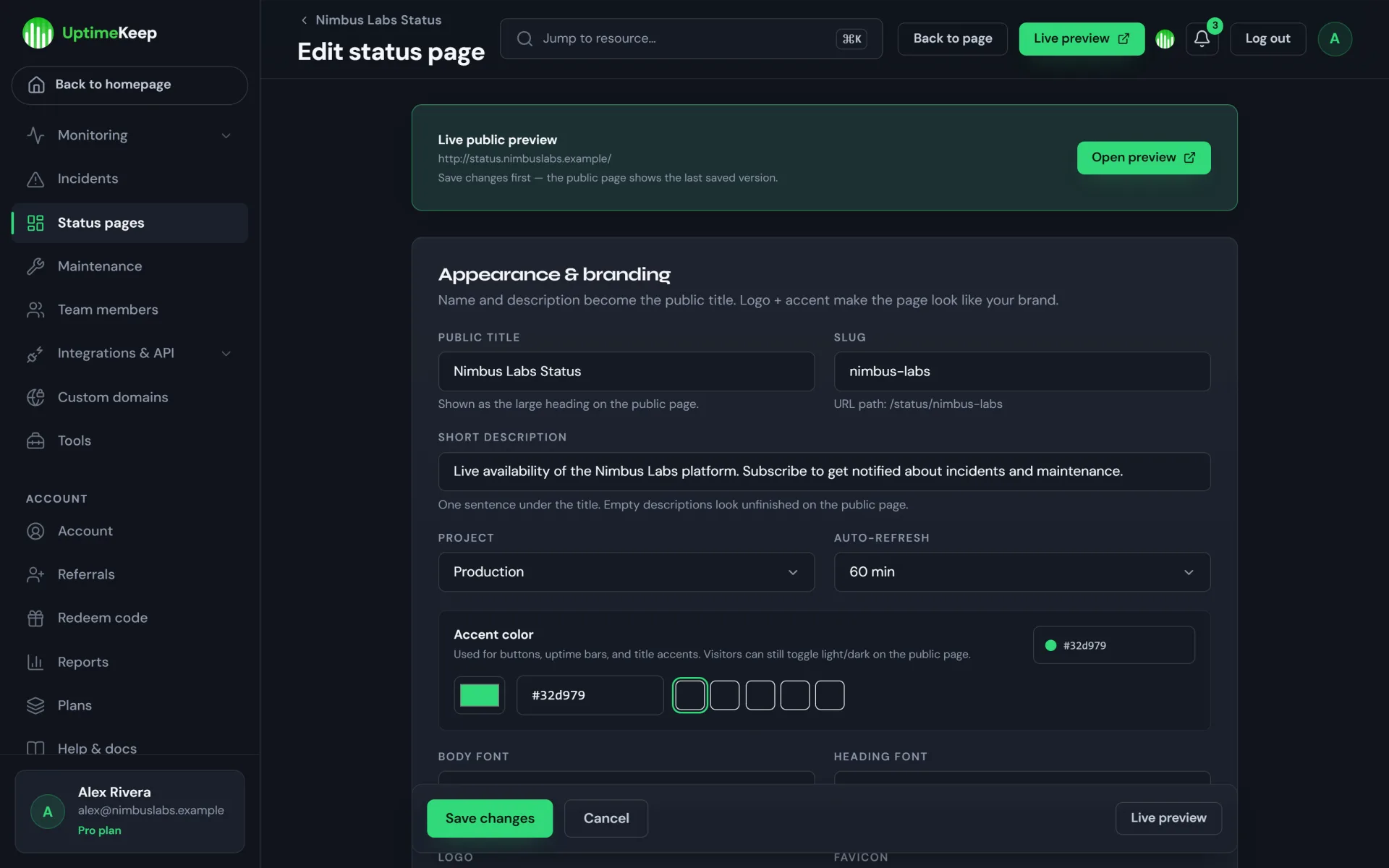
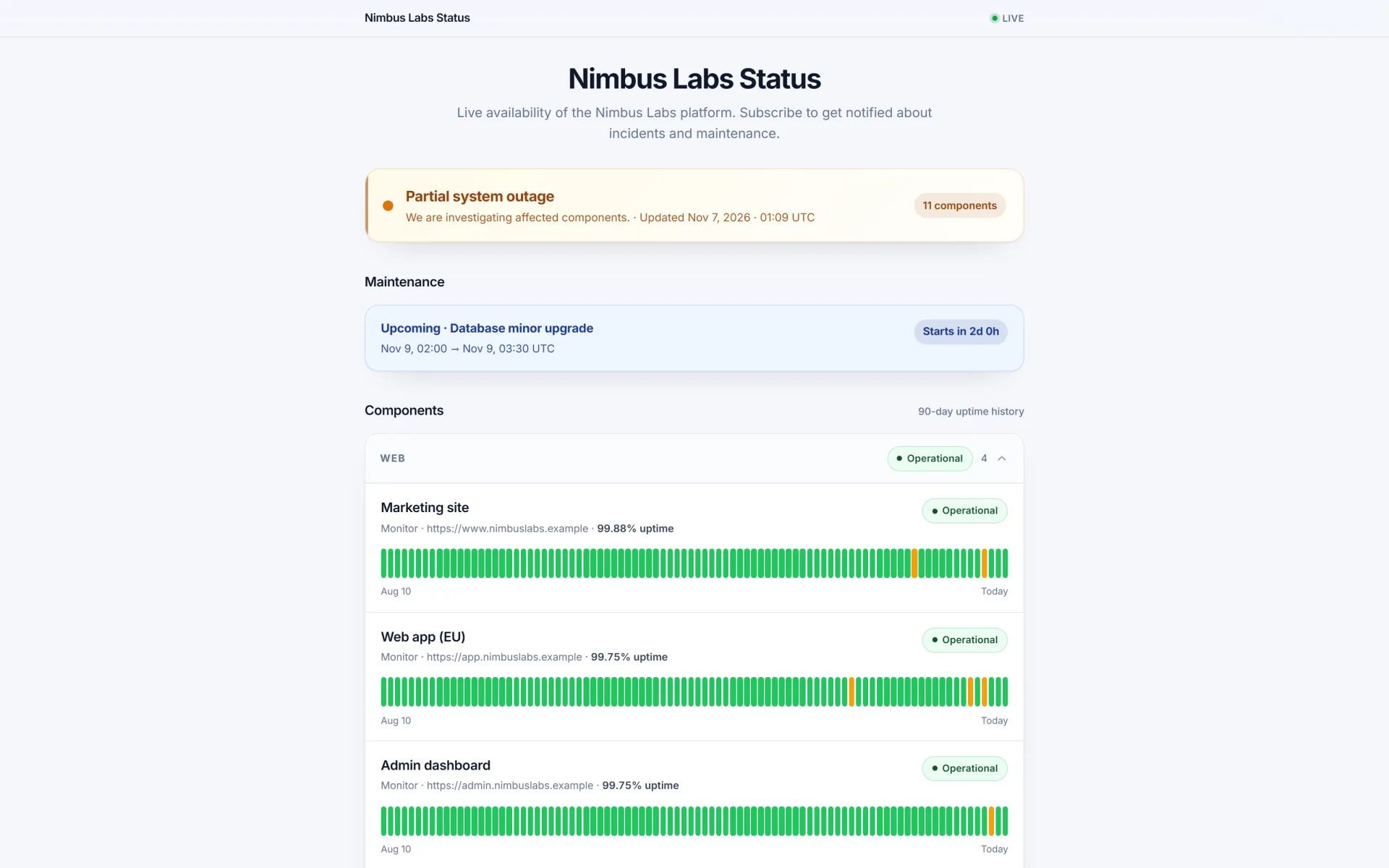
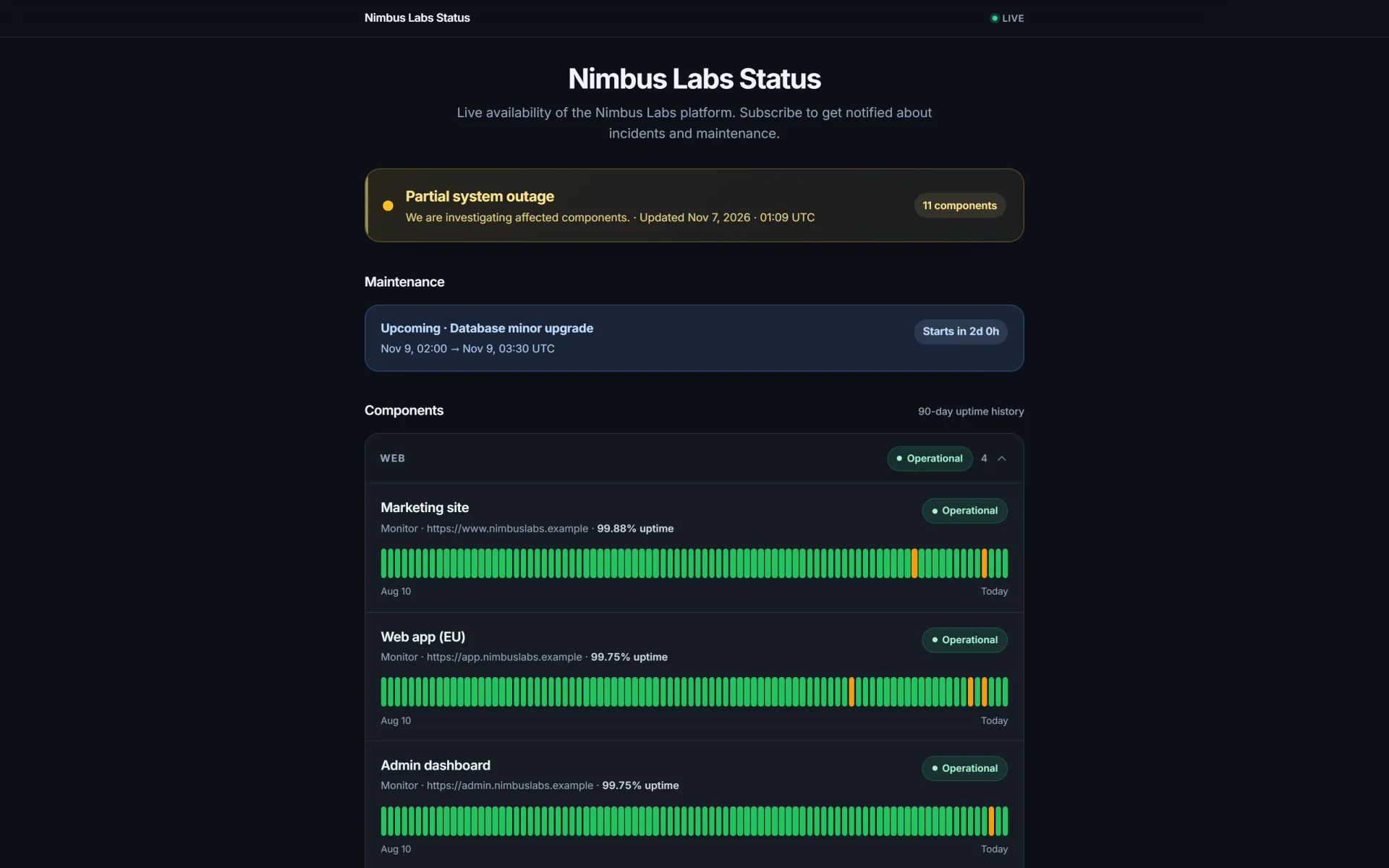
  • Public status pages with component groups, 90-day uptime history, incidents and maintenance, subscriber e-mail notifications, password protection, custom domains and a theme editor (accent colour, fonts, logo, light / dark)

Account & team

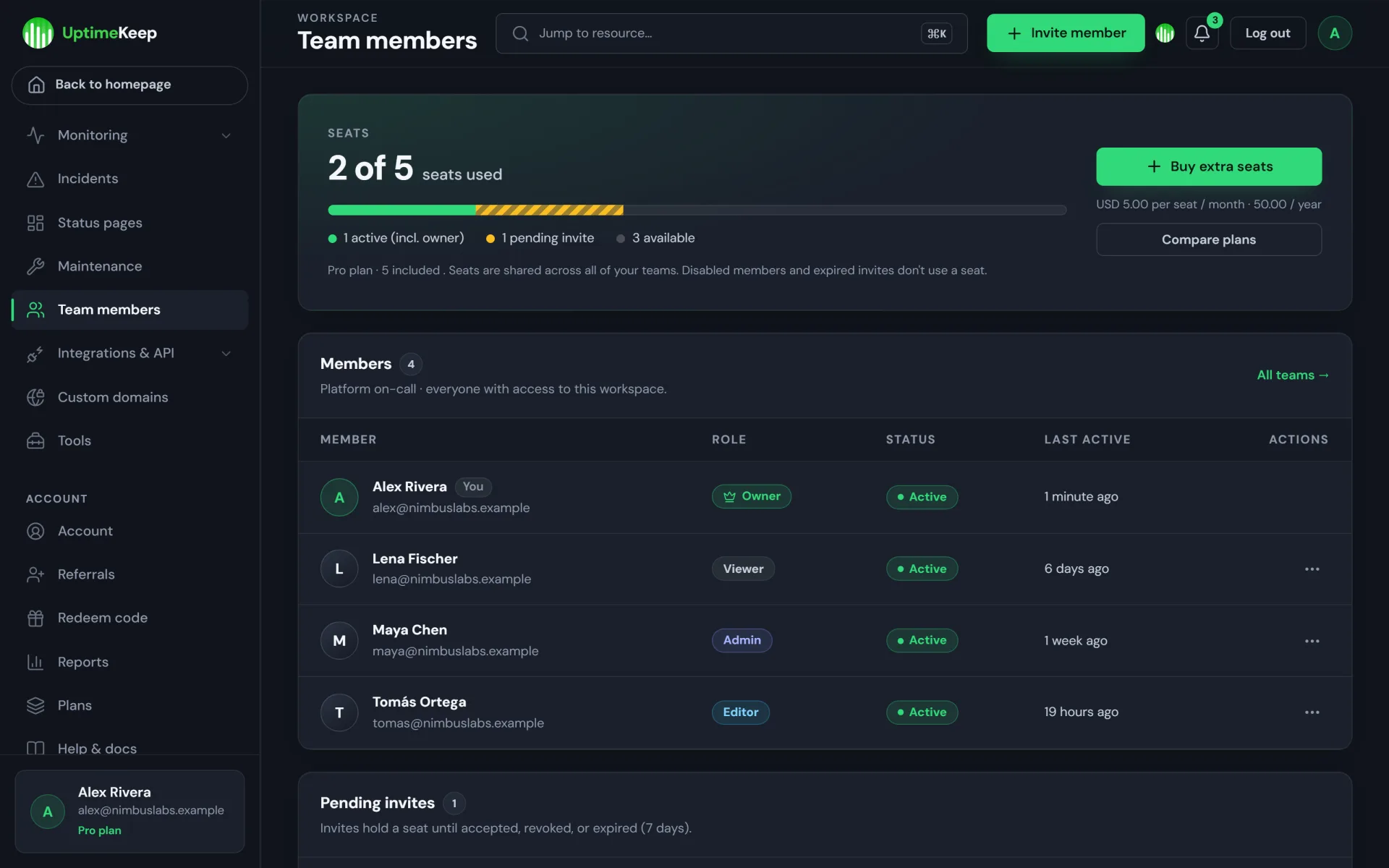
  • Dashboard, REST API with API keys (read-only and per-monitor keys), an MCP endpoint for AI assistants, team members with roles and seats, two-factor authentication, billing history and invoices, redeem codes, referrals

What you get as the operator

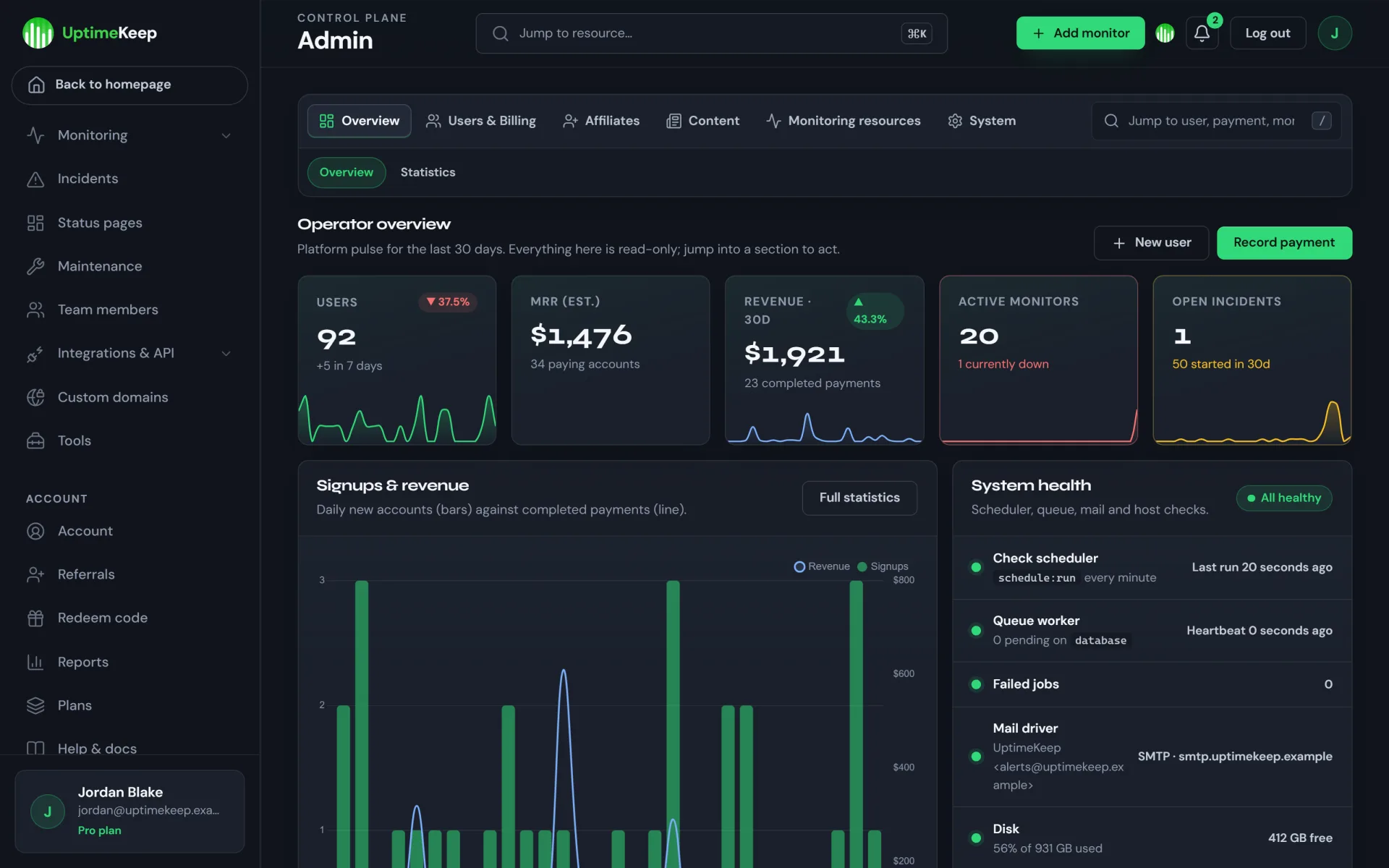
  • Admin overview with KPIs, signups & revenue chart and system health (scheduler, queue, failed jobs, mail, disk)
  • Users, plans, payments, taxes, redeem codes, affiliates (applications, commissions, payouts, referral fraud flags), statistics, languages (English + German UI included), ping servers, e-mail template editor with test sends, blog, help-centre articles and free public tools (JSON formatter, cron generator, uptime calculator and more) for SEO
  • Marketing site: home, pricing, blog, help centre, comparison pages, free tools — light and dark themes

Tech stack & requirements

  • Laravel 12, PHP 8.2+, MySQL 8 / MariaDB 10.6+, Blade + Livewire (Volt), Tailwind CSS 3 + Vite (pre-built assets included)
  • Database-backed sessions, cache and queue — no Redis or Node.js required on the server
  • Apache (mod_rewrite) or Nginx with the document root on public/; one cron entry for the Laravel scheduler
  • Mail via SMTP, Resend or sendmail; optional Google / Discord login and Cloudflare Turnstile
  • vendor/ is included (production dependencies), so Composer is not needed to install

Install overview

  1. Upload and extract the package, point the web root at public/
  2. cp .env.example .env and set APP_URL, DB_* and mail settings
  3. Run php artisan uptimekeep:install — creates the app key, the tables, starter plans, e-mail templates and help articles, and your admin account (no default passwords)
  4. Add the cron job: * * * * * php artisan schedule:run
  5. Configure mail, branding and plans in the admin panel

INSTALL.md covers SSH, shared-hosting (cPanel) and VPS installs; further guides cover deployment (Supervisor, custom domains), configuration (billing, affiliates, social login) and updating.

Scheduler & queue

Checks, notifications, e-mail reports, log pruning and mail delivery are all driven by the scheduler cron entry (schedule:run every minute). No permanent queue worker is required; you can optionally run one under Supervisor on a VPS.

What’s included in the download

  • Complete Laravel 12 application source, compiled front end (public/build) and production vendor/
  • uptimekeep:install installer and a safe production seeder (no demo users)
  • Optional DemoDataSeeder for local evaluation (refuses to run in production)
  • INSTALL.md, README.md, docs/ (deployment, configuration, updating), API.md (REST + MCP reference) and LICENSE.txt
  • Production .env.example — no secrets, no database dumps, no uploads, no logs

Support & updates

Support is provided by the UptimeKeep author through this listing (installation help, bug reports against the shipped feature set). Updates are published as new versions here. Custom work, payment-gateway integration and server setup can be arranged with the seller — see the Installation Service add-on.


Author’s detailed specifications

Additional package and setup details from the author. The purchase options and marketplace license terms govern your order.

Licensing

  • Regular ($349.00) — one end product (one live UptimeKeep service under one brand, including selling subscriptions to your own customers)
  • Extended ($349.00) — resell or deploy / offer it as a hosted service for clients under their brands

Both licenses are currently the same price. The code is DRM-free and unobfuscated.

Features

  • Launch a monitoring SaaS: Free / Pro / Business starter plans with editable prices, limits, intervals, retention and feature flags
  • 17 monitor types: HTTP, keyword, API, multi-step API, ping, port, UDP, protocol, heartbeat/cron, DNS, SSL, domain, server, game, status-page, security and e-mail health
  • 21 alert channel types: e-mail, Slack, Telegram, Discord, Teams, webhooks, PagerDuty, Twilio SMS/voice, push and more — gated per plan
  • Branded public status pages with custom domains, subscriber e-mails, password protection, theme editor and optional white-labelling
  • Incidents with timelines, maintenance windows, uptime & response-time statistics and scheduled e-mail reports
  • Dashboard, projects, team members with roles and plan-based seat limits, two-factor authentication, REST API keys and an MCP endpoint
  • Operator admin panel: overview with system health, users, plans, payments, taxes, redeem codes, statistics, languages and e-mail templates
  • Affiliate programme with commissions, refund-hold, payouts and fraud flags, plus a referral reward system
  • Marketing site with pricing, blog, help centre and free public tools; light & dark themes, English + German UI
  • Laravel 12 source with one-command installer, Supervisor-optional scheduler setup, docs and a production .env template

Your purchase includes

  • Current version 1.0.0
  • Extended license (same price as Regular)
  • Instant download after purchase
  • License terms — compare Regular vs Extended

Compatibility

Works with
PHP 8.2+, MySQL 8.0+/MariaDB 10.6+, Apache rewrite or Nginx, cron every minute for the scheduler
Supported software
Laravel 12, PHP, MySQL, MariaDB, Apache, Nginx, SMTP, Resend (optional)
Platform
VPS or shared hosting
Framework
Laravel

Tags: SaaS Uptime Monitoring Laravel Status Page Monitoring Website Monitoring Server Monitoring Alerting SSL Monitoring Heartbeat Monitoring

Browse more in SaaS kits, or see all items by Owen Harth.

FAQ

Common questions about this listing.

What is UptimeKeep?

UptimeKeep is a self-hosted uptime monitoring SaaS script on Laravel 12. It monitors websites, APIs, servers, DNS, domains, SSL and cron jobs, sends alerts to 21 channel types, publishes branded status pages, and includes the plans, affiliate and admin tooling to run it as a subscription business.

Can I really earn money with this?

The script includes what you need to sell monitoring as a service: editable subscription plans with limits and feature flags, per-plan team seats, white-label status pages, an affiliate programme, taxes, redeem codes and a payments back office. Whether it earns money depends on your market, pricing and marketing — there are no income guarantees.

Does it include Stripe or PayPal checkout?

No. There is no live payment-gateway code. The admin can store gateway credentials, but charging is not implemented, and the built-in demo checkout (which activates plans without charging) is disabled in production. Out of the box you invoice customers yourself and activate plans with Record payment or redeem codes. Gateway integration can be added at BillingController::checkout or ordered via the Installation Service / the seller.

What are the server requirements?

PHP 8.2+ with the usual Laravel extensions (bcmath, ctype, curl, dom, fileinfo, mbstring, openssl, pdo_mysql, tokenizer, xml), MySQL 8 or MariaDB 10.6+, Apache with mod_rewrite or Nginx, and cron access for one scheduler entry. Composer and Node.js are not needed — vendor/ and the compiled assets are included.

How do I install it?

Upload the package, point the web root to public/, copy .env.example to .env and fill in the database and mail settings, then run php artisan uptimekeep:install to create the tables, starter data and your admin account. Add the one-minute cron entry for schedule:run. INSTALL.md covers SSH, shared hosting and VPS setups.

Does it work on shared hosting?

Yes, if you can point the domain at the public/ folder (or copy it to public_html and adjust two paths), have PHP 8.2+ with the required extensions and can add a cron job. INSTALL.md describes the cPanel route. Very restrictive hosts that block outbound sockets cannot run port, SSL, DNS or game checks.

Do I need a queue worker?

No. The scheduler cron entry drives checks, alerts, e-mail reports, pruning and mail delivery. You may run a dedicated queue worker under Supervisor on a VPS, but it is optional.

Can customers use their own domain for status pages?

Yes. Customers can attach a custom domain to a status page and verify it via DNS. Your web server must serve the application for that host name and have a certificate for it (for example a catch-all virtual host with on-demand TLS); the app itself does not issue certificates.

Is there a REST API?

Yes. Plans can enable API access. Keys can be main (read/write), read-only or limited to one monitor, and API.md documents the endpoints. An MCP endpoint lets AI assistants query monitors with the same permissions.

Regular vs Extended license?

Regular covers one end product (one live UptimeKeep service under one brand, including selling subscriptions to your own customers). Extended covers resale or deploying it as a hosted service for clients. Both licenses are currently priced at $349.00.

Who provides support, and how are updates delivered?

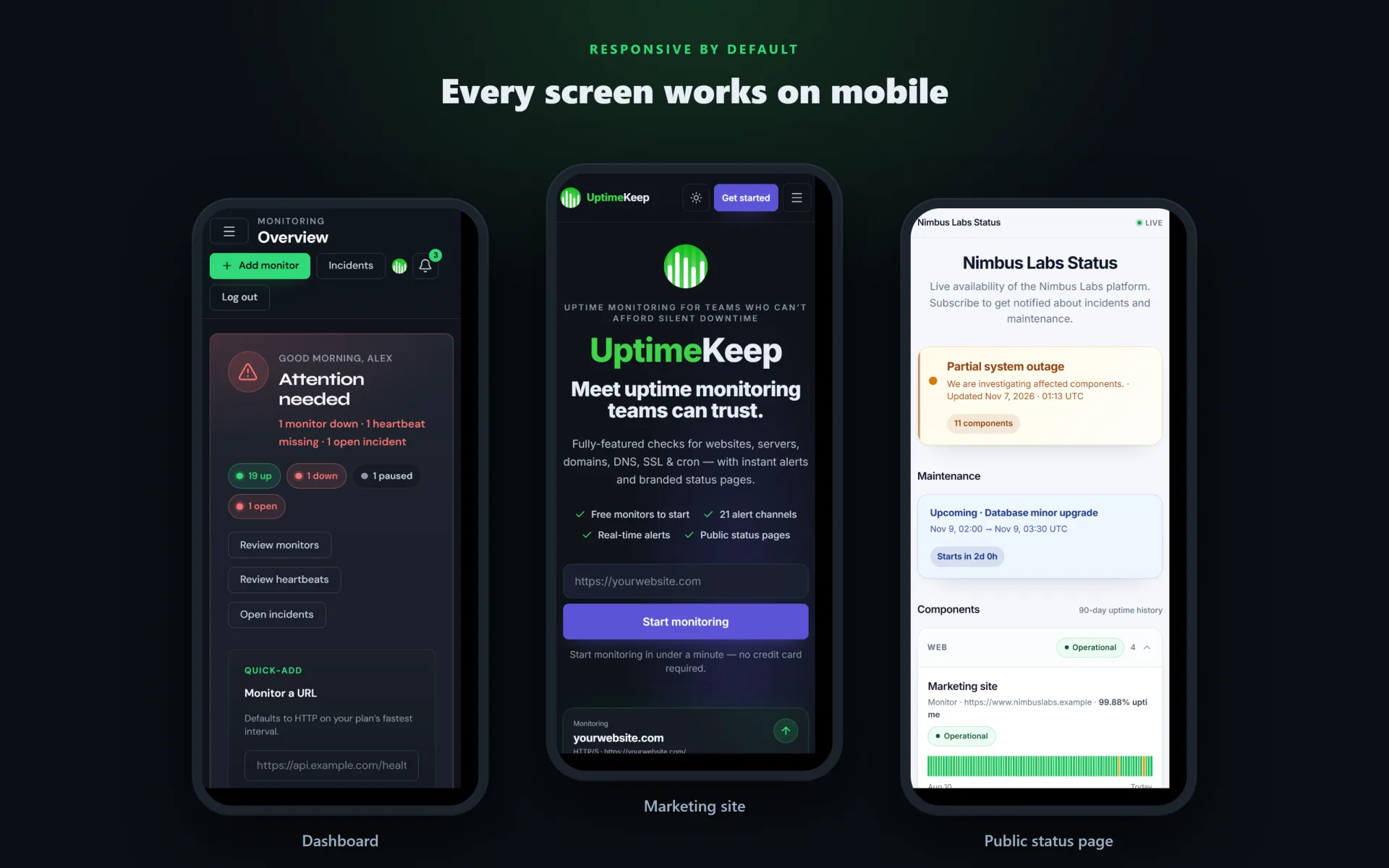
Support is from the UptimeKeep author via this listing; BestScripts is the marketplace. Updates are published as new versions of this product, with update instructions in docs/UPDATING.md. A live demo is not offered; the screenshots show the real interface.

Can you install it on my server?

Yes — add the Installation Service addon at checkout, or contact the seller after purchase. Check the requirements above before ordering installation.

Version history

Release notes for this item, newest first.

Current v1.0.0

  1. v1.0.0

    Current
    First marketplace release of UptimeKeep (Laravel 12). Includes the uptimekeep:install command, a production seeder without demo users, INSTALL.md and deployment / configuration / update guides. Distribution excludes .env files, database dumps, logs, caches, uploads, tests and demo user data. Billing: no live Stripe / PayPal integration; the demo checkout is disabled in production (manual plan activation via Record payment or redeem codes).

Log in after purchase to download version files.

Reviews

5.0

1 review

5 stars 1
4 stars 0
3 stars 0
2 stars 0
1 star 0

Only people who bought this item can review it, which keeps ratings honest. Sign in if you already bought it.

Enough to sell status pages

Beatrice Holm Reviewed v1.0.0

I am launching a small monitoring product, not a single uptime widget. HTTP, keyword, SSL, and heartbeat monitors plus the branded public status pages are the plan I can sell. Slack and e-mail alerts are on the Pro-style limits, and the admin panel already has plans, taxes, and redeem codes. The affiliate programme is more than I need in month one. Scheduler cron every minute is required, which the installer states plainly.

Questions & answers

Ask the seller about setup, compatibility or customisation before you buy.

Sign in to ask the seller a question.

No questions yet

Be the first to ask. Answers from the seller appear right here.

About the author

Uptime monitoring SaaS software

Owen Harth Verified New

Creators of UptimeKeep — a Laravel 12 uptime monitoring and status-page platform you can self-host and run as your own subscription service: monitors, alerts, public status pages, plans, affiliates and an operator admin panel.

All items by Owen Harth →

Similar scripts

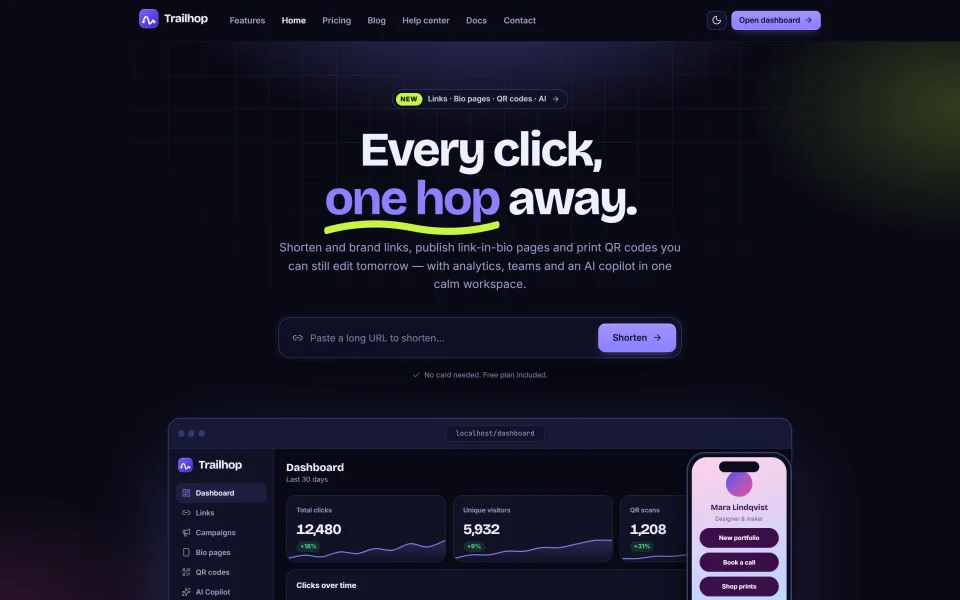
Trailhop — URL Shortener, Link-in-Bio & QR Code SaaS Script screenshot
New

SaaS kits

Trailhop — URL Shortener, Link-in-Bio & QR Code SaaS Script

Self-hosted Laravel 12 URL shortener with analytics, link-in-bio pages, QR codes, campaigns, custom domains, an AI copilot (bring your own key), REST API and an admin panel. Run it for yourself or as a multi-tenant SaaS with plans and Stripe, PayPal or bank-transfer billing.

  • Laravel
  • url shortener
  • link shortener

by Yarrow Desk

Regular license price USD 39.00

Regular license

Rated 4.0 out of 5 from 1 review.

New listing Updated

♡

Pick up where you left off

Recently viewed

Your last discoveries, saved only in this browser.

UptimeKeep — Uptime Monitoring SaaS Script

USD 349.00