

Hosting a directory script: VPS sizing, caching and cron
How to choose hosting for a directory or server list script, how to size it without guessing, what caching can and cannot do, and how to set up cron jobs for status pings so they run on time and never pile up.

A directory script is mostly read traffic: people browsing, searching and opening listing pages. On top of that sit a few kinds of work that are heavier than they look: image handling, search, votes written to the database, and, for server lists, scheduled jobs that ping game servers to see who is online. Hosting that handles the first and ignores the second is the usual cause of a site that "worked on launch day" and then slows down.
This guide shows how to choose hosting, how to size it with measurements instead of guesses, where caching helps, and how to run cron jobs safely.
What load a directory actually creates
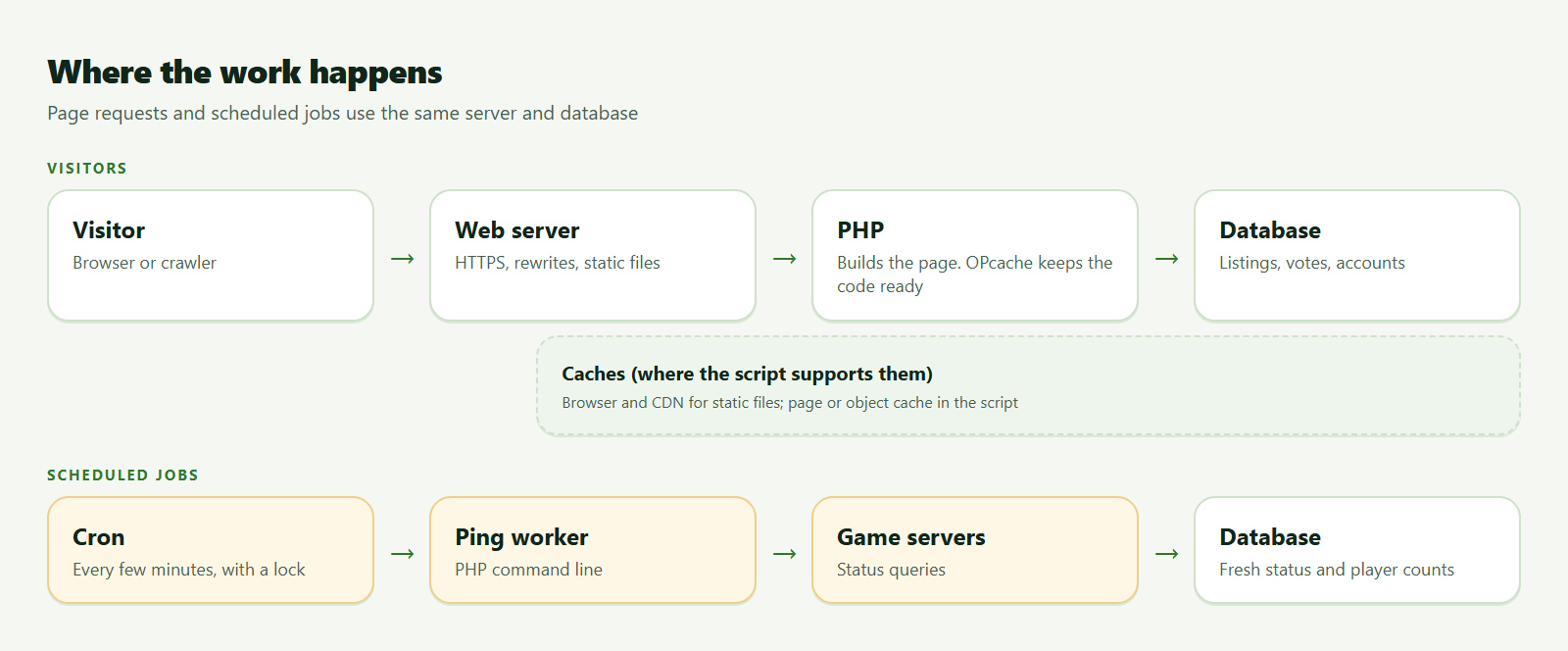
- Page views. PHP builds a page from database queries. Many views are of the same few pages, which is what caching is for.
- Writes. Votes, new listings, bumps and logins write to the database. These cannot be cached the same way.
- Scheduled jobs. Status pings, ranking recalculations, mail queues and clean-ups run on a timer. They add load whether or not anyone is visiting.
- Images. Banners, screenshots and icons use disk, bandwidth and CPU when they are resized.
- Bots. Crawlers and scrapers can outnumber people. Rate limits and a sensible
robots.txtmatter.
Shared hosting, VPS or something bigger?
| Option | Good for | Watch for |
|---|---|---|
| Shared hosting | A small start with a script that lists shared hosting as supported | Limits on cron frequency, processes and memory; you cannot tune PHP or the database |
| VPS | Most growing directories | You are responsible for security updates, backups and monitoring |
| Dedicated or larger cloud setups | A site that has outgrown one machine | Cost and complexity; do this because measurements say so |
| Managed hosting for PHP apps | You want someone else to run the server | Check that cron, PHP extensions and rewrite rules match the script's requirements |
The listing's requirements line is where to start. For instance, RustIP and MinecraftIP list cron for their status pings, and GGServerList recommends cron and notes that its game plugins ping many kinds of servers. If your host cannot run cron at the frequency you need, the answer is a different host.
Size by measuring, not by guessing
We cannot tell you the right size for your site, and a figure from someone else's site would be misleading. What works is a loop:
- Start with the script's stated requirements and a small plan from a reputable provider.
- Look at real usage over a normal week and over your busiest hour. On a Linux server:
free -m          # memory used and free
uptime           # load averages
df -h            # disk space
top -o %MEM      # which processes use the most memory
- Decide with rules of thumb that fit your numbers:
- Memory is regularly almost full and the server swaps: add memory or reduce what runs.
- CPU is high mostly during cron runs: spread the jobs out or make them lighter before buying more CPU.
- The database is the slowest part: enable its slow query log and fix the slowest query first.
- Disk is filling with logs, images or backups: rotate and prune before upgrading.
- Change one thing, then measure again.
PHP-FPM, in one formula
If you run PHP under PHP-FPM, the maximum number of simultaneous PHP workers is limited by memory. A common way to think about it: take the memory you can spare for PHP, divide by the average memory one PHP worker uses (see it with ps or your monitoring tool), and set pm.max_children at or below that. Setting it higher lets a traffic spike push the server into swap, which is far worse than queueing a few requests.
Make sure OPcache is on
OPcache keeps compiled PHP in memory so the code is not re-read on every request. Check it:
php -i | grep -i "opcache.enable"
On most hosts it is on by default; if not, ask your host or enable it in the PHP configuration.
Caching: what it can and cannot do
| Layer | What it does | Limits |
|---|---|---|
| Browser cache for static files | Stops repeat downloads of images, CSS and JavaScript | Needs sensible Cache-Control headers and versioned file names |
| CDN for static files | Serves assets from locations near visitors | Does not speed up PHP or the database |
| Page or fragment cache in the script | Saves the cost of building popular pages | Only if the script supports it; invalidation is the hard part |
| Database indexes | Make common queries fast | Added by the script's schema; check with EXPLAIN if a page is slow |
| Object cache (Redis, Memcached) | Keeps results of expensive lookups in memory | Extra service to run; only helps if the script uses it |
Use the cache your script documents. Adding layers it does not know about can serve stale rankings or break voting.
Cron jobs for pings and housekeeping
Most server lists need a scheduled job to check which servers are online. The script's documentation gives the exact command and a suggested schedule. A safe way to run it:
*/5 * * * * flock -n /tmp/example-ping.lock /usr/bin/php /var/www/example.com/cron/ping.php >> /var/www/example.com/logs/ping.log 2>&1
What each part does:
*/5 * * * *runs the job every five minutes. Use the interval the documentation recommends.flock -n ...skips a run if the previous one is still going, so slow runs never pile up.- The redirect writes output to a log you can read, instead of mailing it to a mailbox nobody checks.
Good habits:
- One lock per job. Use a different lock file for each command.
- Rotate the log so it does not fill the disk (
logrotateon most servers). - Check that the job really runs. Look at the timestamp of the last log line, and at whether server statuses on the site are fresh. Some people add a "heartbeat" that pings a monitoring service when the job finishes.
- Use one time zone. UTC is easiest, and many scripts expect it for things like wipe dates or reset times.
- Stagger heavy jobs so ping runs, ranking updates and clean-ups do not start in the same minute.
- Do not ping harder than you need. Pinging many game servers aggressively is rude to their owners and can get your IP blocked.
Backups and monitoring
- Take database and file backups on a schedule and store them off the server (security checklist).
- Monitor that the site returns a
200and that the certificate has not expired. Free uptime checkers do this. - Watch disk space, because a full disk breaks databases and logs in confusing ways.
When to upgrade
Move up a plan when a measurement tells you to, not on a hunch: sustained memory pressure, a database that is the bottleneck after you fixed slow queries, or cron runs that no longer finish inside their interval. Before the move, take a backup and rehearse it on a staging copy.
For the first install and permissions, see installing a PHP script: the basics.
Frequently asked questions
Is shared hosting good enough for a server list?
It can be, if the script lists it as supported and the host allows cron at the frequency you need. Check both before buying.
How often should pings run?
Follow the script's documentation. More frequent pings give fresher statuses but more load and more traffic to other people's servers.
Do I need a CDN?
For a small site, usually not at first. A CDN helps most with static files and with absorbing traffic spikes; it does not make slow PHP faster.
Why did my cron job stop running?
Common causes are a wrong path to PHP, a changed password or permission, a full disk, or a job that was killed by a limit. Read the log first, then run the command by hand to see the error.
Game names mentioned on this site (such as Minecraft and Rust) belong to their respective owners. CodeMercio and its sellers are independent and are not affiliated with or endorsed by them.
Scripts mentioned in this post

PHP
GGServerList — Multi Game Server List Script
Self-host a multi-game private server list like ggserverlist.com: 50+ games, votes, reviews, premium ads, owner dashboard, admin panel — plain PHP + MySQL. Earn with credits, Premium, Top/Sticky ads, and video campaigns.
- Plain PHP
- server list
- multi game

Regular license price USD 299.99
New listing Updated
PHP
RustIP — Rust Server List Script
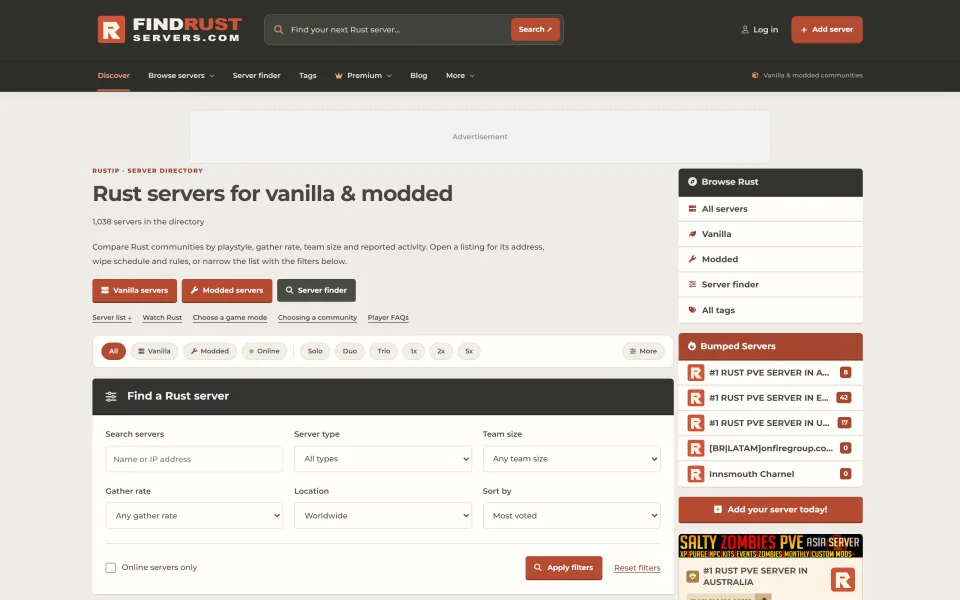
Self-host a Rust PC server list like FindRustServers.com: wipe-aware filters, SteamID64 voting, A2S pings, banner ads, featured slots, and Premium monetization on PHP + MySQL.
- Plain PHP
- rust
- server list

Regular license price USD 249.99
New listing Updated
PHP
MinecraftIP — Minecraft Server List Script
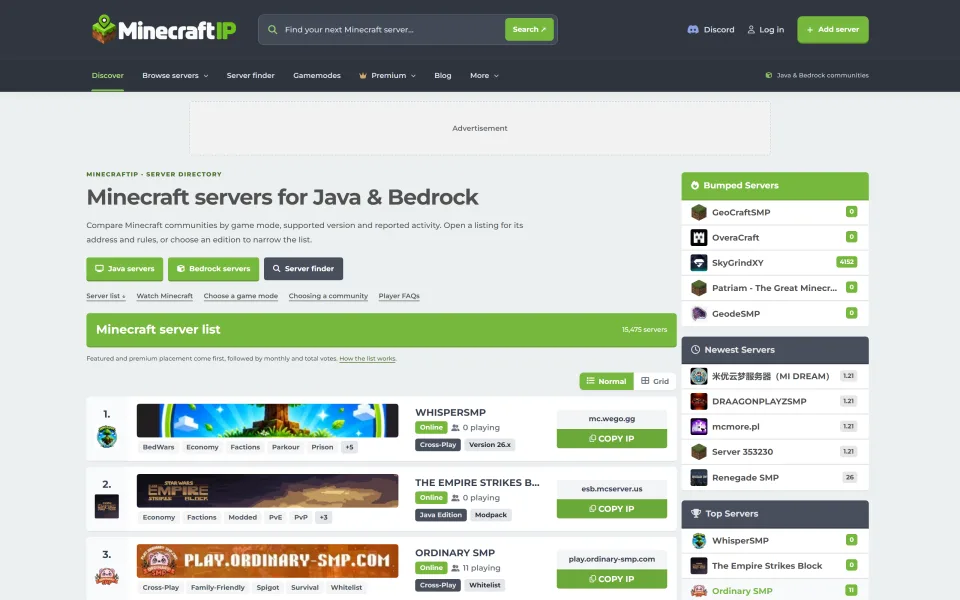
Self-host a Java & Bedrock Minecraft directory like MinecraftIP.com: voting + Votifier, Premium, featured slots, banner ads (PayPal EUR), owner tools, and SEO edition/tag pages on PHP + MySQL.
- Plain PHP
- minecraft
- server list

Regular license price USD 299.99
New listing Updated




Comments
Sign in or create an account to comment.
No comments yet. Be the first.