Skip to content

Launch Sale

25% off selected items for a limited time.

Ends in -

ShareLane — Social Share & Follow Buttons

Rated 5.0 out of 5 from 1 review.

by Fernwick Studio Verified New

in Plugins

Lightweight social share buttons and follow icons with blocks, shortcodes, floating and mobile bars, and private local click stats.

Version
1.0.0
Updated
Sales
New
Compatibility
WordPress 5.8 - 7.1, PHP 7.4 - 8.2

About

ShareLane - Social Share & Follow Buttons — Fast, private social share buttons and follow icons. No trackers, no jQuery, no external requests.

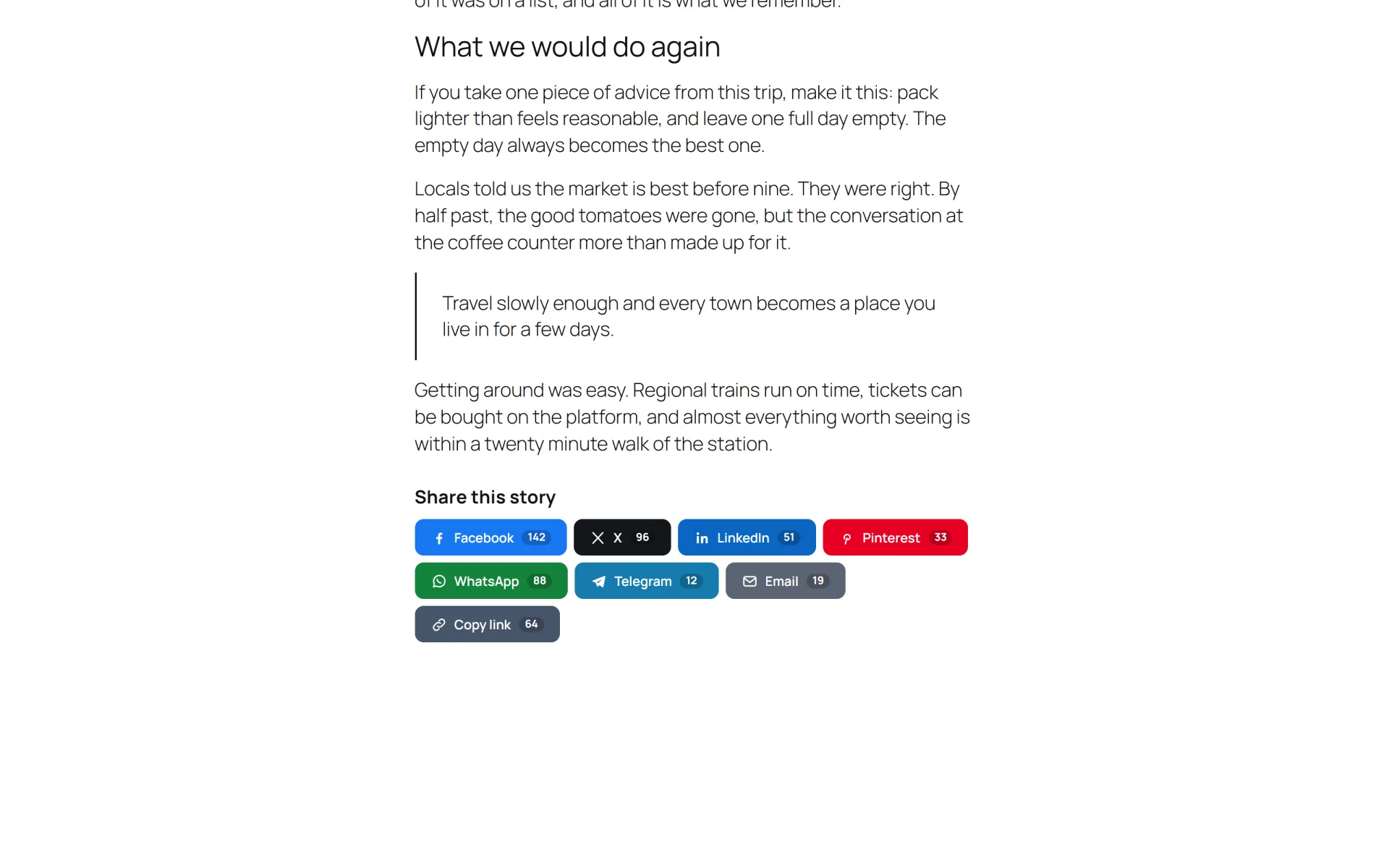
ShareLane adds clean, accessible share buttons and follow icons to your WordPress site without loading a single third-party script. Share links simply open the network's own share page, so there are no tracking pixels, no external fonts and no cookies.

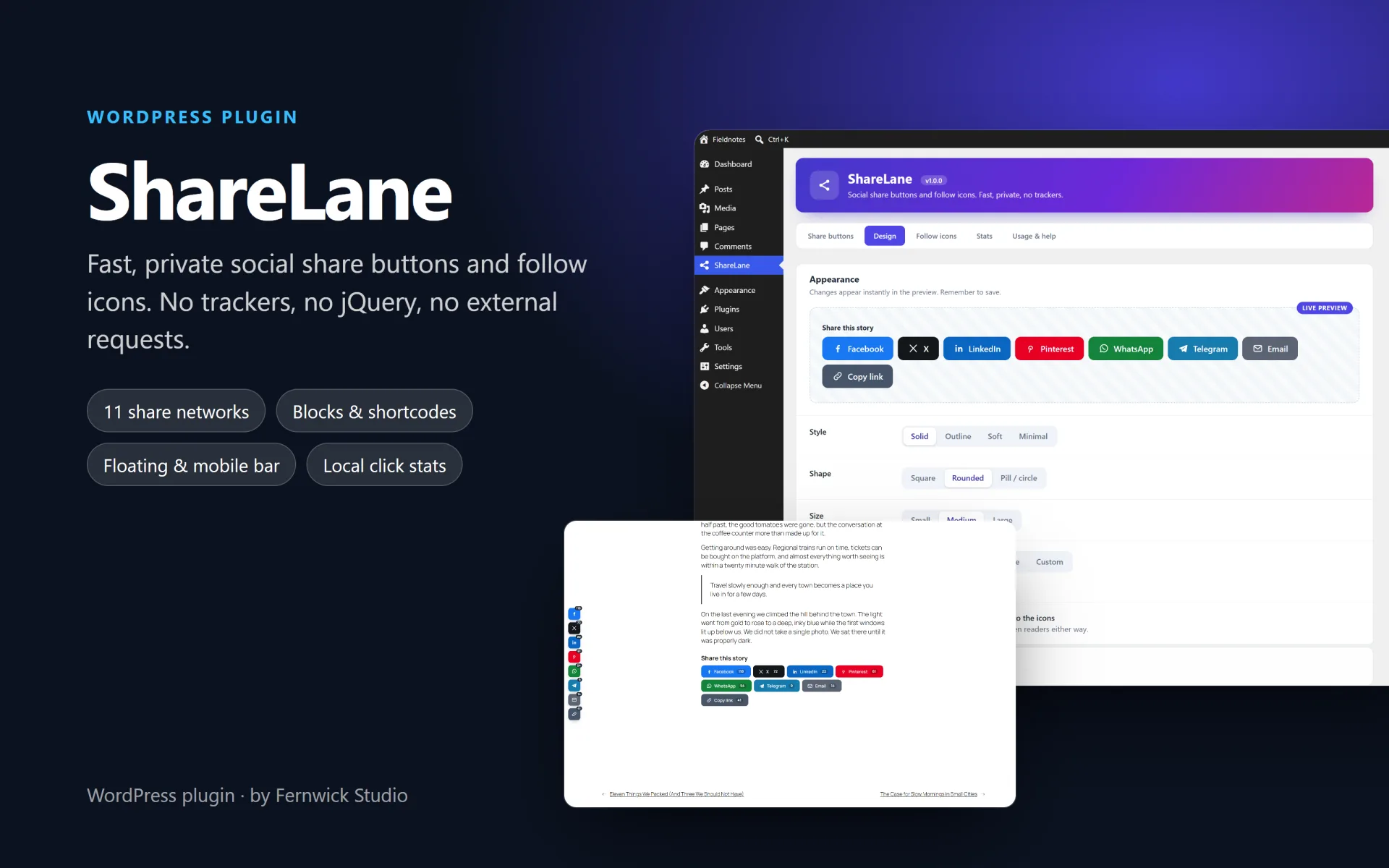
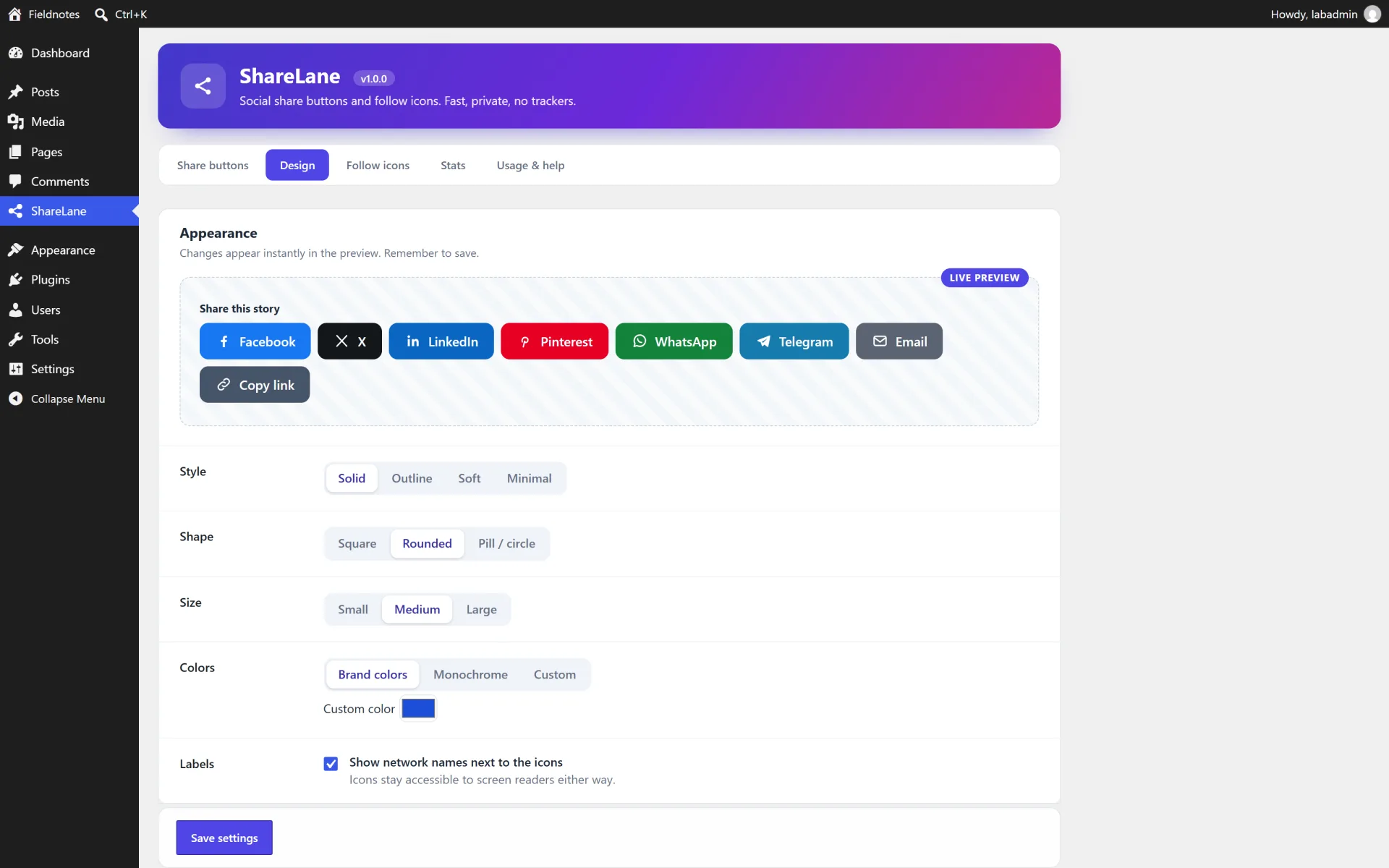
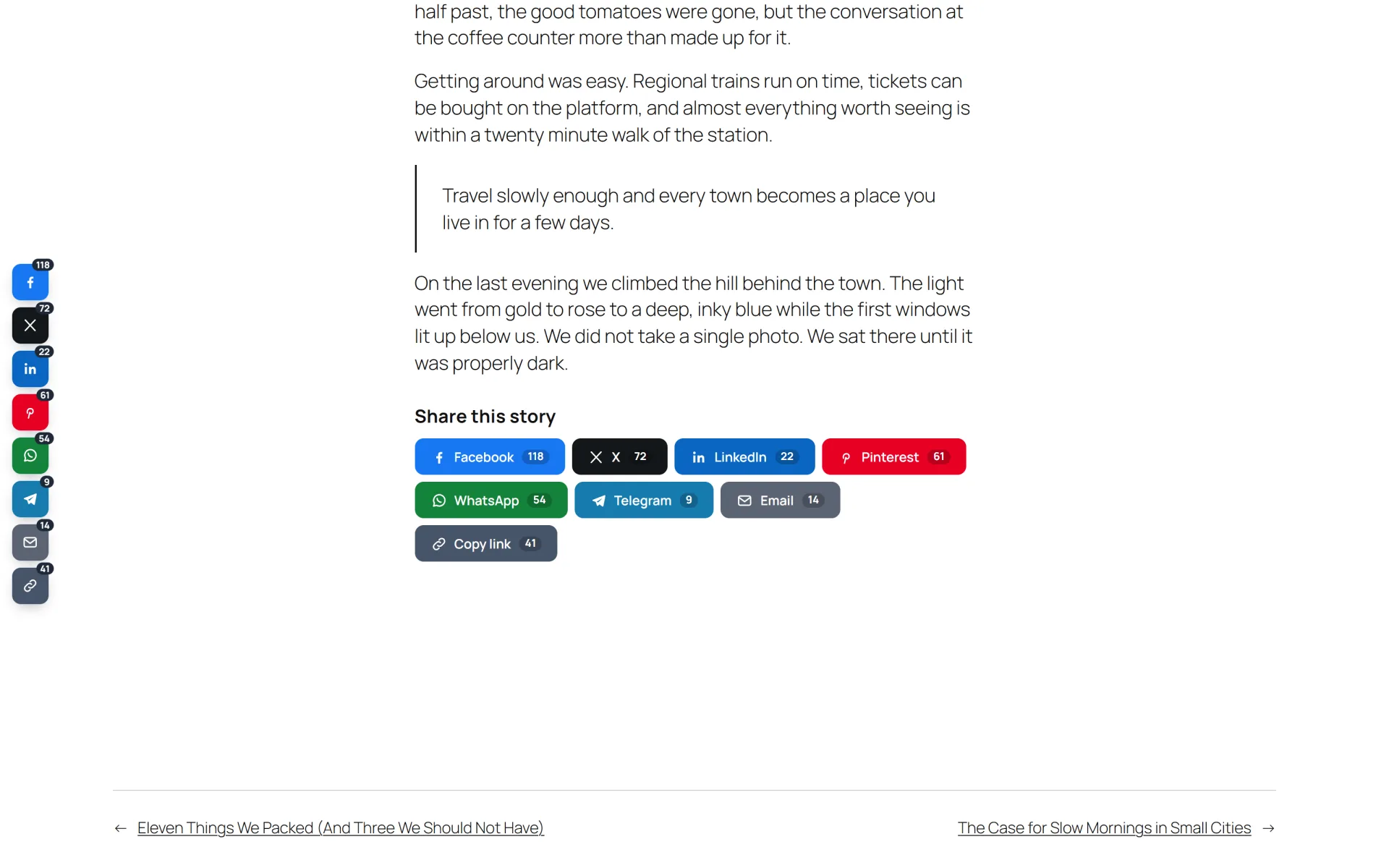
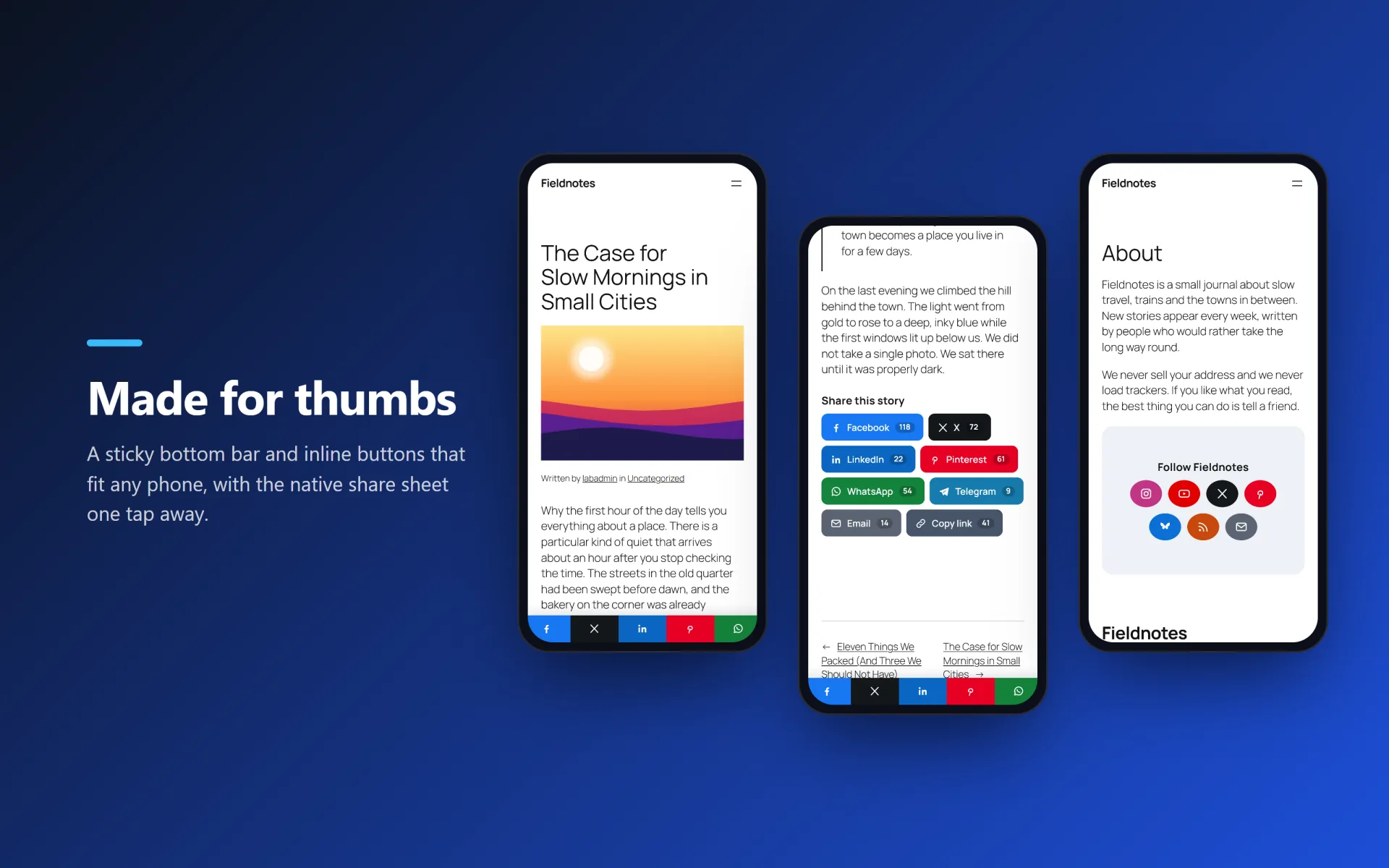
Place buttons before or after your content, as a floating side bar or as a bottom bar on phones. Style them with four looks, three shapes and three sizes, check the result in a live preview, and reorder the networks with one click. Everything is also available as Gutenberg blocks, shortcodes and theme template tags.

What you get

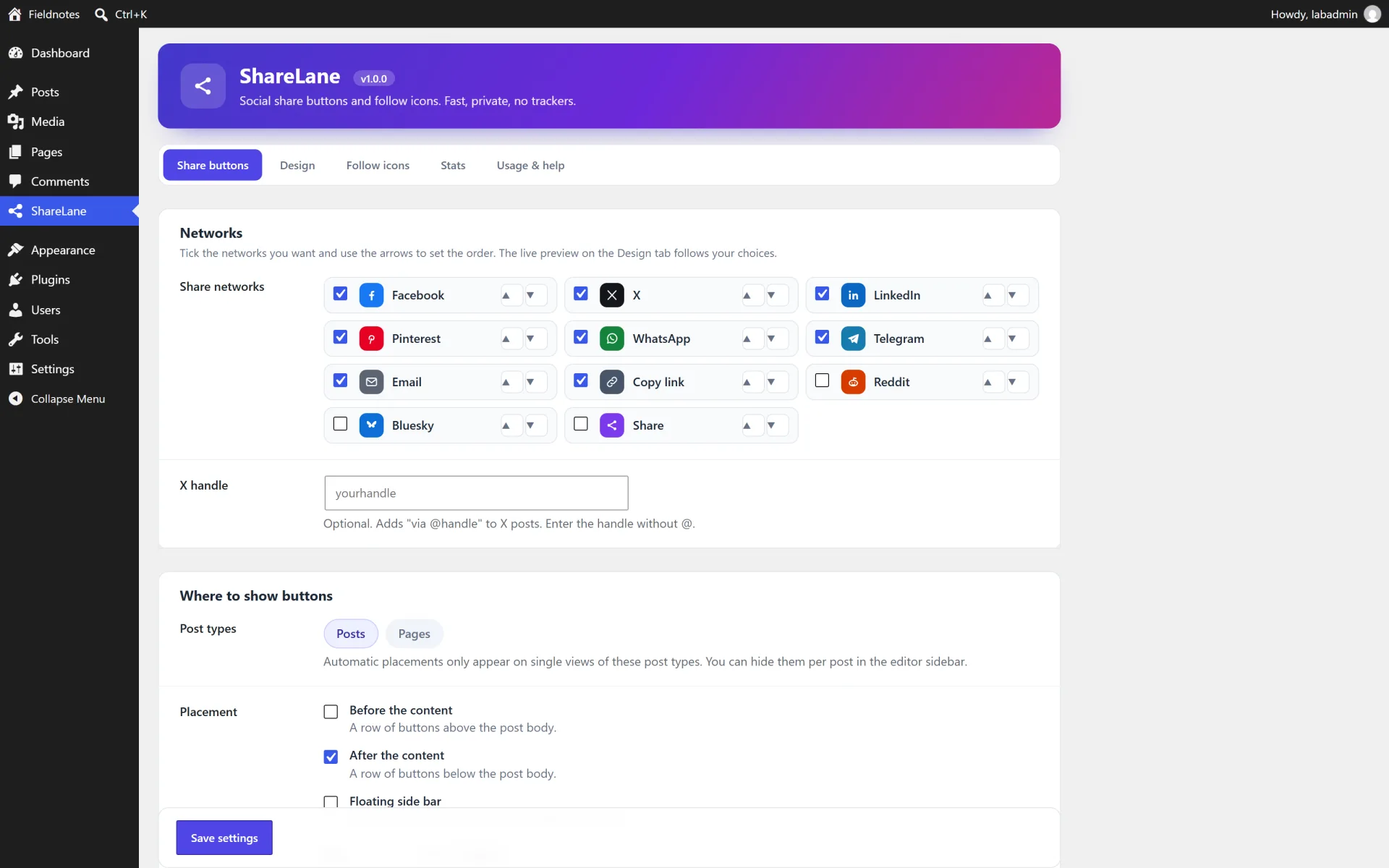
  • 11 share targets: Facebook, X, LinkedIn, Pinterest, Reddit, WhatsApp, Telegram, Bluesky, Email, Copy link and the device share sheet
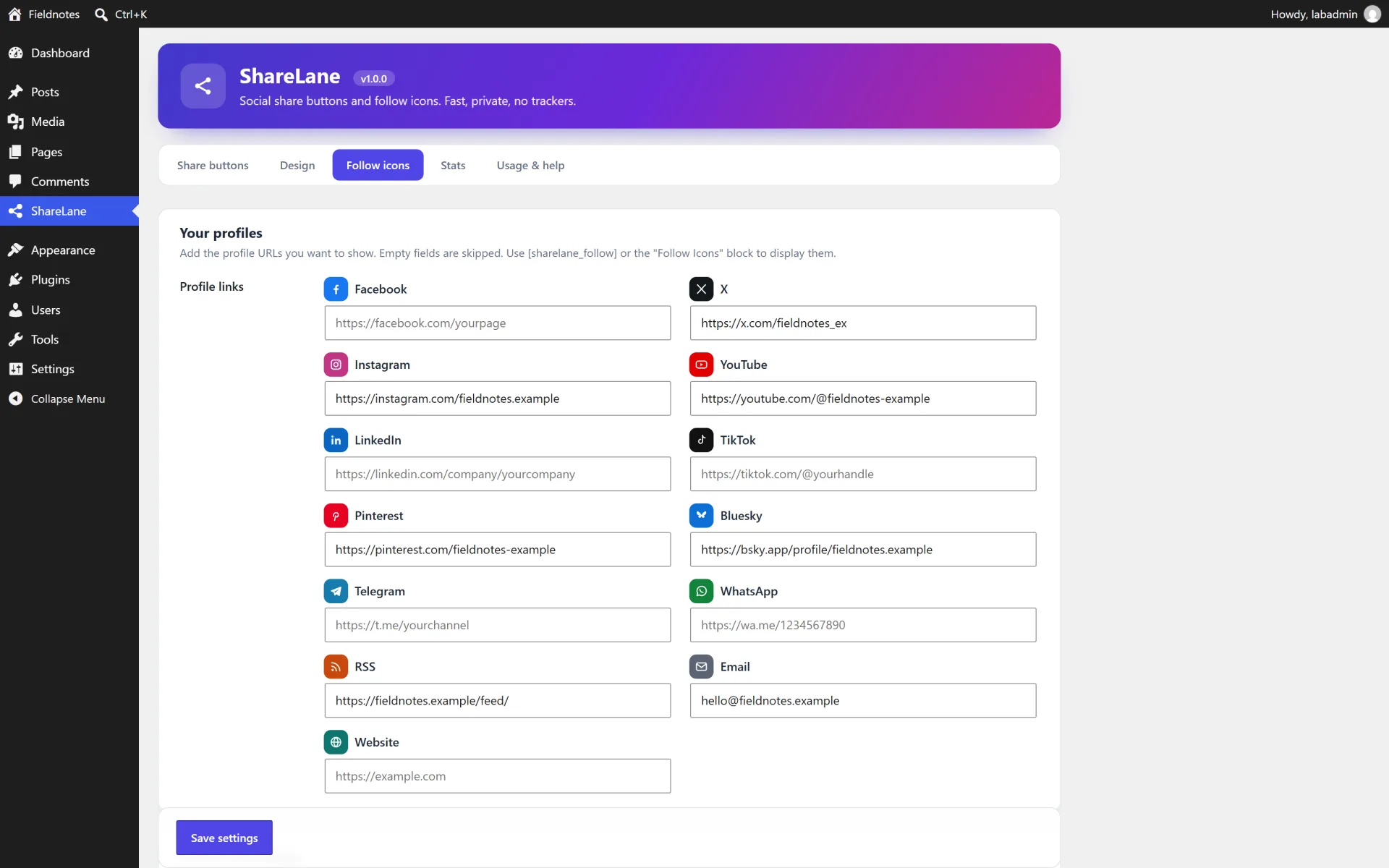
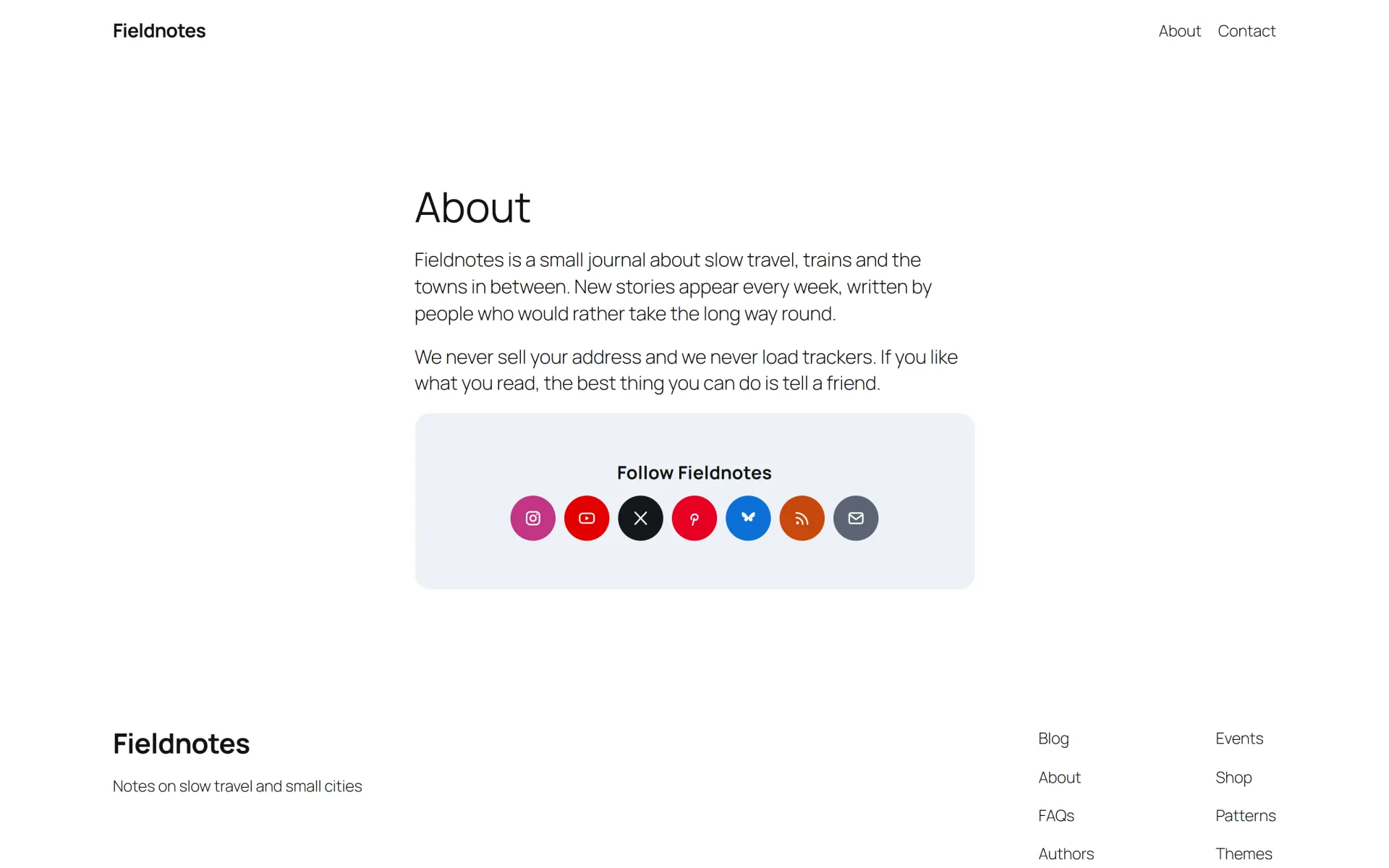
  • 13 follow icons: Facebook, X, Instagram, YouTube, LinkedIn, TikTok, Pinterest, Bluesky, Telegram, WhatsApp, RSS, Email and Website
  • Four placements: before content, after content, floating side bar (left or right) and a mobile bottom bar
  • Four styles (solid, outline, soft, minimal), three shapes, three sizes and brand, monochrome or custom colours
  • Live preview in the settings and one-click network ordering
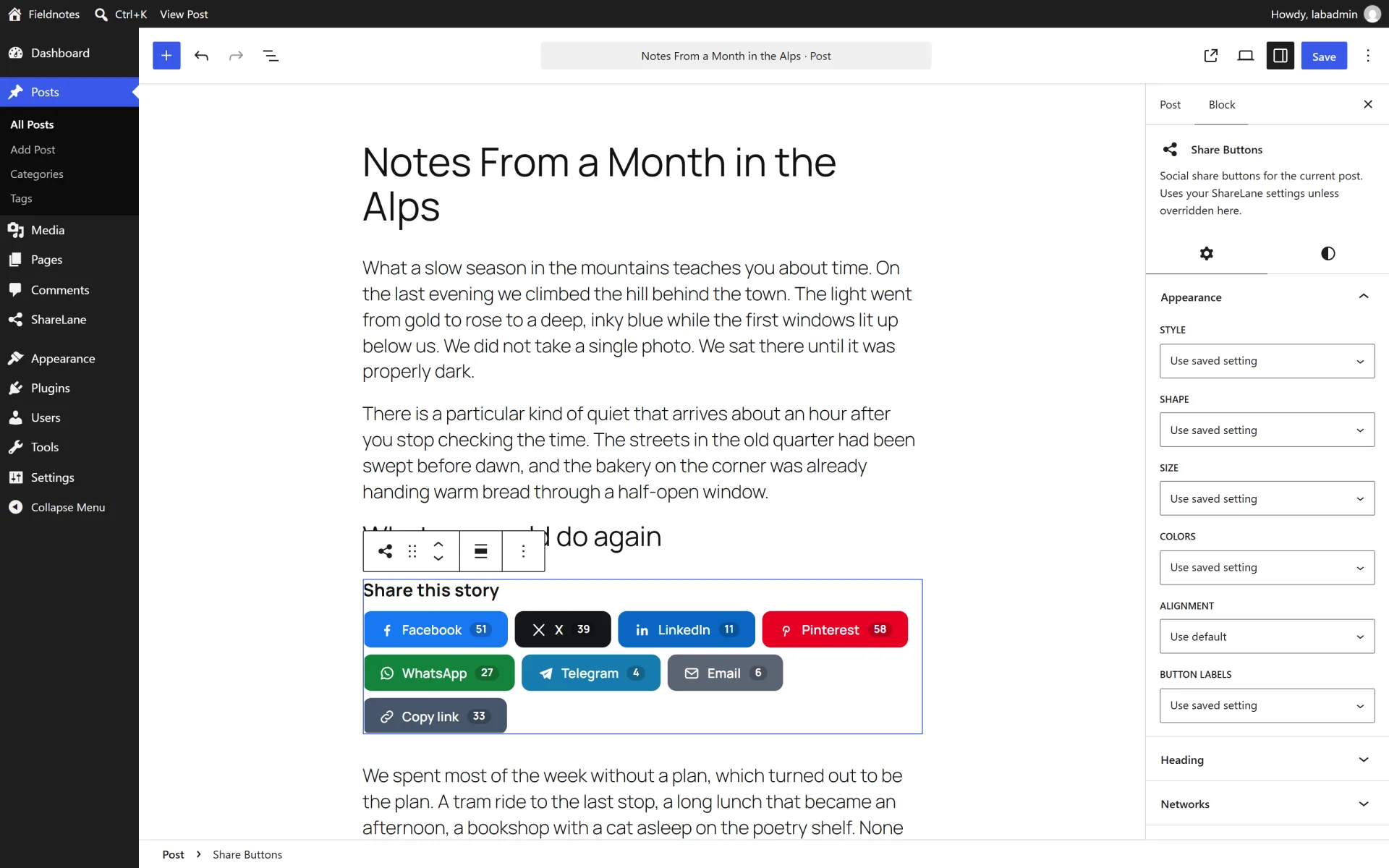
  • Gutenberg blocks "Share Buttons" and "Follow Icons" with per-block overrides
  • Shortcodes [sharelane] and [sharelane_follow] plus the template tags sharelane_share_buttons() and sharelane_follow_icons()
  • Choose which post types get buttons and hide them on single posts with a meta box
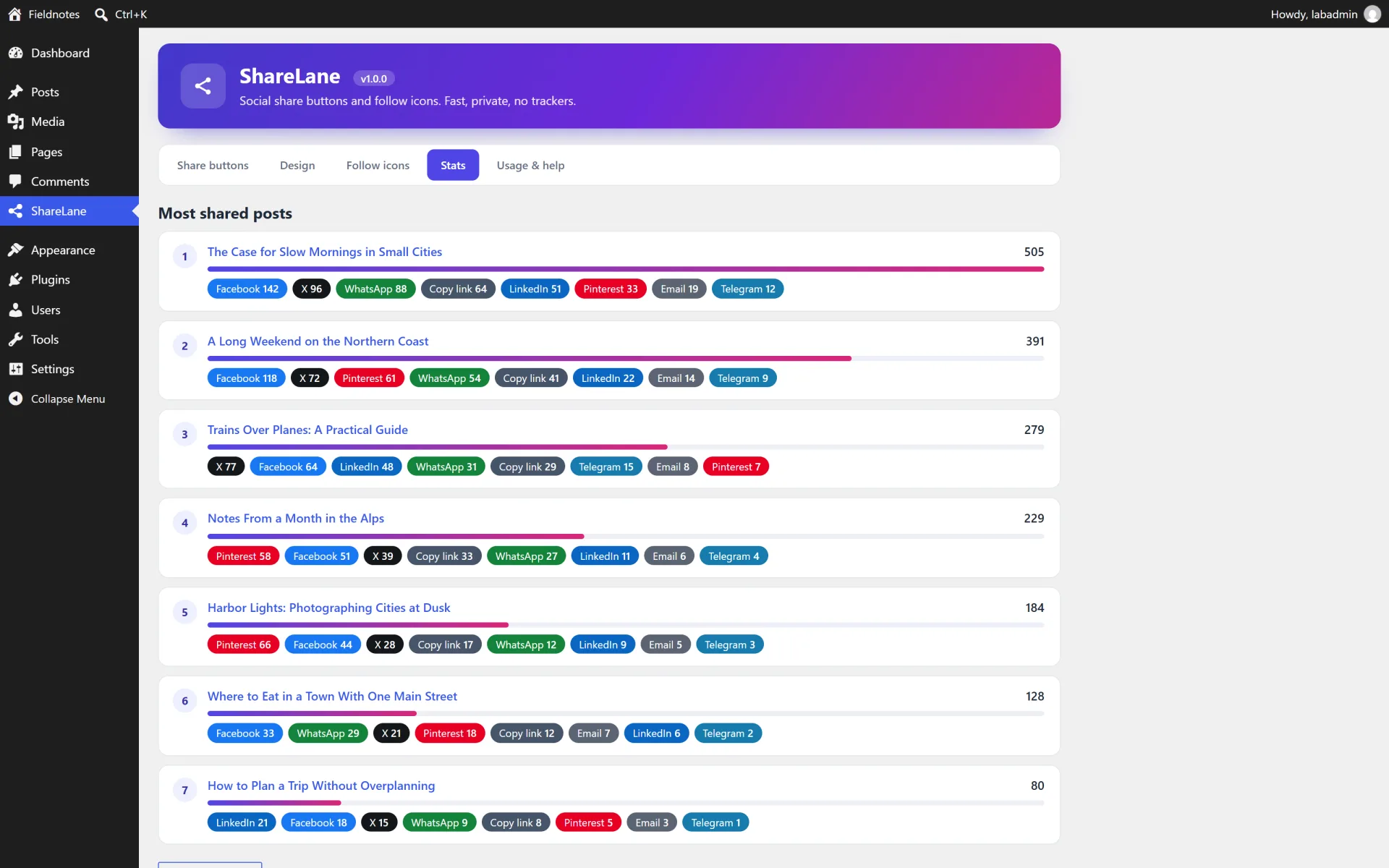
  • Optional private click statistics: a leaderboard of your most shared posts, stored locally as plain numbers
  • About 10 KB of CSS and JavaScript before compression, no jQuery, nothing loaded from other servers
  • Accessible: labelled links, visible focus, keyboard friendly, respects reduced motion
  • Translation ready with a .pot file, clean uninstall option

How it works

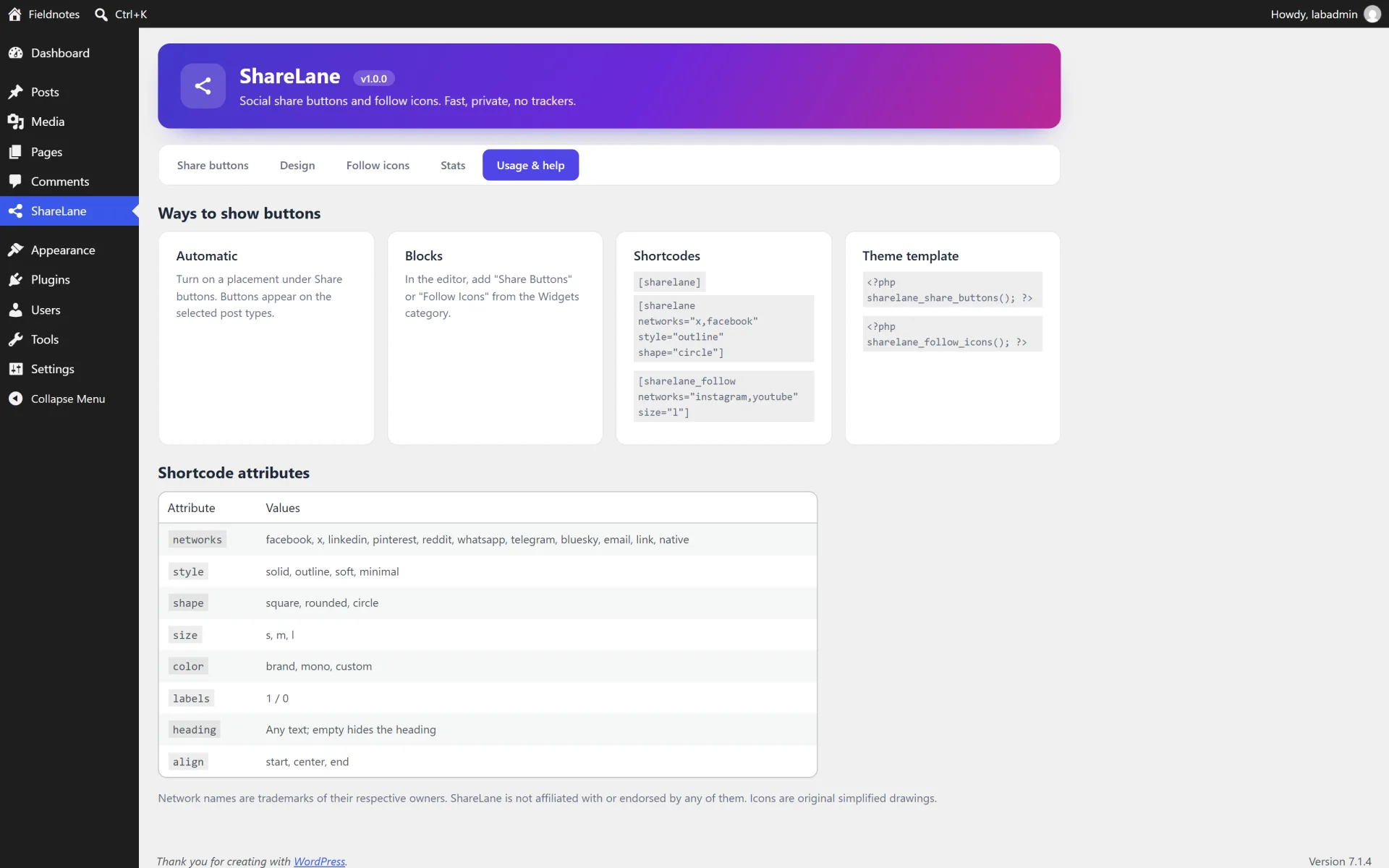
Automatic placement. On the Share buttons tab choose the post types and switch on "Before content", "After content", "Floating side bar" and/or "Mobile bottom bar". Buttons appear on single posts and pages of the selected types.

Blocks. In the editor add "Share Buttons" or "Follow Icons" from the Widgets category. The block settings override your global design for that one block. If you place a block manually, the automatic buttons are not added a second time on that page.

Shortcodes. [sharelane], [sharelane networks="x,facebook" style="outline" shape="circle" size="l" labels="0" heading="Share this"] and [sharelane_follow networks="instagram,youtube" size="l"]. Attributes: networks, style (solid, outline, soft, minimal), shape (square, rounded, circle), size (s, m, l), color (brand, mono, custom), labels (1 or 0), heading, align (start, center, end).

Theme template tags. <?php sharelane_share_buttons(); ?> and <?php sharelane_follow_icons(); ?>. Both accept an array of the same options as the shortcode.

Hide buttons on one post. Edit the post and tick "Hide share buttons on this post" in the ShareLane box.

Click statistics. Switch on "Count share clicks locally" in the Behaviour & privacy section of the Share buttons tab. The Stats tab then lists your most shared posts and how often each network was used. Counts are plain numbers stored in post meta. No IP address or personal data is saved. A visitor is limited to one count per post and network every 30 seconds.

Not included (so there are no surprises)

  • Real share counters from the networks (their public count APIs no longer exist). ShareLane can show your own local click totals instead.
  • Posting to social networks, scheduling posts or analytics dashboards.
  • Logging in with social accounts.

Install in minutes

  1. In your WordPress admin open Plugins > Add New > Upload Plugin and choose the downloaded zip (the one named sharelane-social-share-v1.0.0.zip).
  2. Click Install Now, then Activate.
  3. Open the new ShareLane menu. The default settings already show share buttons after the content of every post.
  4. Pick your networks on the Share buttons tab, adjust the look on the Design tab, add profile links on the Follow icons tab and press Save settings.
  5. Optional: switch on click statistics in the Behaviour & privacy section, or add the Share Buttons block anywhere in the editor.

What is in the download

  • The ready-to-upload WordPress plugin (sharelane-social-share), organised in namespaced PHP classes
  • readme.txt in WordPress.org format, a full HTML documentation page in docs/ and a CHANGELOG.md
  • license.txt (GNU GPL v2) and a translation template in languages/
  • A clean uninstall: removing the plugin from the Plugins screen deletes its data unless you choose to keep it

About the screenshots

The gallery shows the plugin running on a private test site ("Fieldnotes") with sample posts and sample statistics, not a public demo. There is no hosted live demo for this plugin.

Third-party product and network names mentioned are trademarks of their respective owners. This plugin is an independent product and is not affiliated with or endorsed by them.


Author’s detailed specifications

Additional package and setup details from the author. The purchase options and marketplace license terms govern your order.

Requirements

  • WordPress 5.8 or newer (tested up to 7.1)
  • PHP 7.4 or newer (tested on PHP 8.2)
  • Any theme. Blocks need the block editor, shortcodes and template tags work everywhere

Licensing

The plugin source is licensed under the GNU General Public License v2 or later (see license.txt), as for every WordPress plugin. What you buy here is the packaged, supported release: the download, updates published on this listing and author support through the marketplace.

  • Regular — one end product, for your own site or a single client site, where end users are not charged for access.
  • Extended — one end product you may charge customers for, for example a paid membership site or a client service you resell.

These marketplace licence terms describe who the support and update entitlement covers. They do not take away the rights the GPL grants you.

Features

  • 11 share targets: Facebook, X, LinkedIn, Pinterest, Reddit, WhatsApp, Telegram, Bluesky, Email, Copy link and the device share sheet
  • 13 follow icons: Facebook, X, Instagram, YouTube, LinkedIn, TikTok, Pinterest, Bluesky, Telegram, WhatsApp, RSS, Email and Website
  • Four placements: before content, after content, floating side bar (left or right) and a mobile bottom bar
  • Four styles (solid, outline, soft, minimal), three shapes, three sizes and brand, monochrome or custom colours
  • Live preview in the settings and one-click network ordering
  • Gutenberg blocks "Share Buttons" and "Follow Icons" with per-block overrides
  • Shortcodes [sharelane] and [sharelane_follow] plus the template tags sharelane_share_buttons() and sharelane_follow_icons()
  • Choose which post types get buttons and hide them on single posts with a meta box
  • Optional private click statistics: a leaderboard of your most shared posts, stored locally as plain numbers
  • About 10 KB of CSS and JavaScript before compression, no jQuery, nothing loaded from other servers
  • Accessible: labelled links, visible focus, keyboard friendly, respects reduced motion
  • Translation ready with a .pot file, clean uninstall option

Your purchase includes

Compatibility

Works with
WordPress 5.8 - 7.1, PHP 7.4 - 8.2
Supported software
WordPress 5.8+, PHP 7.4 - 8.2
Platform
Self-hosted WordPress
Framework
WordPress

Tags: Social Share Share Buttons Follow Icons Social Media Gutenberg Lightweight GDPR

Browse more in Plugins, or see all items by Fernwick Studio.

FAQ

Common questions about this listing.

Does ShareLane load anything from other servers?

No. The buttons are plain links that open each network's own share page when clicked. There are no tracking pixels, external scripts or web fonts, which also keeps your page fast and simplifies GDPR work.

Do I need jQuery?

No. The front-end script is small vanilla JavaScript and only loads on pages where buttons are shown.

Can I show share counts from Facebook, X or Pinterest?

No. The networks removed their public count APIs. ShareLane offers optional local click totals so you can see how often your own visitors used each button.

Where do I put the buttons?

Automatically before or after the content, as a floating bar at the left or right edge, as a bottom bar on phones, with the Gutenberg block, with a shortcode or in your theme with a template tag.

Can I choose which networks appear and in what order?

Yes. Tick the networks you want and use the arrows to set the order. The live preview on the Design tab follows your choices.

Does it work with the classic editor and page builders?

Yes. Automatic placement and shortcodes work with any editor. Page builders that offer a shortcode or HTML widget can use [sharelane].

How do I hide the buttons on a single post?

Tick "Hide share buttons on this post" in the ShareLane box on the edit screen.

Is it accessible?

Every button is a real link with a text label (or an accessible name when labels are hidden), has a visible keyboard focus state and respects the reduced-motion preference.

Does it work with caching plugins?

Yes. The markup is the same for every visitor. Click statistics are sent with a small background request that is not cached.

Is it translation ready?

Yes. Text is wrapped for translation and a ShareLane .pot file is included in the languages folder.

What happens to my data when I delete the plugin?

By default the settings and statistics are removed on deletion. You can keep them by switching off "Delete all ShareLane data when the plugin is deleted" on the Follow icons tab. Deactivating never deletes anything.

Are network logos used?

The icons are simplified original drawings, not official logos. Network names are trademarks of their owners and ShareLane is not affiliated with or endorsed by any of them.

Version history

Release notes for this item, newest first.

Current v1.0.0

  1. v1.0.0

    Current
    Initial release.

Log in after purchase to download version files.

Reviews

5.0

1 review

5 stars 1
4 stars 0
3 stars 0
2 stars 0
1 star 0

Only people who bought this item can review it, which keeps ratings honest. Sign in if you already bought it.

Share buttons that stay on my server

Camille Broussard Reviewed v1.0.0

Added this to a content site that needed share buttons and follow icons without loading a third-party script. The floating side bar, the mobile bottom bar, and the Gutenberg blocks cover the placements I use. Click counts stay in the local leaderboard, which mattered more to me than a flashy network. About 10 KB of CSS and JS, and no jQuery.

Questions & answers

Ask the seller about setup, compatibility or customisation before you buy.

Sign in to ask the seller a question.

No questions yet

Be the first to ask. Answers from the seller appear right here.

About the author

Small, privacy-minded WordPress plugins

Fernwick Studio Verified New

Fernwick Studio builds small, focused WordPress plugins that stay fast and respect visitor privacy: no trackers, no phoning home, no jQuery unless it is really needed. Every plugin is original work released under the GPL v2 or later, built with the WordPress coding standards and tested on current WordPress releases and PHP 8.2.

All items by Fernwick Studio →

Similar scripts

Pick up where you left off

Recently viewed

Your last discoveries, saved only in this browser.

ShareLane — Social Share & Follow Buttons

USD 19.00