Skip to content

Launch Sale

25% off selected items for a limited time.

Ends in -

Wardgate — Login Shield & Security Hardening

Rated 4.0 out of 5 from 1 review.

by Fernwick Studio Verified New

in Plugins

Move your login to a private URL, limit failed logins, harden common leaks, send security headers and keep an audit log. Built-in recovery paths.

Version
1.0.0
Updated
Sales
New
Compatibility
WordPress 5.8 - 7.1, PHP 7.4 - 8.2

About

Wardgate - Login Shield & Security Hardening — Hide the WordPress login, stop password guessing and tidy up information leaks, with four independent recovery paths.

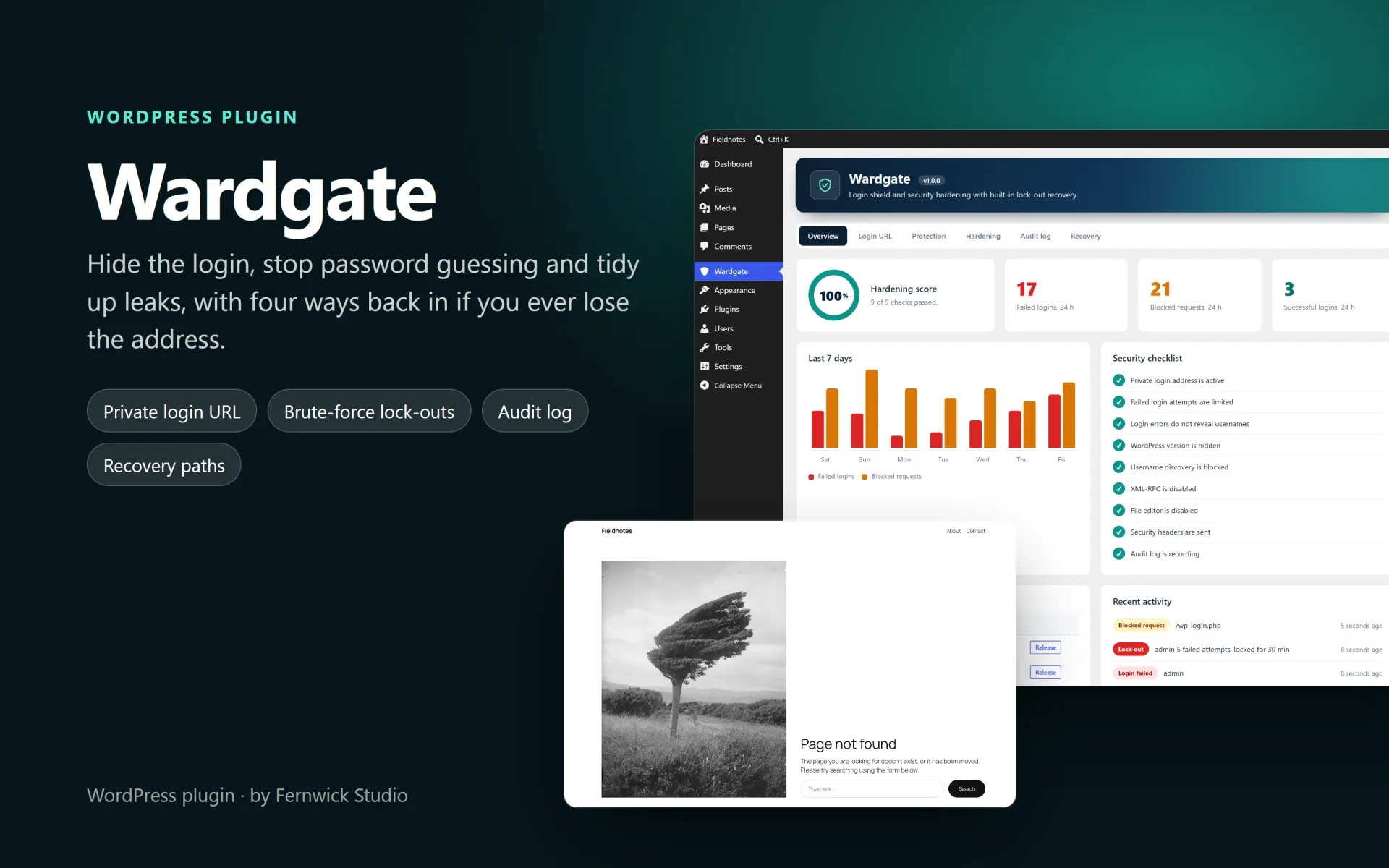
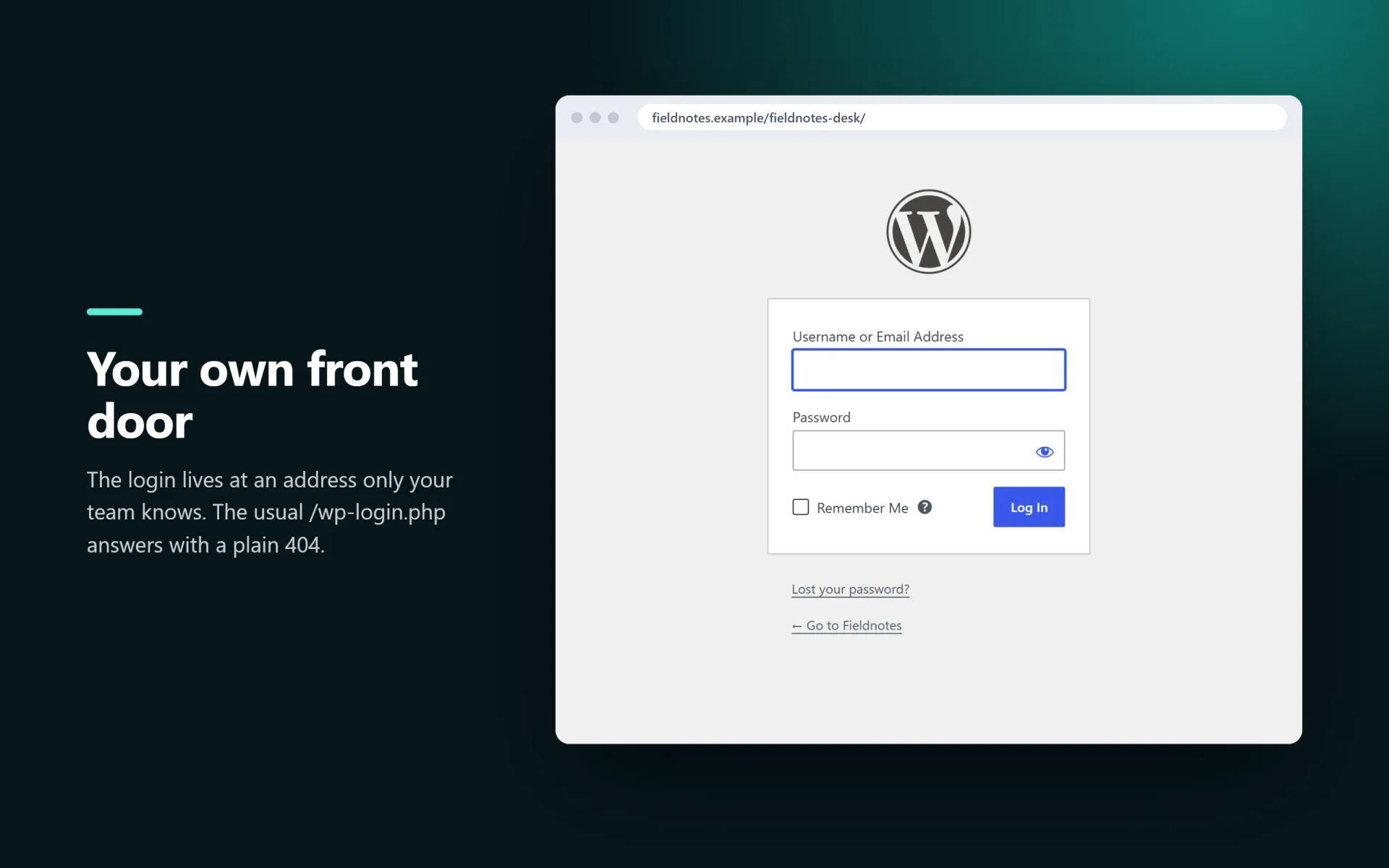
Wardgate moves your WordPress login to a private address, answers visitors who poke at wp-login.php or wp-admin with a plain 404, locks out addresses that keep guessing passwords and switches off a handful of well known information leaks. A searchable audit log shows who logged in, who failed and what was blocked.

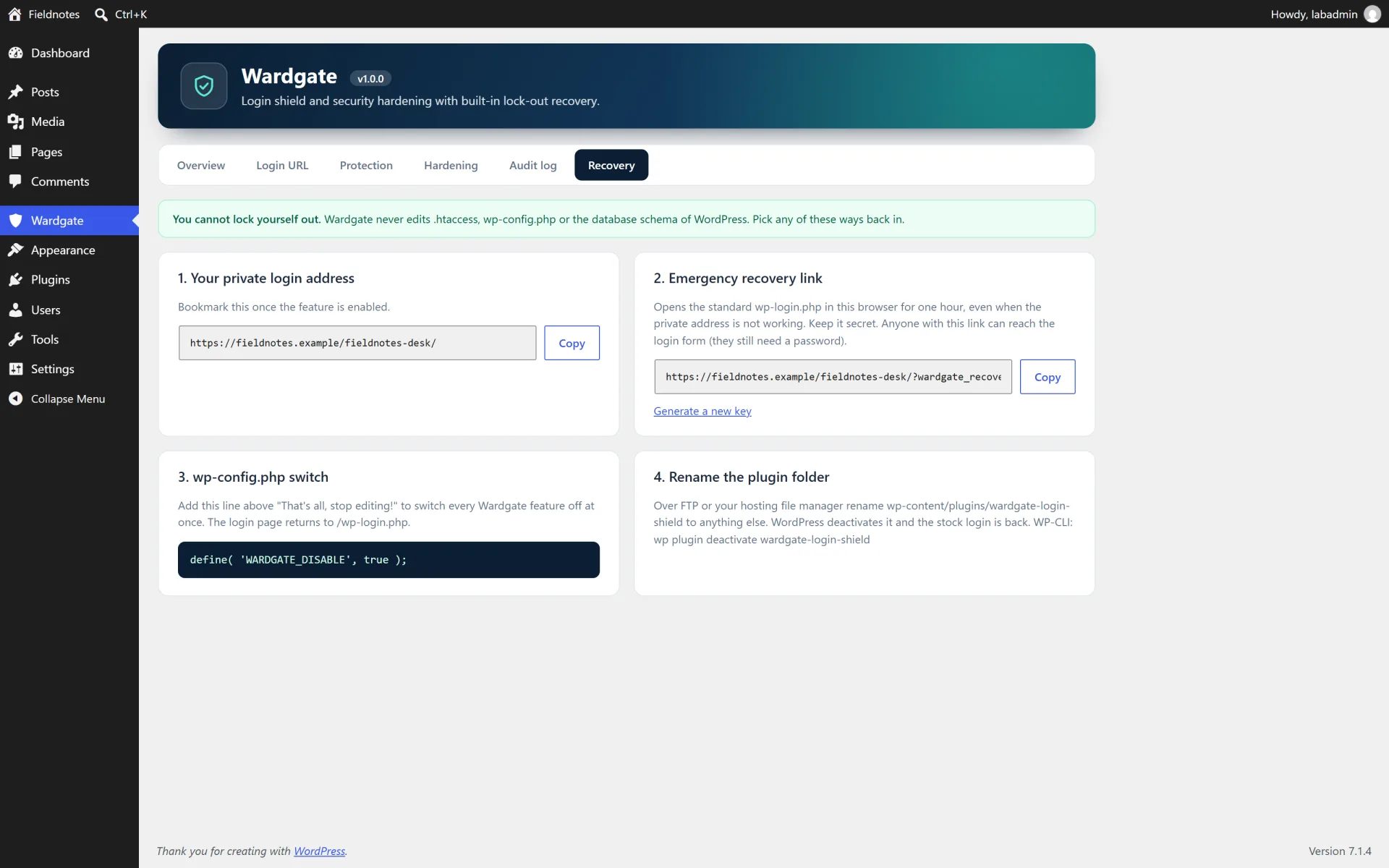
Changing a login URL is risky, so Wardgate is built around safe recovery. It tests the new address before it saves it, asks you to confirm that you stored the link, never edits .htaccess or wp-config.php, and gives you four independent ways back in: the private address, an emergency recovery link, a one-line constant in wp-config.php and simply renaming the plugin folder.

What you get

  • Private login address with your own slug. Reserved words and slugs used by real pages are refused
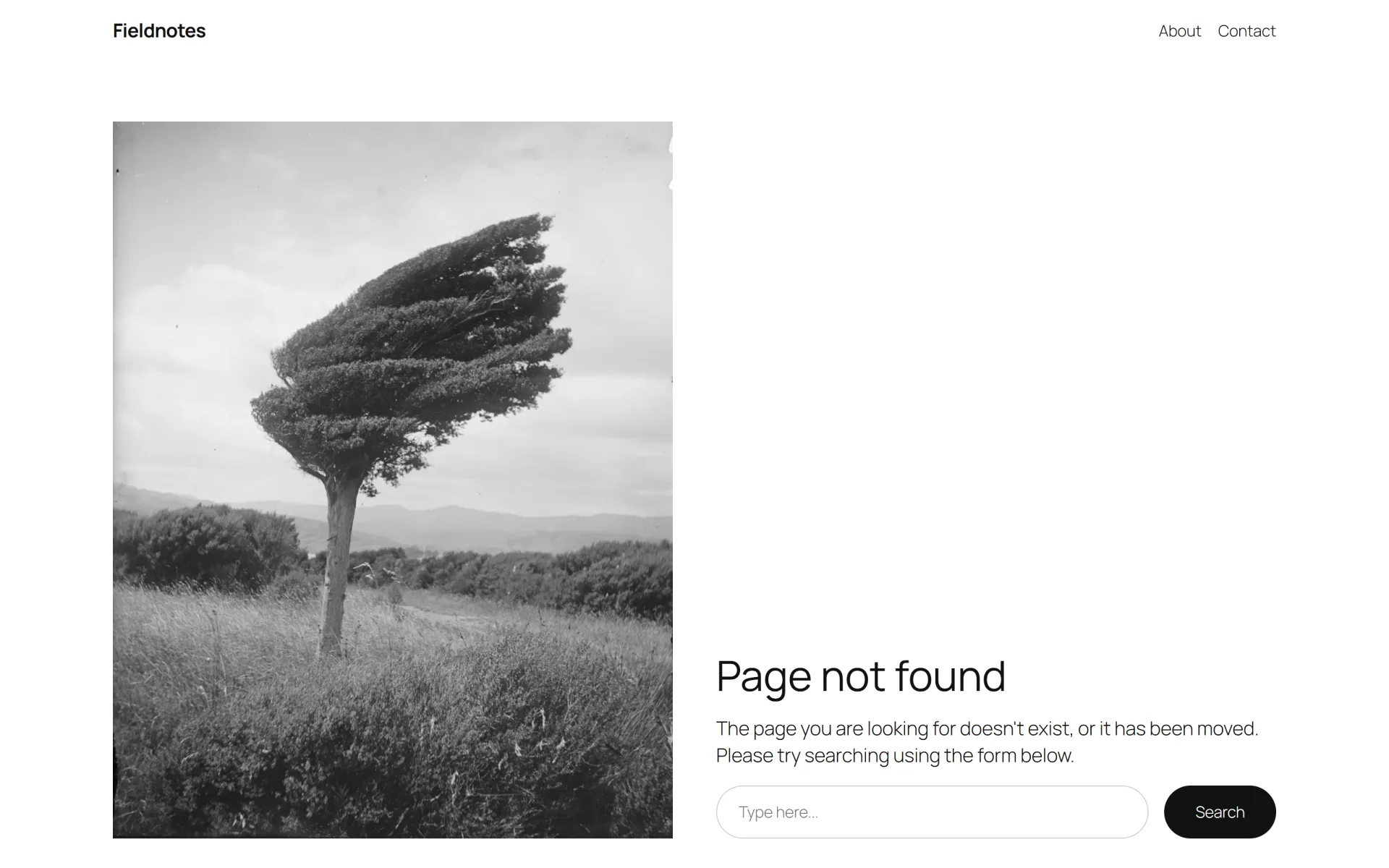
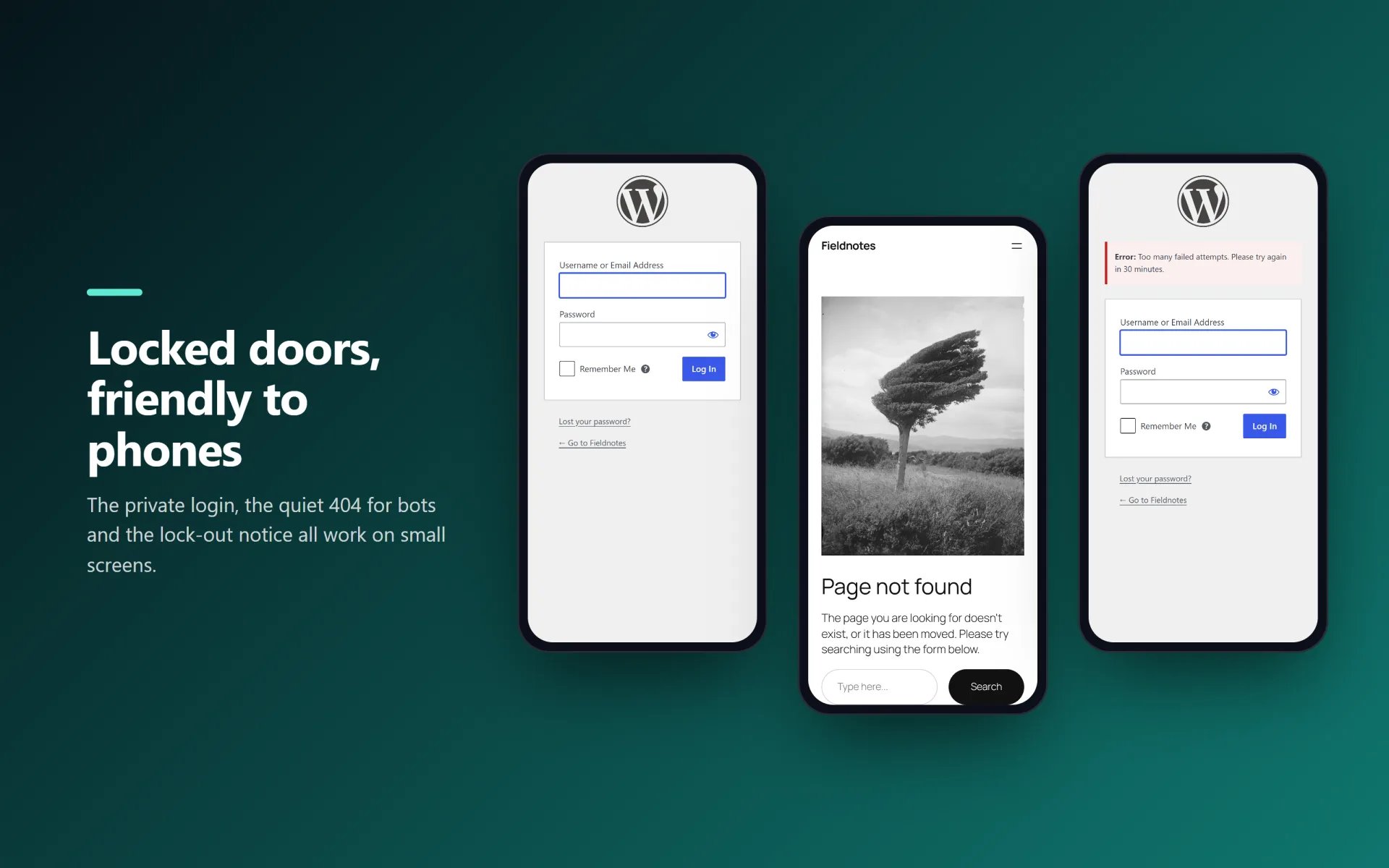
  • Logged-out visitors get a 404 (or a redirect to the home page or to a URL you choose) on wp-login.php, wp-admin and wp-register.php
  • Pre-flight check: the new address is requested from your own server before it is saved, and you confirm that you stored it
  • Four recovery paths: private address, emergency link (one-hour cookie), WARDGATE_DISABLE in wp-config.php, rename the plugin folder. Deactivating restores the stock login instantly
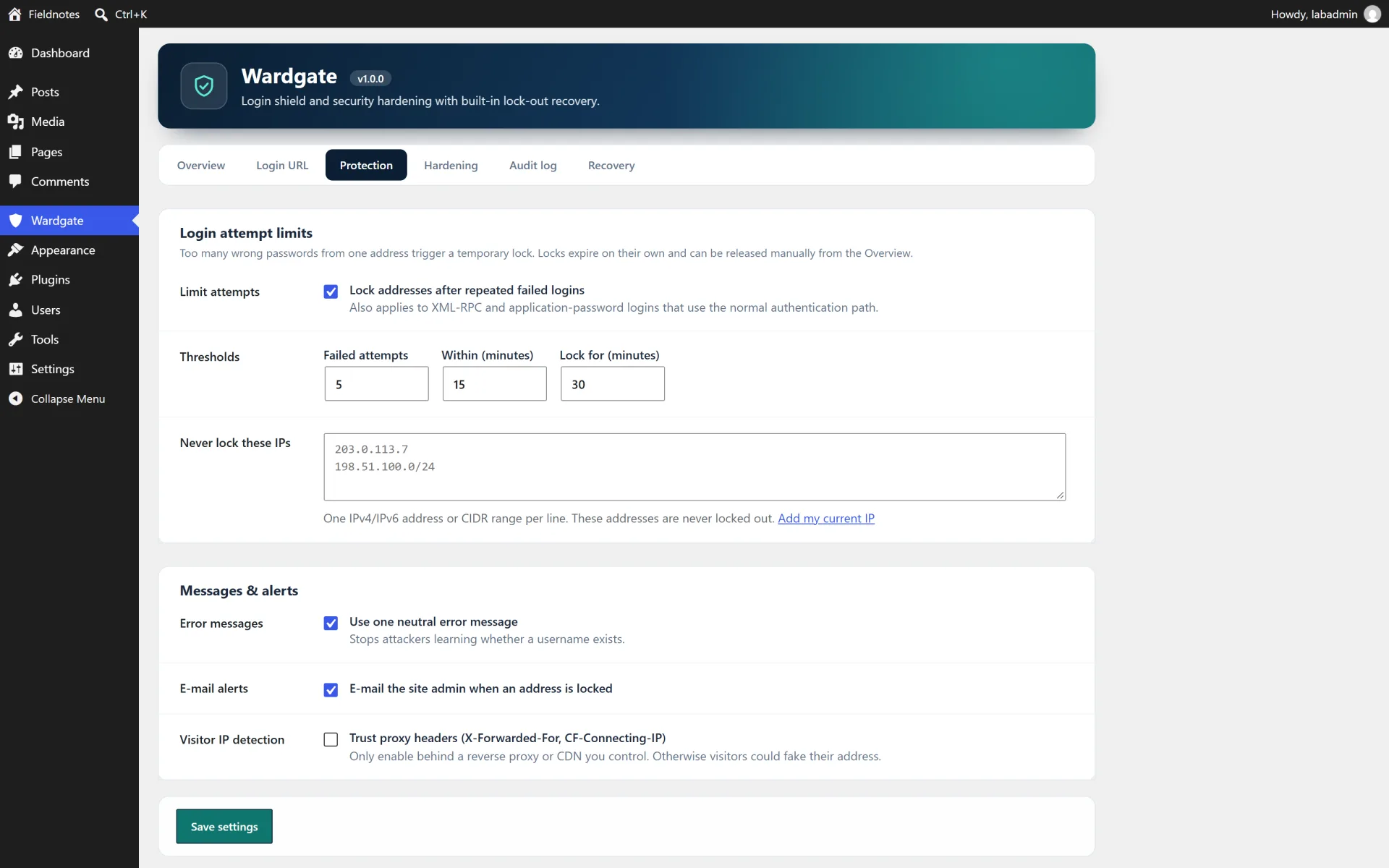
  • Brute-force protection with your own limits: attempts, time window and lock duration. Allowlist for IPv4/IPv6 addresses and CIDR ranges
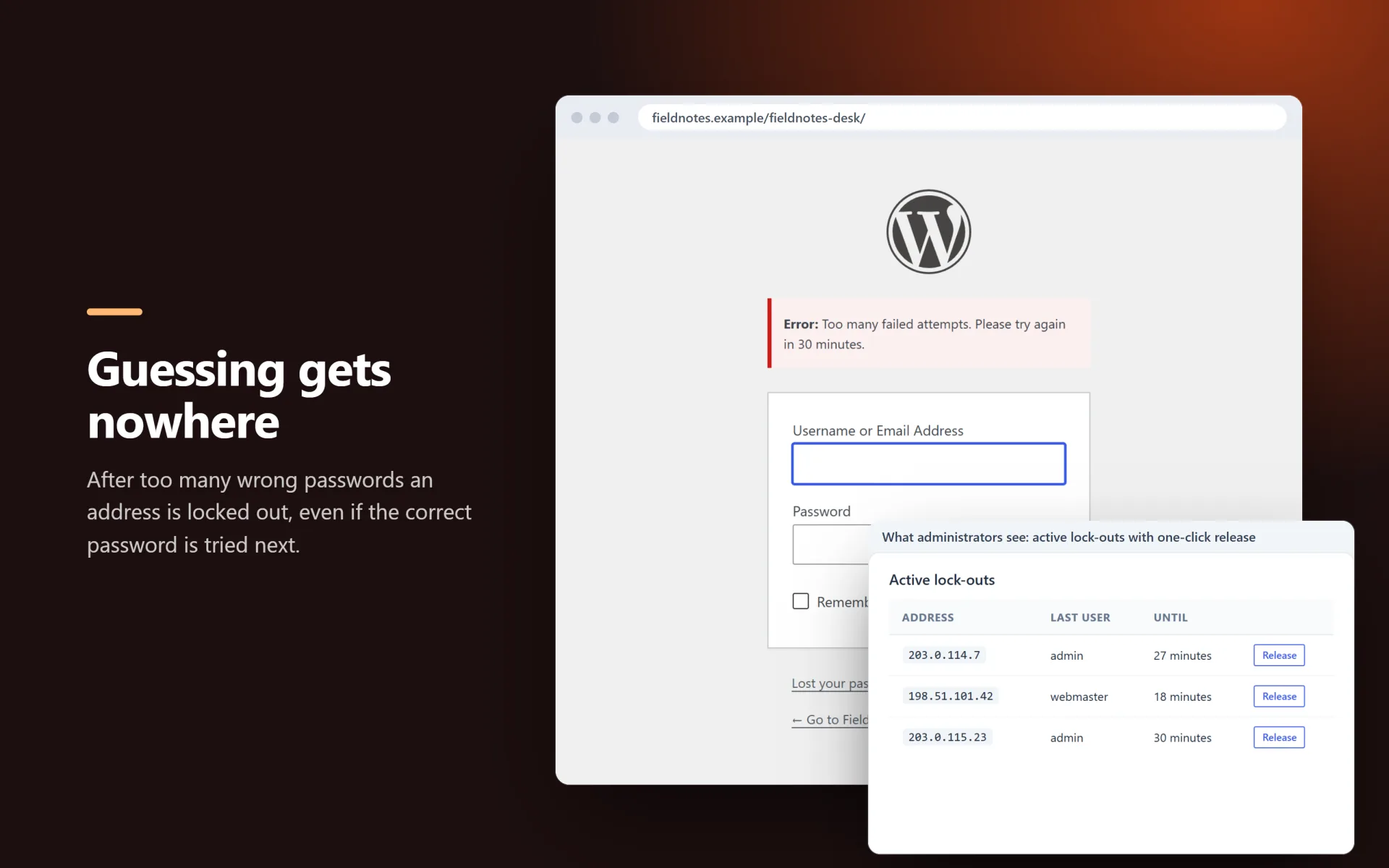
  • Neutral login errors that never reveal whether a username exists, plus a list of active lock-outs you can release in one click
  • Optional e-mail alert when an address is locked out
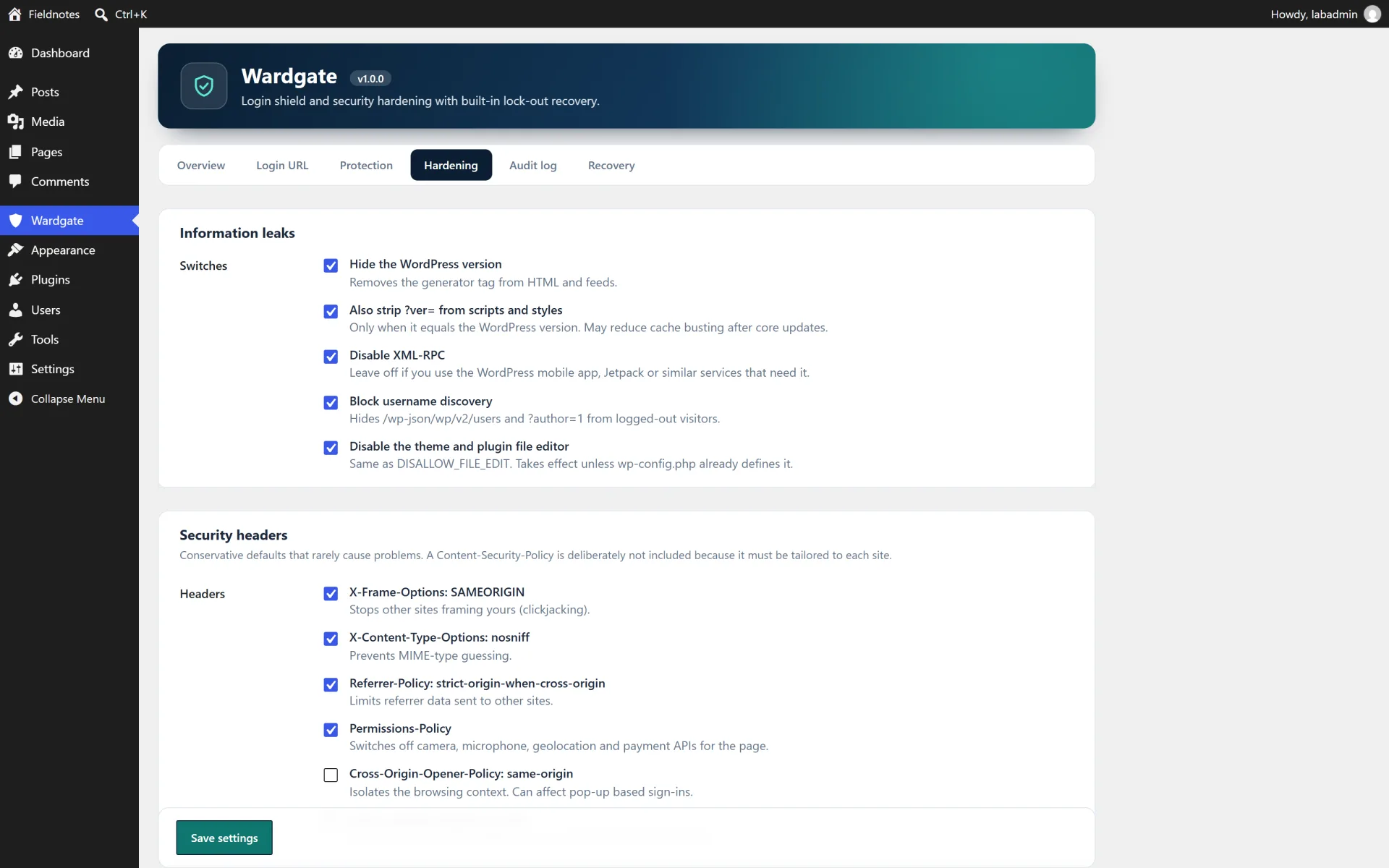
  • Hardening switches: hide the WordPress version, strip version query strings, turn off XML-RPC, block username discovery (REST users and ?author=), disable the theme and plugin file editor
  • Security headers: X-Frame-Options, X-Content-Type-Options, Referrer-Policy, Permissions-Policy and optional HSTS and Cross-Origin-Opener-Policy
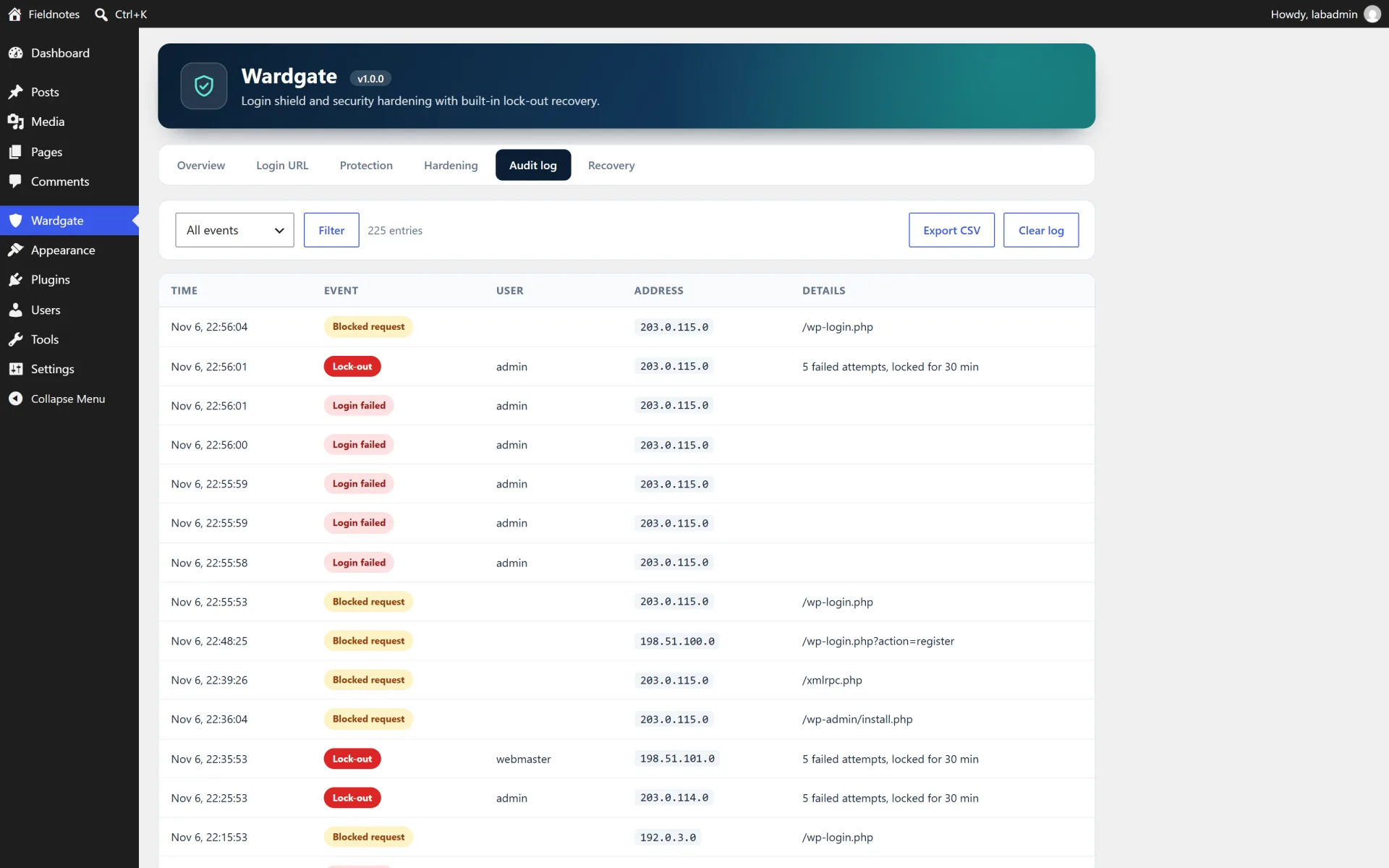
  • Audit log in its own table: logins, failures, lock-outs, blocked requests, recovery use and settings changes, with filter, pagination and CSV export
  • Privacy friendly: IP anonymisation, automatic retention (default 30 days), CSV exports neutralise spreadsheet formulas
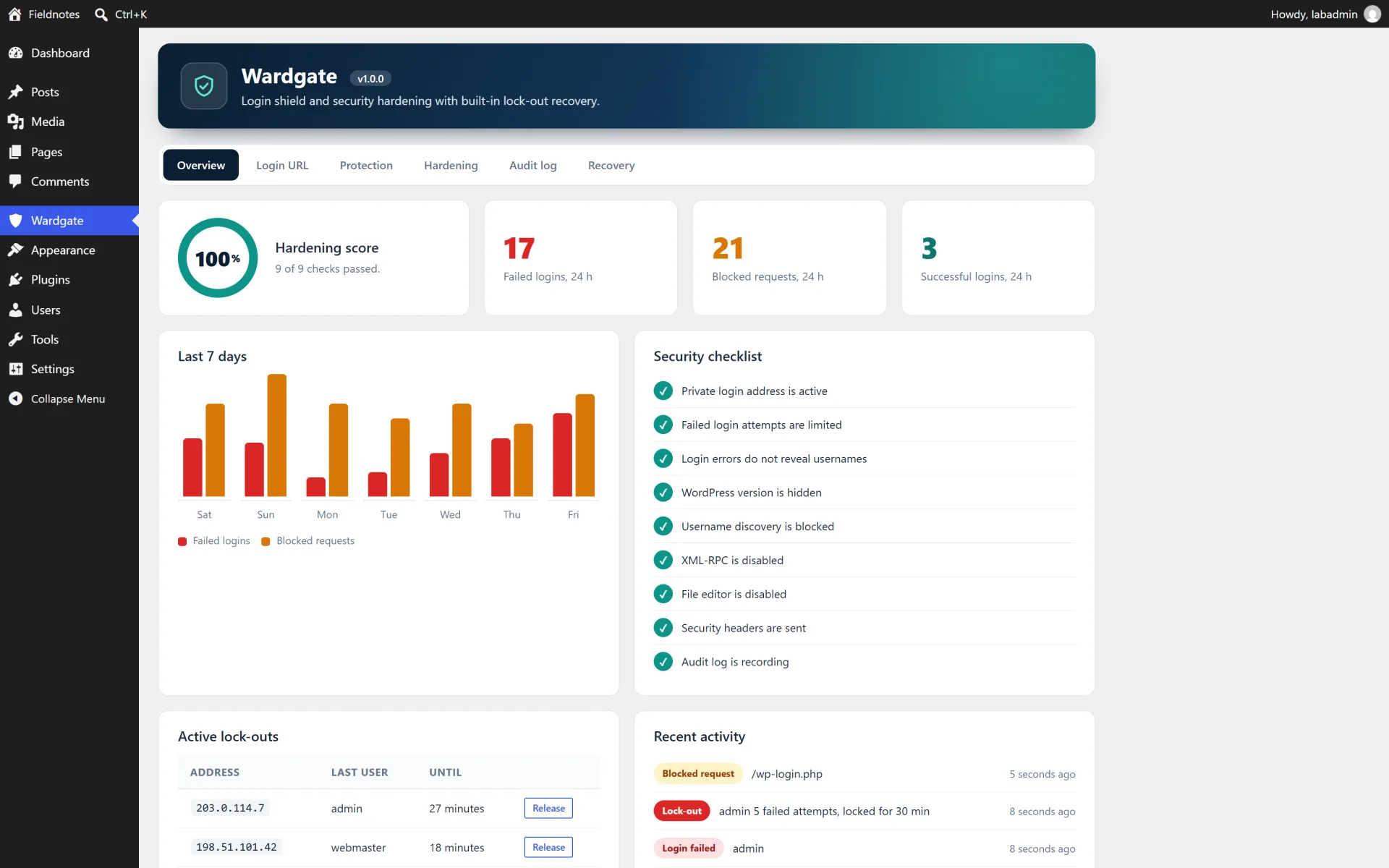
  • Overview dashboard with a hardening score, 24-hour counters, 7-day chart and checklist

How it works

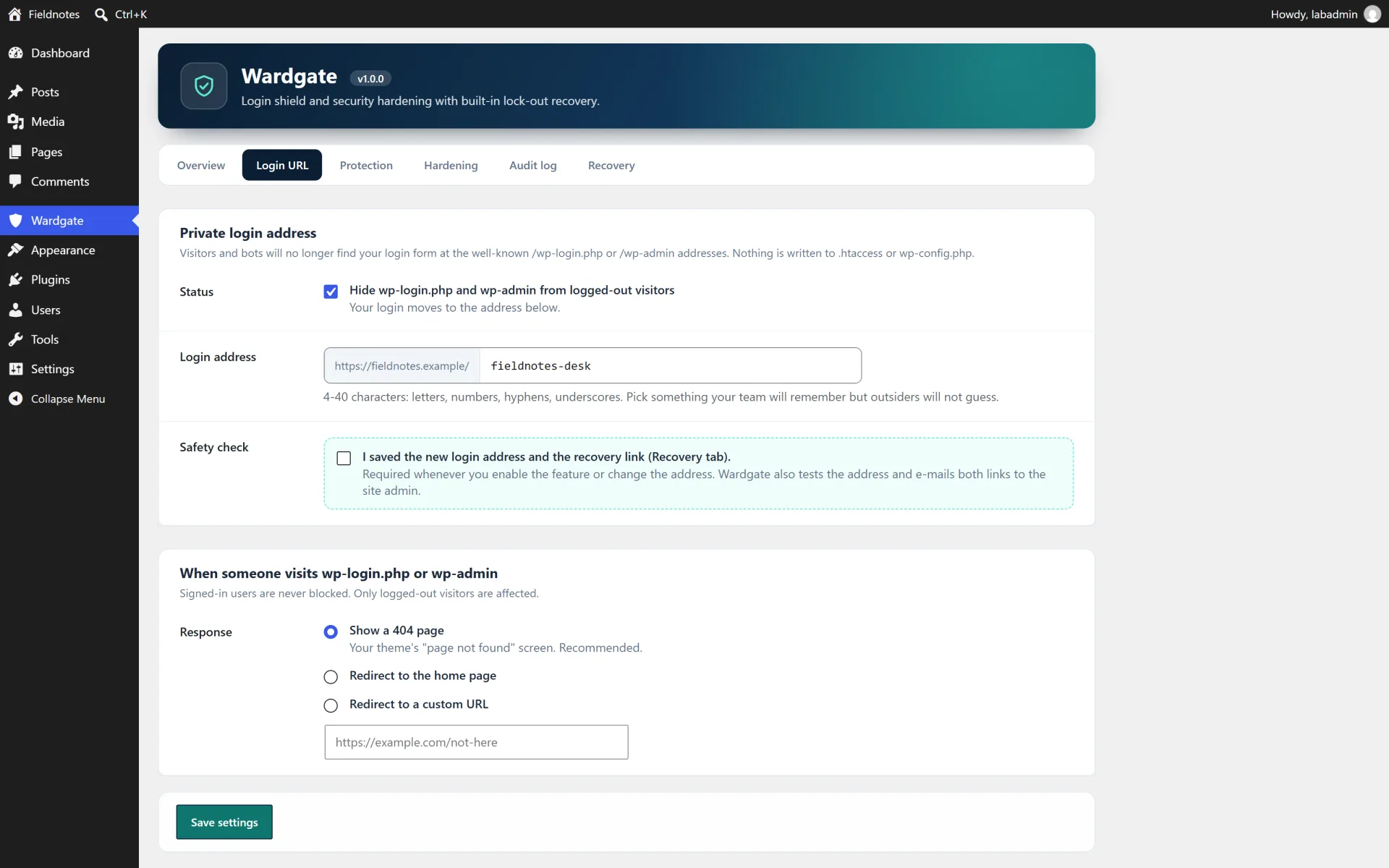
Enabling the private login. Login URL tab: choose a slug (letters, numbers and hyphens), switch the feature on and confirm that you saved the address. Slugs must be 4 to 40 characters. Wardgate refuses slugs that are reserved by WordPress or already used by a page, post or term.

What visitors see. Logged-out visitors who open /wp-login.php, /wp-admin or /wp-register.php get your theme's 404 page (or a redirect). The built-in WordPress shortcuts /login, /admin and /dashboard are stopped from forwarding visitors to the real login. admin-ajax.php, admin-post.php, the REST API and wp-cron keep working.

If you are locked out. 1) Open the private address. 2) Open https://your-site/wp-login.php?wardgate_recover=YOUR_KEY for a one-hour recovery cookie. 3) Add define( 'WARDGATE_DISABLE', true ); above "That's all, stop editing!" in wp-config.php. 4) Rename wp-content/plugins/wardgate-login-shield, or run wp plugin deactivate wardgate-login-shield.

Brute-force limits. Protection tab: after the chosen number of failures inside the time window an address is locked for the chosen duration, even if the correct password is then used. Allowlisted addresses are never locked. Active locks appear on the Overview with a Release button.

Reverse proxies. If your site is behind a trusted proxy or CDN switch on "Trust proxy headers" so the visitor address is read from the forwarded header. Leave it off otherwise, because the header can be forged.

Audit log. Audit log tab: filter by event, page through entries, export CSV or clear the log. IP addresses are anonymised by default and entries are removed after the retention period by a daily scheduled job.

Not included (so there are no surprises)

  • Two-factor authentication, CAPTCHA and social login.
  • A web application firewall, malware scanner or IP geo-blocking.
  • WordPress multisite networks are not officially supported in 1.0.
  • Hiding the login from people who already know the private address. It is obscurity plus rate limiting, not a replacement for strong passwords and updates.

Install in minutes

  1. In your WordPress admin open Plugins > Add New > Upload Plugin and choose the downloaded zip (wardgate-login-shield-v1.0.0.zip), then Install Now and Activate.
  2. Open Wardgate in the admin menu. Everything is switched on except the private login address, so activating the plugin changes nothing about how you log in yet.
  3. On the Recovery tab copy the emergency link and keep it somewhere safe (a password manager is ideal).
  4. On the Login URL tab pick your private slug, tick the confirmation box and save. Wardgate tests the address first, only saves it when it works and e-mails the address and recovery link to the site administrator.
  5. Bookmark the new login address. Review the Protection and Hardening tabs and adjust the limits to your needs.

What is in the download

  • The ready-to-upload WordPress plugin (wardgate-login-shield), organised in namespaced PHP classes
  • readme.txt in WordPress.org format, a full HTML documentation page in docs/ and a CHANGELOG.md
  • license.txt (GNU GPL v2) and a translation template in languages/
  • A clean uninstall: removing the plugin from the Plugins screen deletes its data unless you choose to keep it

About the screenshots

The gallery shows the plugin running on a private test site ("Fieldnotes") with sample posts and sample statistics, not a public demo. There is no hosted live demo for this plugin.

Third-party product and network names mentioned are trademarks of their respective owners. This plugin is an independent product and is not affiliated with or endorsed by them.


Author’s detailed specifications

Additional package and setup details from the author. The purchase options and marketplace license terms govern your order.

Requirements

  • WordPress 5.8 or newer (tested up to 7.1)
  • PHP 7.4 or newer (tested on PHP 8.2)
  • Pretty or plain permalinks both work. The server must be able to request its own address (loopback) for the pre-flight check

Licensing

The plugin source is licensed under the GNU General Public License v2 or later (see license.txt), as for every WordPress plugin. What you buy here is the packaged, supported release: the download, updates published on this listing and author support through the marketplace.

  • Regular — one end product, for your own site or a single client site, where end users are not charged for access.
  • Extended — one end product you may charge customers for, for example a paid membership site or a client service you resell.

These marketplace licence terms describe who the support and update entitlement covers. They do not take away the rights the GPL grants you.

Features

  • Private login address with your own slug. Reserved words and slugs used by real pages are refused
  • Logged-out visitors get a 404 (or a redirect to the home page or to a URL you choose) on wp-login.php, wp-admin and wp-register.php
  • Pre-flight check: the new address is requested from your own server before it is saved, and you confirm that you stored it
  • Four recovery paths: private address, emergency link (one-hour cookie), WARDGATE_DISABLE in wp-config.php, rename the plugin folder. Deactivating restores the stock login instantly
  • Brute-force protection with your own limits: attempts, time window and lock duration. Allowlist for IPv4/IPv6 addresses and CIDR ranges
  • Neutral login errors that never reveal whether a username exists, plus a list of active lock-outs you can release in one click
  • Optional e-mail alert when an address is locked out
  • Hardening switches: hide the WordPress version, strip version query strings, turn off XML-RPC, block username discovery (REST users and ?author=), disable the theme and plugin file editor
  • Security headers: X-Frame-Options, X-Content-Type-Options, Referrer-Policy, Permissions-Policy and optional HSTS and Cross-Origin-Opener-Policy
  • Audit log in its own table: logins, failures, lock-outs, blocked requests, recovery use and settings changes, with filter, pagination and CSV export
  • Privacy friendly: IP anonymisation, automatic retention (default 30 days), CSV exports neutralise spreadsheet formulas
  • Overview dashboard with a hardening score, 24-hour counters, 7-day chart and checklist

Your purchase includes

Compatibility

Works with
WordPress 5.8 - 7.1, PHP 7.4 - 8.2
Supported software
WordPress 5.8+, PHP 7.4 - 8.2
Platform
Self-hosted WordPress
Framework
WordPress

Tags: Security Login Brute Force Hide Login Wp Login Audit Log Hardening

Browse more in Plugins, or see all items by Fernwick Studio.

FAQ

Common questions about this listing.

Can this plugin lock me out of my own site?

Wardgate is built to make that very unlikely. It tests the new address before saving, asks you to confirm you stored it, never edits .htaccess or wp-config.php, and offers four independent ways back in. Deactivating the plugin, or renaming its folder, restores the normal login immediately.

What if I forget my private login address?

Use the emergency recovery link from the Recovery tab, add the WARDGATE_DISABLE constant to wp-config.php, rename the plugin folder over FTP, or run wp plugin deactivate wardgate-login-shield.

Does it work with caching plugins?

Yes. The login screen is sent with no-cache headers. If your cache plugin has a "never cache these URLs" list, add your private login slug to it.

Does it work with login forms on the front end or WooCommerce?

Front-end login forms that post to the standard login endpoints keep working and are covered by the lock-out rules. Wardgate rewrites the login, logout and lost-password links that WordPress generates.

Will it break admin-ajax.php, the REST API or cron?

No. Those endpoints stay reachable for visitors, so themes, forms and scheduled tasks keep working.

How does the lock-out work?

Failed logins are counted per IP address inside the time window you choose. Reaching the limit locks that address for the duration you choose. Locked addresses are refused even with the right password until the lock expires or you release it.

Which IP address is used?

The connection address by default. Behind a trusted proxy or CDN switch on "Trust proxy headers" to use the forwarded address.

Does it store personal data?

The audit log holds the username that was typed, the event and the IP address, which is anonymised by default. Entries are deleted automatically after the retention period. You can switch the log off.

Does it support two-factor authentication or CAPTCHA?

No. Wardgate focuses on hiding the login, rate limiting and hardening. It works alongside plugins that add two-factor authentication.

Is it translation ready?

Yes, all text is translatable and a .pot file is included.

What happens when I delete the plugin?

By default the settings, the audit-log table, lock data and scheduled job are removed. You can keep them by switching off "Delete all Wardgate data when the plugin is deleted" (Hardening tab). Deactivating never deletes anything.

Does it work on multisite?

Wardgate 1.0 is built and tested for single-site installs. Multisite networks are not officially supported yet.

Version history

Release notes for this item, newest first.

Current v1.0.0

  1. v1.0.0

    Current
    Initial release.

Log in after purchase to download version files.

Reviews

4.0

1 review

5 stars 0
4 stars 1
3 stars 0
2 stars 0
1 star 0

Only people who bought this item can review it, which keeps ratings honest. Sign in if you already bought it.

Login moved, and I did not lock myself out

Theo Lang Reviewed v1.0.0

Put this on a client brochure site. The private login slug, the 404 for wp-login.php, and the brute-force lockouts with an IP allowlist are what I turned on first. The pre-flight check that requests the new address before saving it is the reason I trusted the change. The audit log and CSV export are there; I have not needed the emergency cookie yet, but the four recovery paths are documented in the settings.

Questions & answers

Ask the seller about setup, compatibility or customisation before you buy.

Sign in to ask the seller a question.

No questions yet

Be the first to ask. Answers from the seller appear right here.

About the author

Small, privacy-minded WordPress plugins

Fernwick Studio Verified New

Fernwick Studio builds small, focused WordPress plugins that stay fast and respect visitor privacy: no trackers, no phoning home, no jQuery unless it is really needed. Every plugin is original work released under the GPL v2 or later, built with the WordPress coding standards and tested on current WordPress releases and PHP 8.2.

All items by Fernwick Studio →

Similar scripts

Pick up where you left off

Recently viewed

Your last discoveries, saved only in this browser.

Wardgate — Login Shield & Security Hardening

USD 29.00