

PHP script, Laravel kit or WordPress plugin: which should you buy?
Four common ways to get a working site fast, compared on what decides the outcome: hosting, who can maintain it, how far you can change it and what an update costs you.

Most people who buy code are choosing between a handful of shapes of product. They look similar on a listing page and behave very differently once you own them. This guide compares them on what you will actually live with, not on feature lists, and ends with a way to decide.
The four shapes
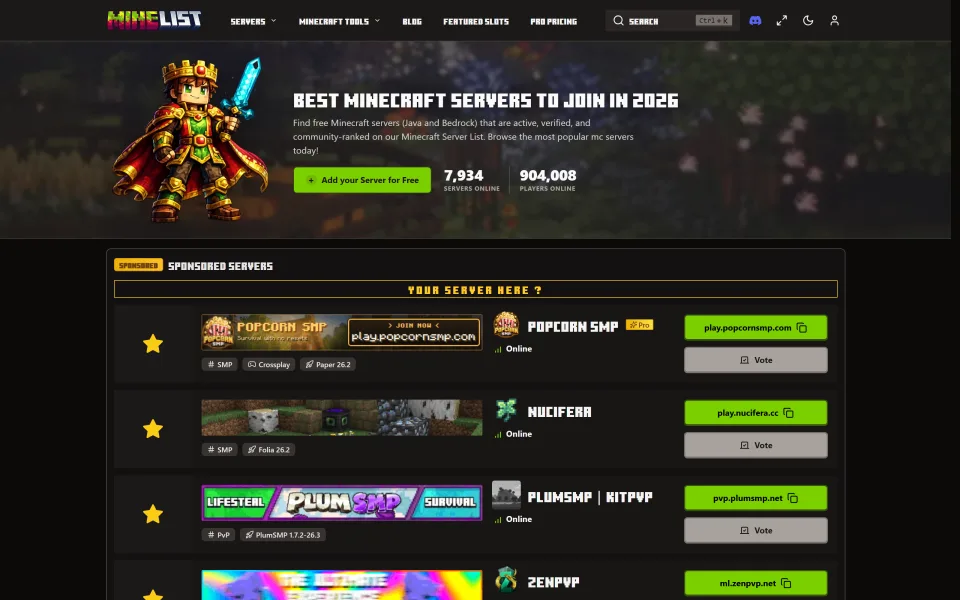
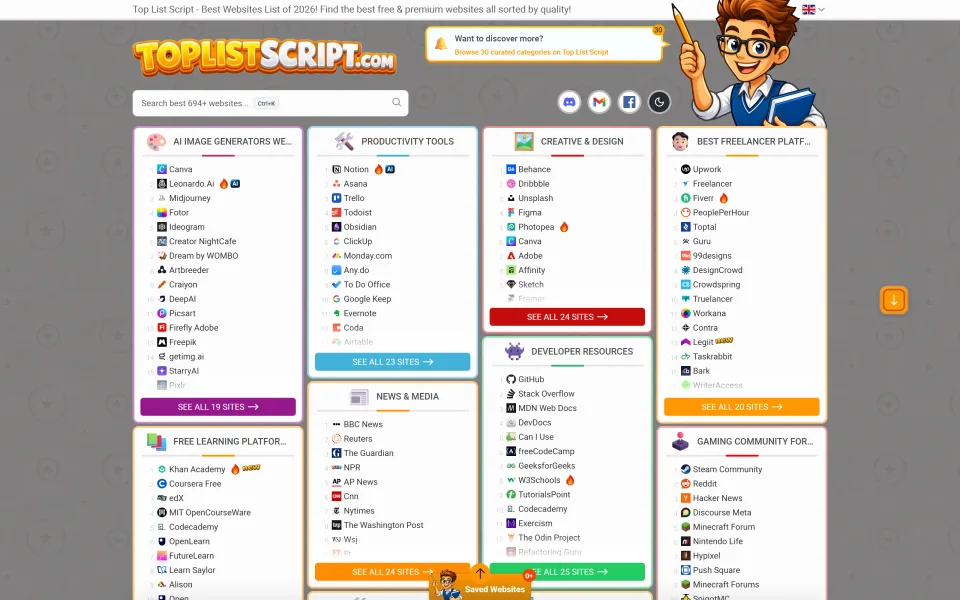
- A standalone PHP script is an application you upload to a host and run on its own. It brings its own admin area and its own database tables. Examples on the marketplace: Minelist and ToplistScript, both plain PHP with a database.
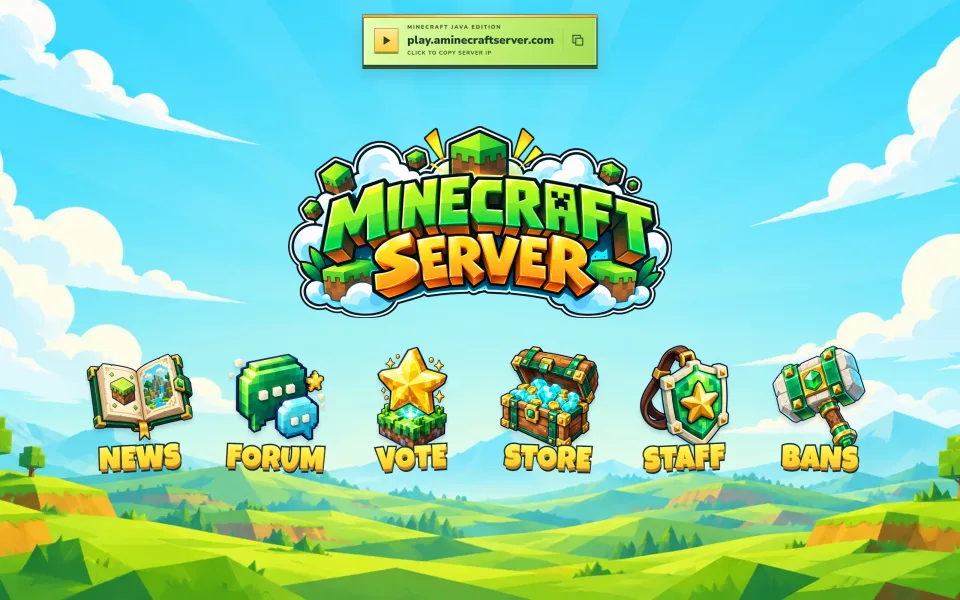
- A static site template is HTML, CSS and JavaScript with no server-side code. You edit a configuration file and upload it anywhere that serves files. The Minecraft Java Community Portal is this kind: it lists no PHP, Node or database requirement.
- A Laravel kit or starter is source code you build on. You are expected to read it, change it and deploy it like any Laravel project.
- A WordPress plugin or theme runs inside an existing WordPress site and relies on it for users, content and updates.
How they compare
| Factor | Standalone script | Static template | Laravel kit | WordPress plugin |
|---|---|---|---|---|
| Skill needed to launch | Upload files, create a database, follow the install guide | Edit one config file, upload files | Comfortable with Laravel, Composer and deployment | Comfortable running a WordPress site |
| How far you can change it | As far as the code is readable and the license allows | Fully, it is plain files | Fully: it is your codebase | Within what WordPress and the plugin allow |
| Hosting | Whatever the listing's requirements say | Any static host | A host that suits a Laravel app | Any WordPress-capable host |
| Updates | You replace files and follow the changelog | You replace files | You merge changes yourself, or stay on your version | One click, if the author ships updates the usual way |
| Backend features (accounts, votes, payments) | Built in | None: link out to other services | Whatever the kit includes | Whatever the plugin adds to WordPress |
| Best for | A finished product you want to run | A front door for something that runs elsewhere | A product you want to own and extend | Adding one capability to a site you already have |
Questions that decide it
Who will maintain it in a year? If the answer is "me, and I do not write PHP", a plugin or a well-documented script is safer than a kit. If you have a developer, a kit gives you the most room.
Do you need it to look and behave like nothing else? A kit or a template can. A plugin can only go as far as its settings and hooks.
Does it need accounts, a database or payments? Then a static template is not enough on its own. It can still be the public landing page in front of something else.
What is the cost of a bad update? On a standalone script you control when an update happens. On a plugin, an update can arrive while you are asleep. Read why the changelog matters before you rely on either.
What will you charge for, and to whom? If you will sell access to what you build, the license matters as much as the code. See Regular vs Extended license, explained.
What to check on any listing
- The stated requirements against your hosting.
- The version, the date of the last update and the changelog.
- Whether documentation exists, and whether it covers installation and upgrading.
- The license, and what the support terms include. The support policy shows what the marketplace's default covers.
- Whether the code is readable and free of copy protection: listings state whether they are DRM-free and unobfuscated.
- Reviews from people who describe how they used it, not just a star count.
A simple way to decide
If you want something running this week and will not touch the code, pick a standalone script, or a template if all you need is a public page. If you want a product that is yours to shape, pick a kit and budget time for deployment. If you already run WordPress and need one extra capability, start with a plugin and see how far it goes.
If you are still deciding what to build, how to launch a game server list website walks through one concrete example from niche to first month. When you are ready to compare real listings, browse the marketplace and filter by the stack you are comfortable with.
Frequently asked questions
Can I switch from one to another later?
Moving data between products is rarely free. Pick the shape you can live with for a year, and keep regular backups so a move is possible.
Is a plugin always cheaper than a script?
Not necessarily. Compare the price, what the license covers, how long support lasts and what hosting you need, not the sticker price alone.
Do I need to know how to code?
For a script or a template, basic comfort with files, a database and a control panel is usually enough. For a kit, yes. For a plugin, you need to be comfortable with WordPress.
How do I know a seller will keep updating?
Look at the version history and the date of the last update, read how the author describes support, and check reviews. No listing can promise the future, which is why a changelog and a good backup matter.
Minecraft and other game names belong to their respective owners. CodeMercio and its sellers are independent and are not affiliated with or endorsed by them.
Scripts mentioned in this post
PHP
Minelist — Minecraft Server List Script
Self-host a Minecraft server list like minelist.io: Java & Bedrock listings, votes, featured slots, Pro monetization, admin panel, and SEO-ready pages on PHP + MySQL.
- Plain PHP
- minecraft
- server list

Regular license price
USD 149.99
, was
USD 199.99
New listing Updated
PHP
ToplistScript — Website Directory & Toplist CMS
Self-host ranked website directories and review hubs: SEO categories, affiliate entries, appearance CMS, optional AI, submissions, plain-PHP installer. Earn via affiliate URLs, Featured placements, and moderated submissions.
- Plain PHP
- directory
- toplist

Regular license price
USD 224.99
, was
USD 299.99
New listing Updated
Standalone
Minecraft Java Community Portal — Illustrated Landing Page
Ship a polished Minecraft Java Edition community homepage in minutes: floating logo, one-click copy IP, and six illustrated hubs for news, forum, vote, store, staff, and bans—plain HTML, CSS, and JS.
- Plain HTML/CSS/JS
- minecraft
- landing page

Regular license price
USD 22.49
, was
USD 29.99
New listing Updated

Comments
Sign in or create an account to comment.
No comments yet. Be the first.